
AUTHORING TOOL
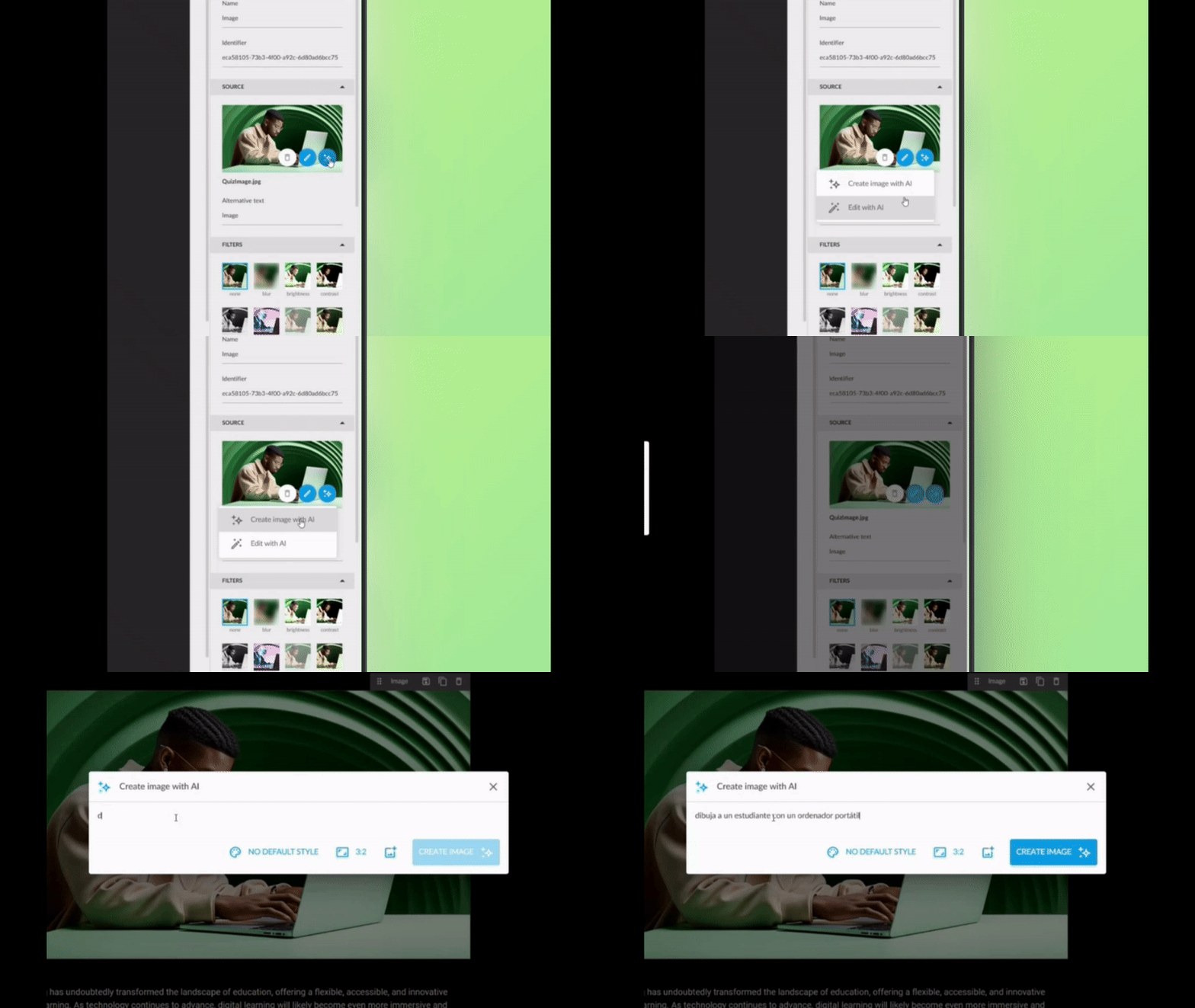
AI Image Generation: Your Visual Ideas, Instantly
Create personalised images with text directly from the authoring tool. Now you can transform any concept into a unique image for your backgrounds or sections, without leaving the editor.
Three ways to create your images:
- From scratch: Describe what you need and the AI generates it.
- From a base image: Use a reference image to guide the creation.
- Improve what you already have: Upload an image and ask the AI to optimise or modify it.
What’s in it for users?
- Say goodbye to generic image banks: create unique visuals aligned with your message.
- Save time on searching and external editing.
- Greater visual coherence across your content.
✓ More attractive and personalised content, with no additional effort.
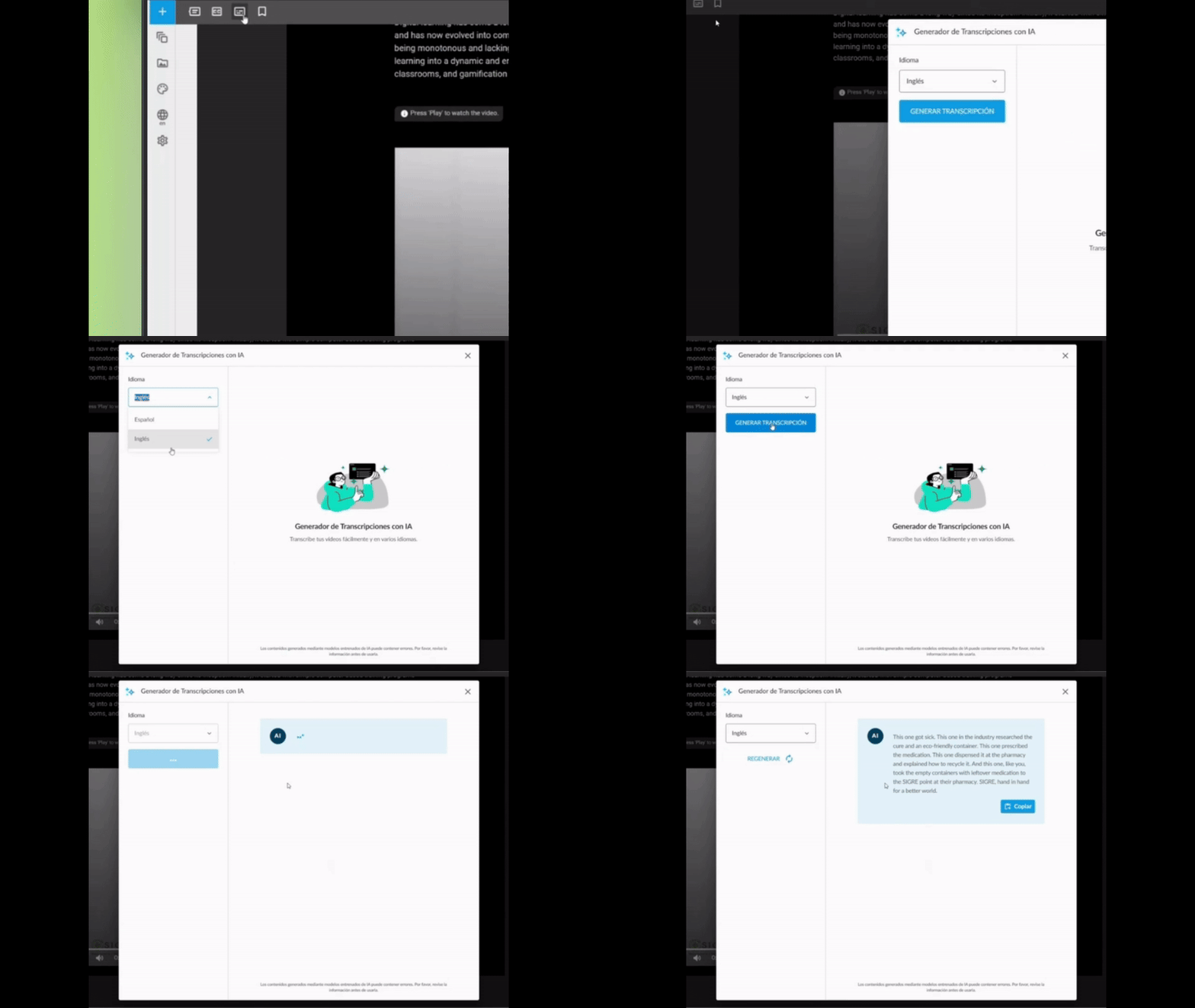
Automatic Video Transcription: Accessibility at the Click of a Button
Automatically generate text for your MP4 videos directly from the authoring tool. It makes reading easier for all your users and effortlessly meets WCAG accessibility standards (Level AA).
How does it work?
- Upload your MP4 video to the content.
- Activate automatic transcription with a single click.
- The system generates the complete text, ready to display or download.
Why it matters
- Universal accessibility: Ensures all users, including those with hearing impairments, can access the content.
- Regulatory compliance: Achieves WCAG Level AA without manual effort.
- Improved experience: Users can read whilst watching the video, reinforcing comprehension.
✓ More inclusive videos, with no technical effort or additional time.
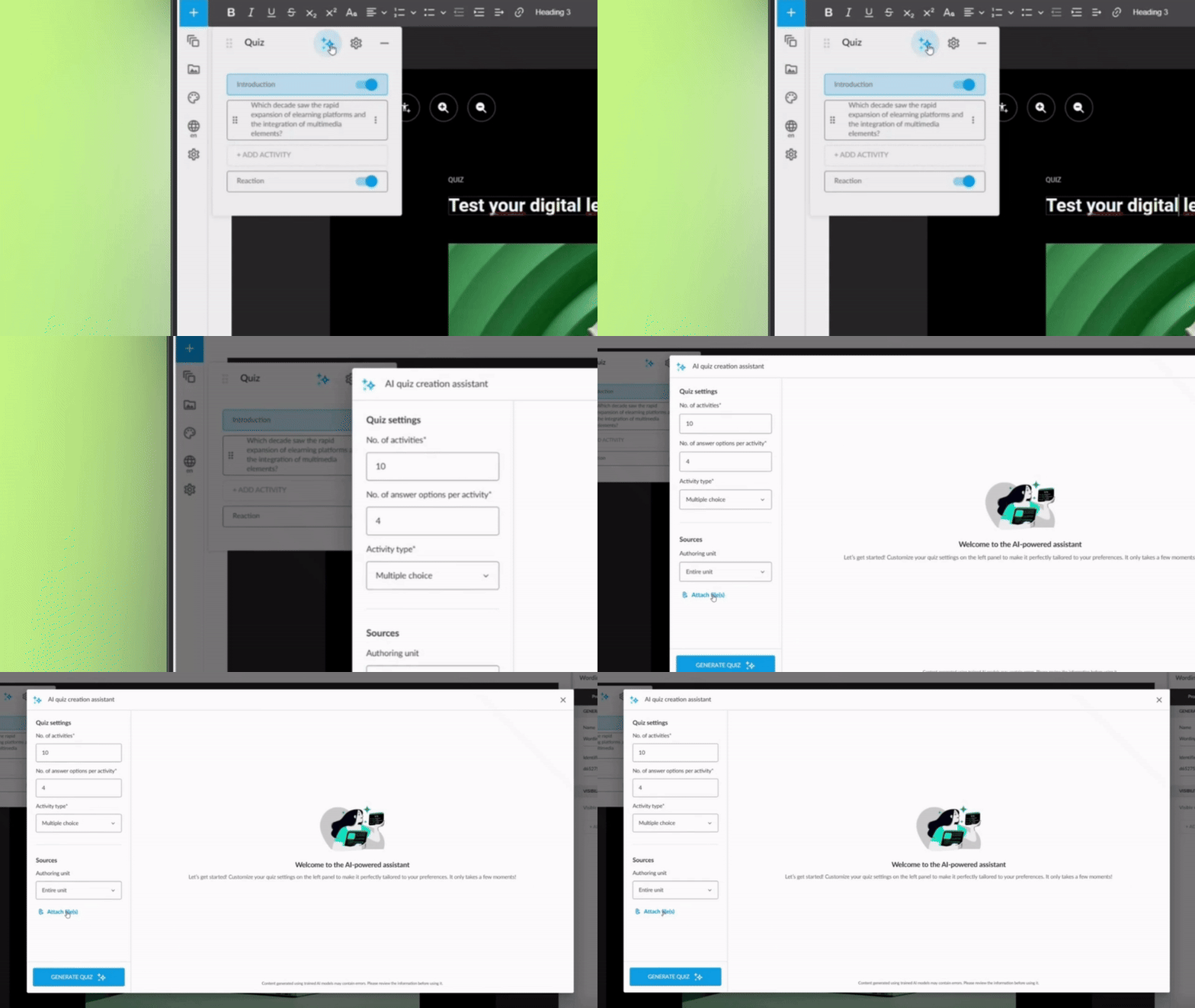
Enhanced Question Generator: From Your PDFs to Intelligent Assessments
The AI question generator is now even more powerful. In addition to creating assessments based on your course content, it can analyse one or more PDF files from your Drive to generate questions automatically.
What can you do now?
- Select PDFs from your Drive as the source for questions.
- Combine course content with information from external documents.
- Generate complete assessments without writing a single question.
Direct benefit
- More agility: Repurpose technical documentation, manuals, or existing materials.
- Greater variety: Create assessments based on multiple sources of knowledge.
- Less manual work: The AI does the heavy lifting whilst you review and adjust.
✓ Richer and more varied assessments, generated in minutes rather than hours.
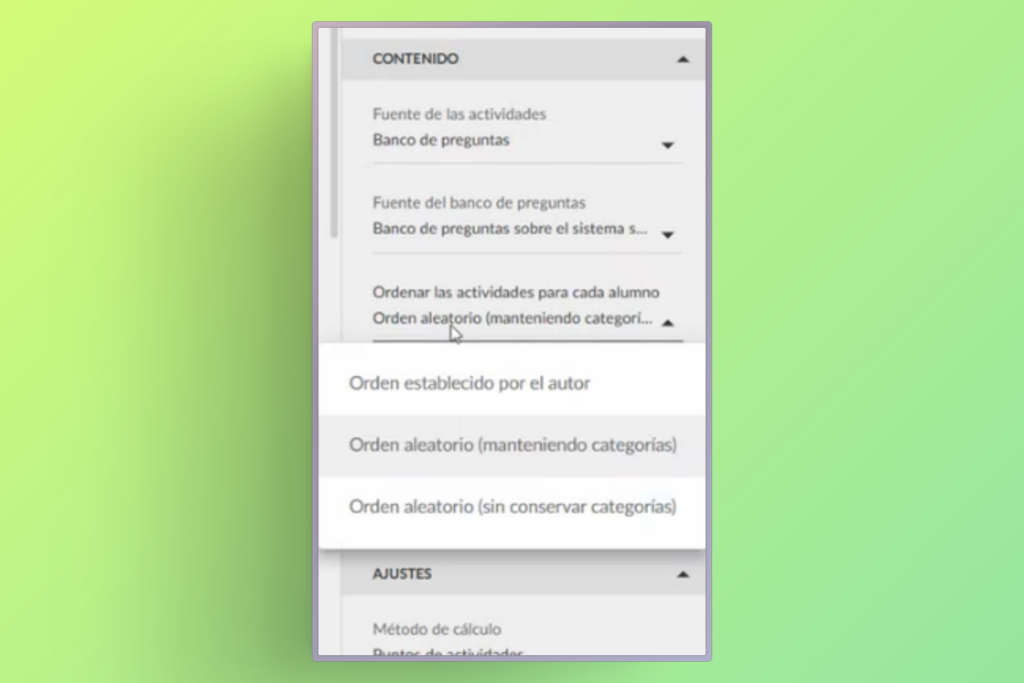
Smarter Question Banks: Each Student, a Different Exam
You can now configure your assessments so that the order of answer options from questions drawn from question banks changes automatically for each student.
What’s the benefit?
This improvement adds an additional layer of randomisation: not only are different questions drawn from the bank for each student, but the answer options for each question also appear in a different order.
What’s in it for users?
- Fairer assessments: Reduces the possibility of copying between students.
- Greater security: Each student faces a unique assessment, even if they share the same questions.
- No complex configuration: Activated with a simple adjustment in the assessment settings.
✓ More robust and personalised assessments, without adding work for the author.
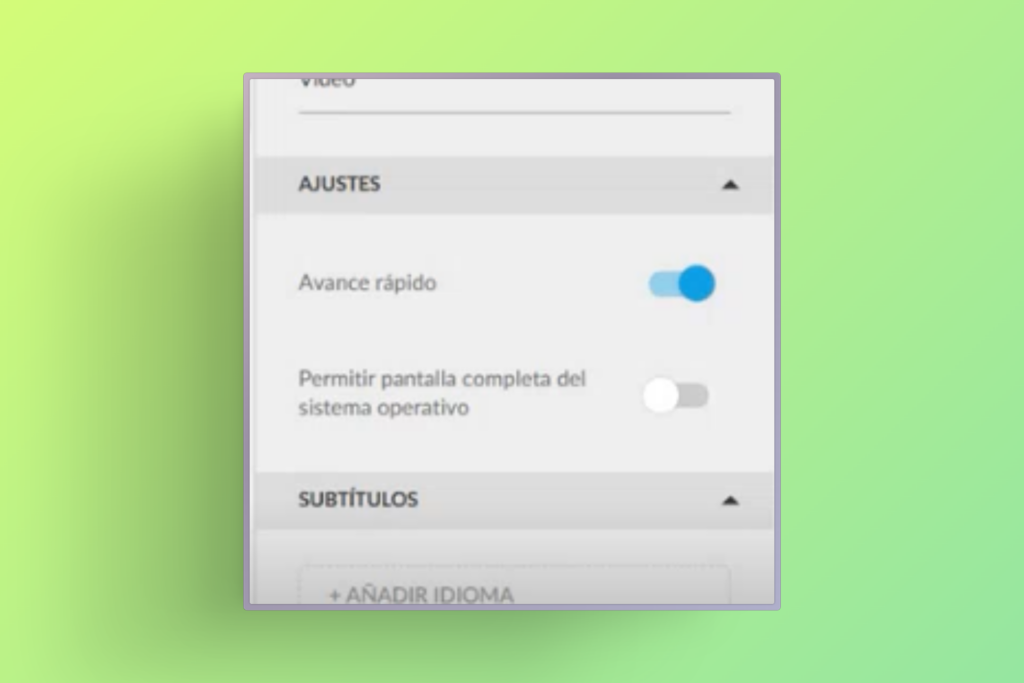
More Flexible Video Progress: Resume Where You Left Off
We’ve improved the behaviour of “fast forward blocking” in videos. Now, even with this option activated, you can manually skip forward to any point where you previously stopped, without having to watch it again from the beginning.
How does it work?
- The system remembers your progress in each video.
- You can navigate freely up to the point you previously reached.
- The block only applies to content not yet viewed.
Why it matters
- Better user experience: Eliminates the frustration of having to review content already seen.
- Flexibility without losing control: Maintains the pedagogical intention of the block, but with common sense.
- Time saving: Students can revisit specific sections without repeating the entire video.
✓ A perfect balance between formative control and respect for the student’s time.