The article editor now includes new formatting options so you can customize your publications. You can now adjust colors, indentation, and font size in every article.
These new tools give you the same visual finish you already have available in the LMS, creating a consistent style across your entire ecosystem. Your publications will look professional and distinctive without leaving the platform.
IA EXPERTS
Assign AI experts directly to specific users
Until now, AI experts could only be assigned through enrollment campaigns. Now you can assign them directly to the users you want, without depending on enrollment processes.
Simply search for users, add them, and they’ll have access to the expert from their learner portal. If you prefer to automate, create rules in Automate: any segmentation criteria you already use—by department, by enrollment in a campaign, etc.—can trigger automatic expert assignment.
Improvements
SHARE
Links always stay up to date in Share
Publish a link and then discover it’s broken or changed? Now you can edit it directly from the publication without having to create a new one.
SHARE
Find your drafts faster
When planning the availability of your Share publications, a new filter lets you see only what’s published or only what’s still in draft.
This speeds up your workflow when you have many publications in progress, letting you focus on what you need in each moment.
Now, when a learner views the detail page of a training —for a course, event, learning pathway or learning program— they can see who the assigned trainer or teacher is.
Improvements
LMS
Warning before leaving to external links
Learning pathways and trainings allow adding links to external websites, and that remains unrestricted for administrators. But now, when a user is about to click one of those links, they’ll see a warning indicating they’re about to leave the platform —with the option to continue or cancel—. One more step in reinforcing the platform’s security.
Designing reports has never been easier! You can now use pre-defined templates for events and itineraries, or create your own custom templates. This will allow you to adapt reports to the specific needs of your projects and teams.
Assignment of skills and competencies across the platform
Greater coherence in your training! You can now assign skills and competencies to any learning entity, including events, itineraries and learning programmes. This way, you can better track the development of your users’ capabilities.
Offline tracking
Learning continues even without the Internet! From the App you will be able to download xAPI activities and complete them offline. When you reconnect, your progress will sync automatically with the LMS.
AUTHOR
Direct browsing of Netex Drive libraries
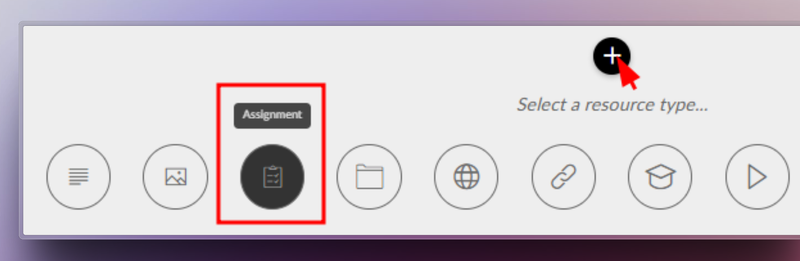
You can now access Netex Drive libraries directly from a unit’s resources panel. Easily import images, videos, PDFs or other Drive resources, just as you do with Unsplash or Getty Images.
Smart links to glossaries
Make your content more interactive and clear! You can now associate words or phrases within a text to glossary terms. When the learner clicks them, they will see the related information straight away.
Design improvements for the Designer profile
New visual states have been added to buttons and navigation menus, clearly distinguishing between the “hover” and “visited” states.
An improvement that makes the interface more intuitive and pleasant to use.
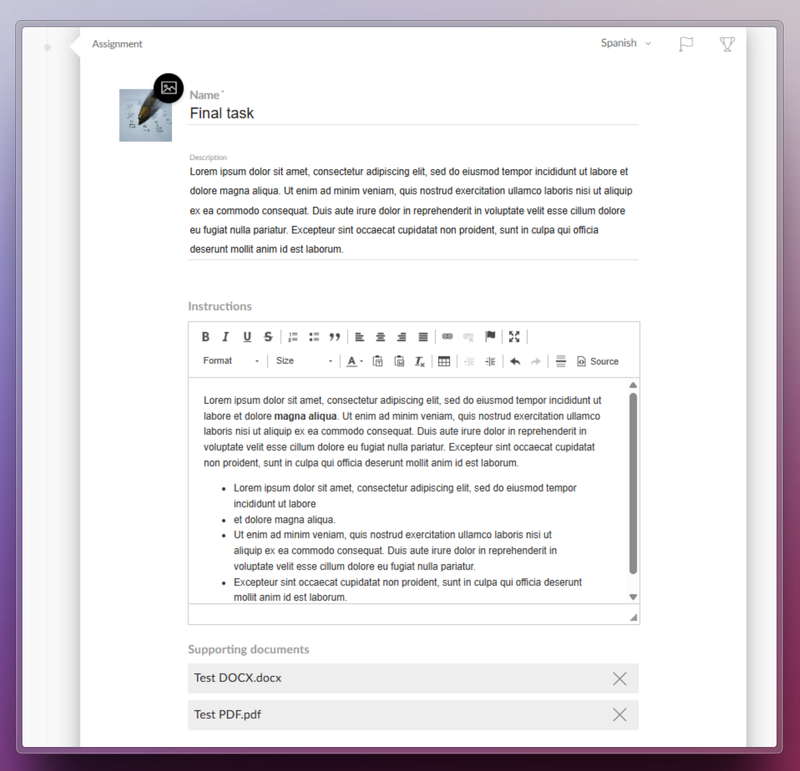
Netex Cloud LMS now includes assessment through practical assignments. Learners can submit files as evidence of learning, allowing instructors to collect and review submissions to evaluate their progress and understanding.
How does it work?
The trainer sets the assignment. They define the title, description, required resources, and whether the learner needs to upload a file as evidence.
The learner submits their work. They view the activity within the course and upload the required files in formats such as PDF, JPG, MP4, DOC, PPT, XLS, ZIP, etc.
Assessment and feedback. The trainer reviews the submitted files, provides comments, and assigns a grade.
Automatic integrations. Gamification rewards are triggered, and the overall course grade is updated for graded activities.
Benefits
Authentic assessment: Go beyond tests by evaluating learning through real-world evidence.
Complete flexibility: Supports multiple file formats and sizes.
Increased engagement: Boosts participation with automatic rewards and instant grading.
Seamless experience: Same workflow on web and mobile, with no learning curve.
Turn every submission into a learning opportunity.
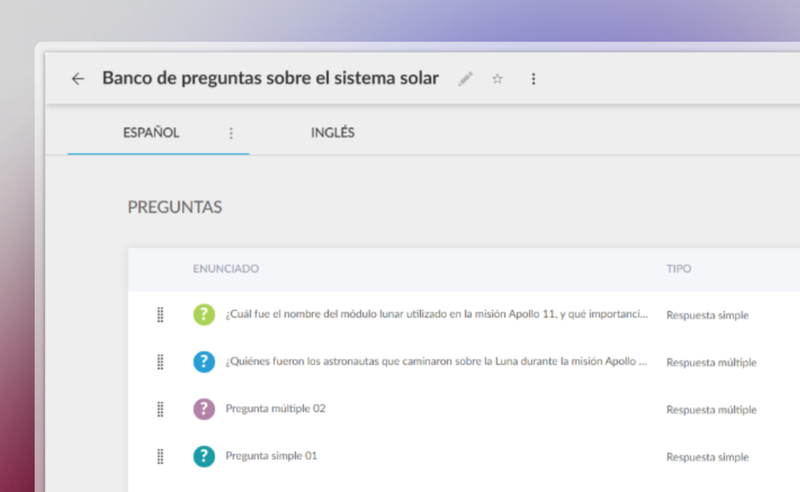
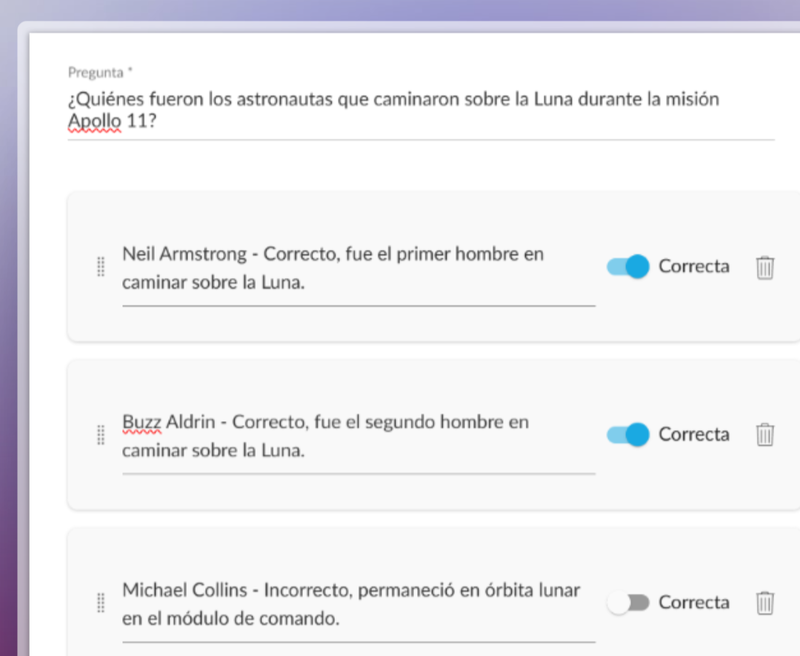
You can now create a centralised question bank in the Netex Cloud authoring tool, with single or multiple-choice questions that can be easily reused across all your content.
Managed from a single repository, updating questions or delegating their maintenance becomes much more efficient—no need to edit each unit individually.
Create dynamic quizzes by defining how many questions to draw randomly from the bank (e.g. 10 out of a total of 50), or how many per category (such as 5 from Maths and 5 from Algebra).
This allows you to offer personalised assessments to each learner—without increasing the author’s workload.
Videos now allow you to set a fixed aspect ratio (16:9, 4:3, 9:16, etc.) to ensure consistent, professional playback tailored to each design.
With these improvements, you gain efficiency, control, and quality in your assessments and multimedia resources.
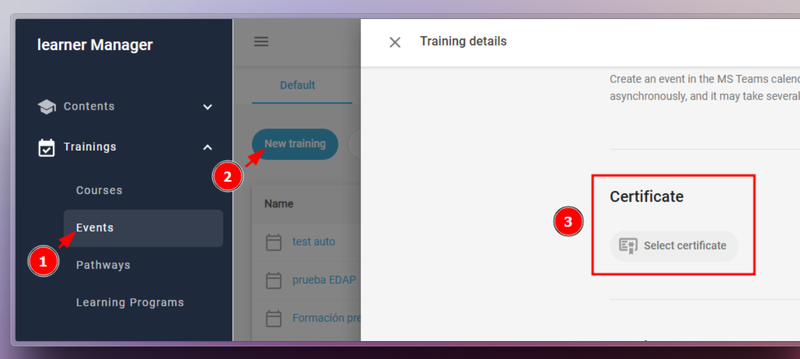
Administrators can now directly download user certificates from the Admin Portal. Simply select the desired users and trainings. This feature is available for both general and group administrator.
Introducing the feature to assign event trainings to carousels on the learner’s home page. This allows users to view their events organized by date proximity, making it easier for them to plan. Although it does not replace a full calendar, it ensures that upcoming events are displayed in a clear and orderly manner.
This update allows content to be automatically adjusted to display properly in languages with right-to-left reading direction, such as Arabic, Hebrew, Persian, Urdu, among others. Texts are aligned and the order of columns and selectors is reversed to adapt the whole experience.
In addition, Professional licensed authors can customize the direction of the content according to their needs.
Subtitle literal change.
The text to disable subtitles has been changed from “disabled” to “off”, providing a clearer and more direct term.
Improved quiz display
Activity statements are now displayed more clearly in a floating window, improving the user experience when navigating quizzes.
We conducted an audit of the new Administrator Portal to ensure that no feature was missing from the previous version. For example, the title of the content to which the reports refer have been restored in the History screen, displayed in brackets next to the type of report.
From this version onwards, administrators will be able to create extended fields for training pathways. The purpose of these fields is to help classify and find content more efficiently.
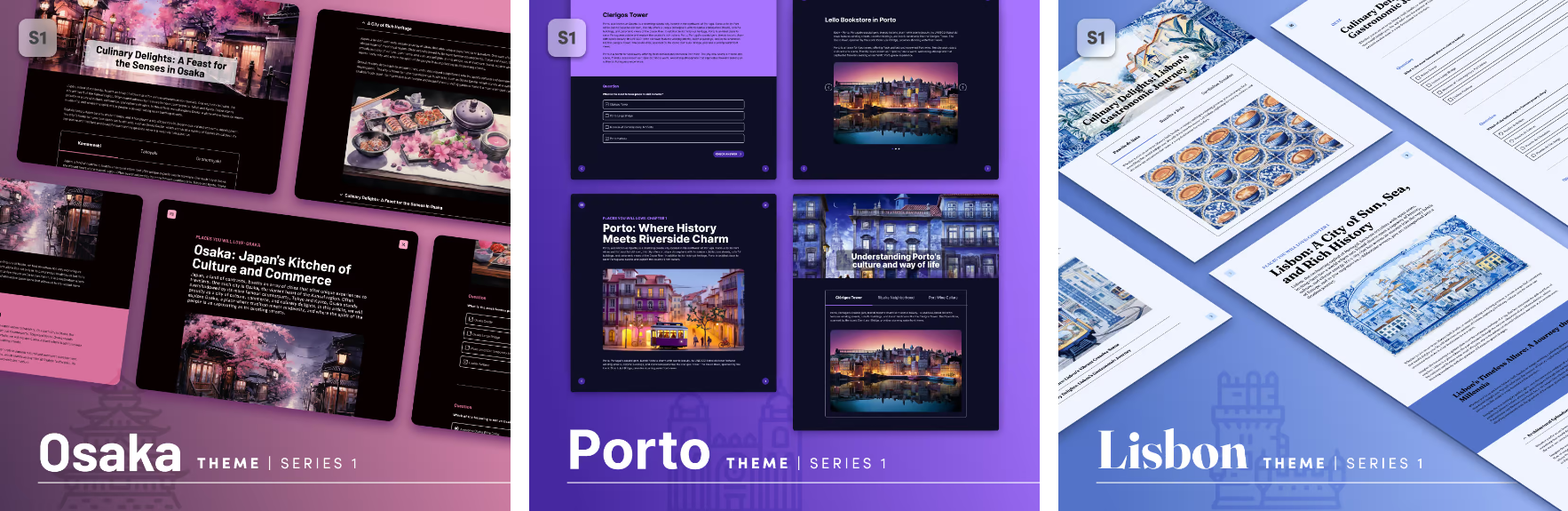
The 1 series of themes is growing. In addition to the Sidney theme, we now have the Lisbon, Porto and Osaka themes, a series of themes designed to quickly create attractive, interactive content that will look great on any device where it is launched (both mobile devices and desktop and laptop computers), simply by choosing and dragging the different content blocks available: texts, images (with areas and markers) interactive videos, accordions, tabs, galleries, and a variety of questions: single answer, multiple answer, free text, relate items, sort list, drag over image, likert.
Valid for any subject. It is possible to create content in any of the themes of series 1, and change it for another of the same series a posteriori.
Component tree
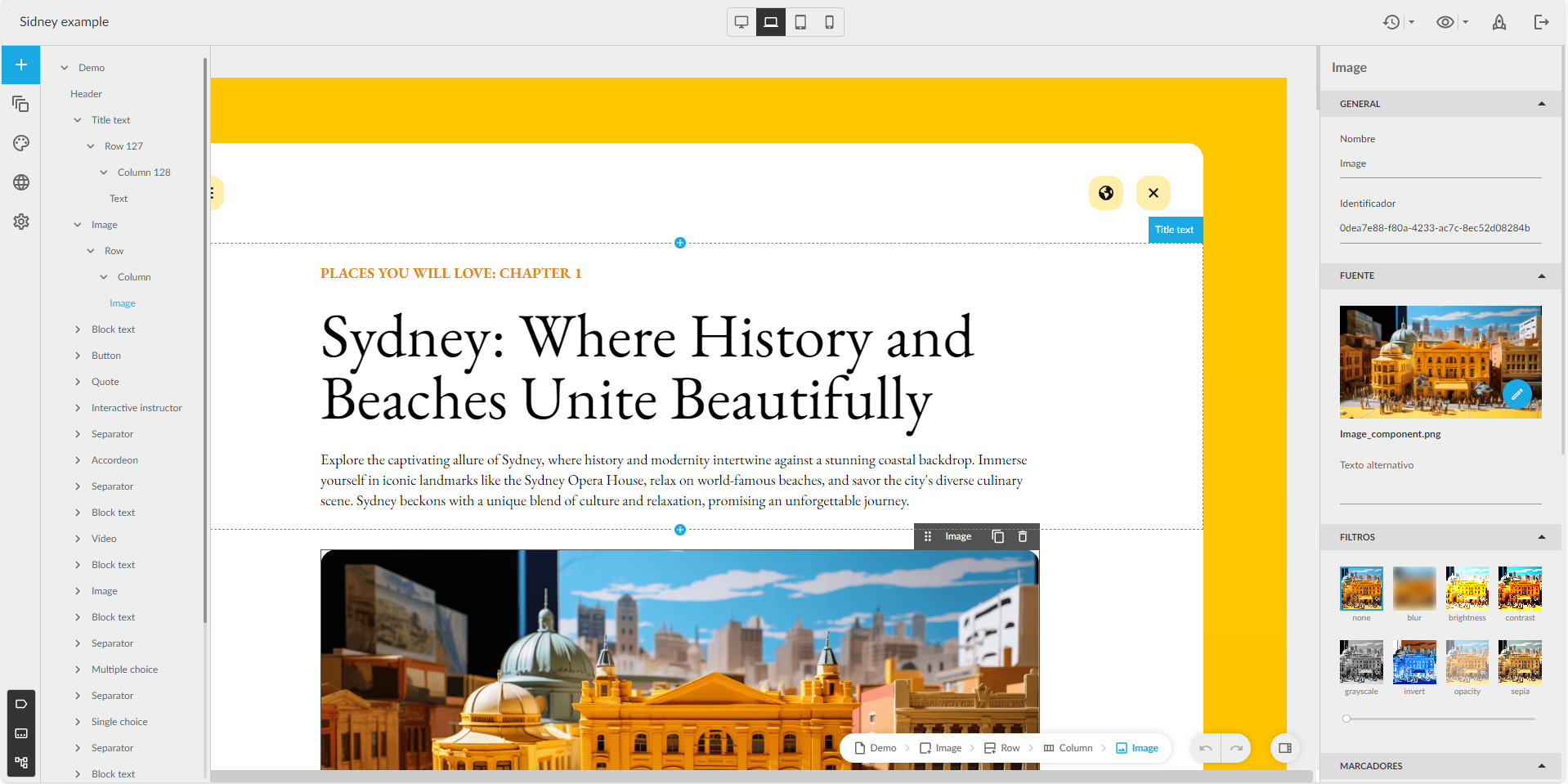
Now authors with a Professional licence can see the tree with the structure of the components in a new panel, to know their hierarchy, and to be able to move them more comfortably.
Improved buttons
The buttons can be configured so that the content does not allow the learner to move on to the next page, or be considered completed, until the learner interacts (clicks) on the buttons that the author considers. Also with the advanced buttons.
From now on you can mark the new extended fields as required to make them mandatory when creating a course.
Hotjar conector
Integration of Learner Portal with Hotjar, a web application which analyzes the product experience through surveys and other user interactions.
Author
Redesign of the editor interface
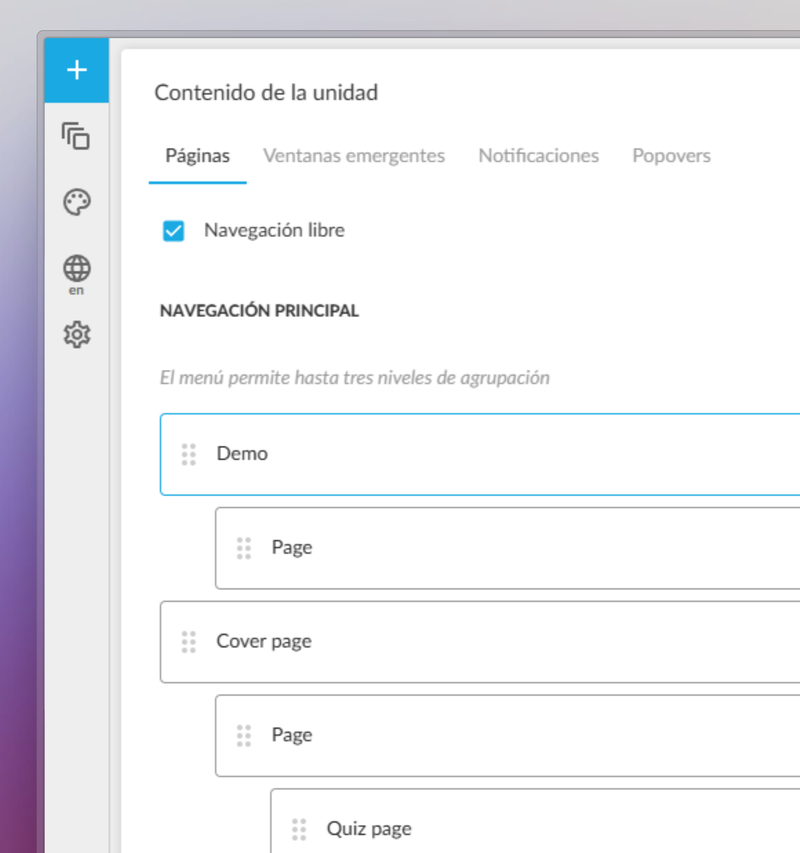
Improved design with the most used options at a glance. New sidebar with quick access to page management, pop-ups, color schemes… At the top bar, version management, preview and publishing buttons. Page visibility in the navigation menu is managed from a floating window, more user-friendly for Easy authors.
New theme available: Sidney
Quickly create interactive content adapted to any device, simply by selecting content blocks: text, images, interactive videos, accordions, tabs, galleries and a variety of questions (single and multiple choice, matching, sorting, Likert…).
New Generation
New feature: Events
Discover training events, on-site or online.
New carousels
Deleted Enrolled and Recommended carousels and added new ones News and Mandatories.
Changed Notifications
Instead of use Recommended and Enrolled carousels for get new trainings. From now we use Notifications list in user profile.
On Thursday 23th February, a new version of Learning Cloud Author 1.55 will be released. It includes several enhancements:
Editing is smoother, especially when working with text.
Content loads faster, both when previewing and when launched from the LMS.
Publication packaging takes less time to generate.
It is possible to add conditions to enable and disable page forward and page back buttons.
It is easier to assign values to design properties using the keyboard.
In the “easy” editing mode it is no longer possible to add pages, pop-ups and blank notifications.
It is possible to open several unit pages in different tabs by using the combination “Ctrl + click” (in list mode view).
The design of the external units page has been adapted.
The creation of authoring units from Word documents has been adapted for integration into the theme selector.
The xAPI packages include metadata with information on the tool with which they have been created, and various identifiers
In addition, the latest updates of the authoring module (maker) have been incorporated, along with other small improvements, internal functionalities and some bugs have been fixed.