Tag: Gamification

Netex Cloud. March 2026 First Release

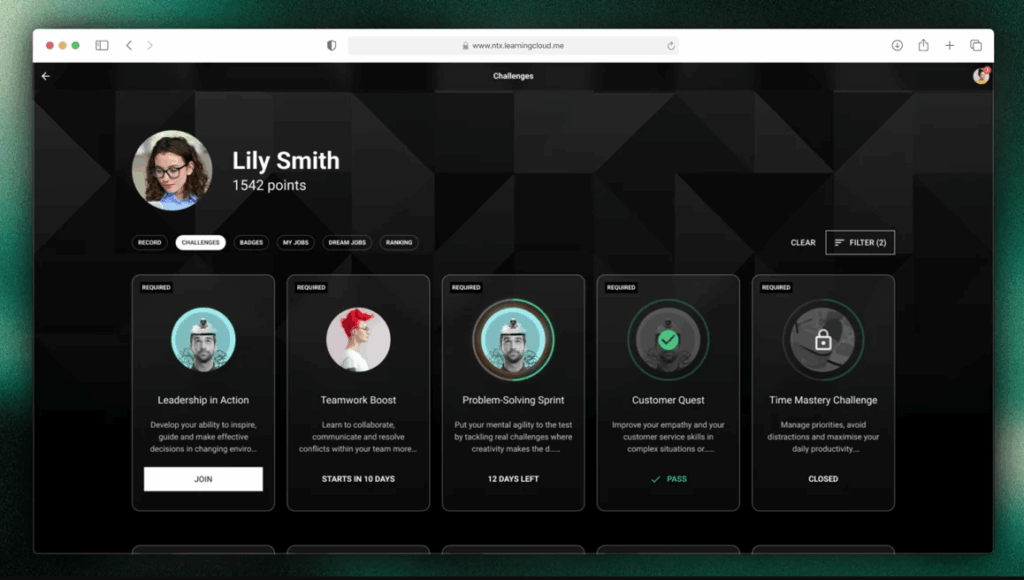
More flexibility in challenge configuration

Challenges now allow you to configure which completions are taken into account to calculate progress:

  • Completions made between the challenge start and end dates
  • Completions made up to the challenge end date

✔︎ This gives you more control to adapt challenges to different business and tracking needs.

Credential recertification

At Netex Cloud, we are taking another step forward to promote continuous learning. You can now configure credentials with an expiration date and activate automatic recertification processes, ensuring that your teams’ skills are always up to date.

What does this new functionality include?

  • Configurable credential validity.
    Define how long a credential will remain active (for example, 6 months) and ensure knowledge stays current.
  • Automatic notifications before expiration.
    Learners receive advance reminders to renew their credential without interruption.
  • Automatic recertification through an exam or course.
    Set up automatic enrollment rules so that users with expired credentials can move directly into the renewal process.
  • New credentials dashboard.
    See which credentials are active or expired and make strategic, data-driven decisions.

What does it mean for your organization?

  • More control and visibility
  • Less manual management
  • Teams that are always up to date
  • Greater value and credibility for your certifications

With this new functionality, credentials in Netex Cloud are no longer static and become a living tool to support continuous professional development.

✔︎ This gives you more control to adapt challenges to different business and tracking needs.

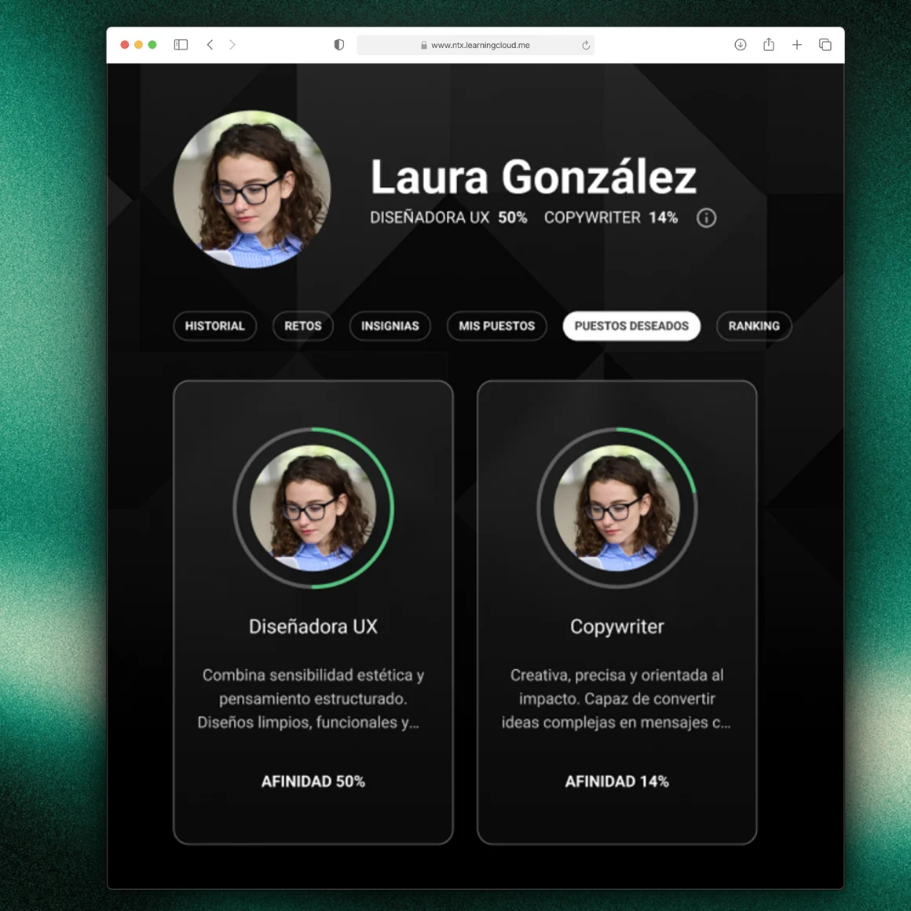
Desired job roles

Learners can now add and remove desired job roles from their profile, as long as this option is enabled for their tenant.

A feature designed to provide more personalization and greater value in tracking professional development.

Expanded information in pathway seat reservations

Pathway sales sessions now display more information about seat availability and status, giving users a clearer view at a glance.

Points hidden when gamification is not active

When gamification is disabled, points are no longer displayed, avoiding confusion and maintaining a more consistent experience.
Netex Cloud. October 2025 First release.

LMS

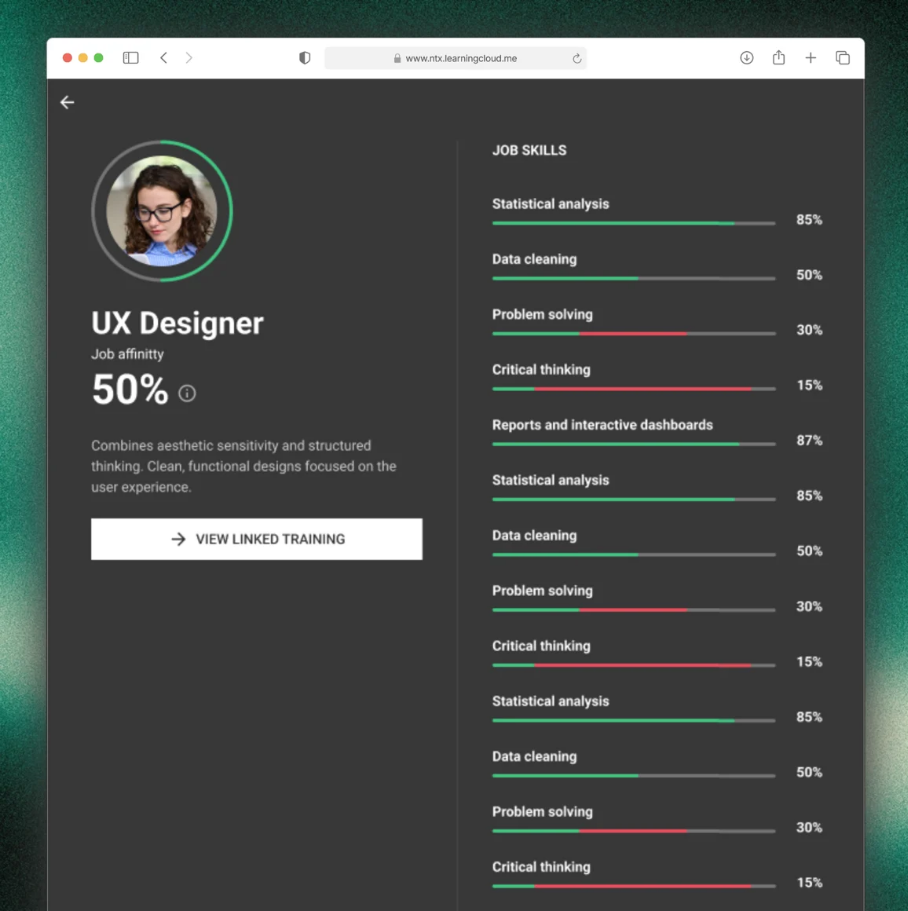
New Skills section for employees

A dedicated view to understand where each person is and what they need:

  • Your current role & fit: understand how you match the role requirements.
  • Your target role: select your professional goal to guide your learning.
  • Skills map & required levels (current and future) and your evaluation against those requirements.

Why it matters

  • Make decisions with data, not intuition.
  • Gain visibility of gaps and development priorities by team.
  • Learners get full clarity on where they are, where they want to go, and which training will take them there.

Recommendations based on Skills

  • We’ve added new carousels that suggest training according to your skills profile:
  • For your current role: courses, pathways and events tagged to your current level.
  • For your preferred role: aligned with the skills and levels of the role you’re aiming for.
  • For the skills you need to improve: recommendations focused on the areas identified in your latest performance evaluation.

Direct benefit

  • For administrators: makes team upskilling and reskilling easier.
  • For learners: supports each lea

Challenges: learn by competing

Administrators can now create and assign Challenges to energise learning. You only need to configure a Challenge by setting:

  • Duration in weeks: start–end dates, description, challenge name, participants, and courses/activities.
  • Flexible activity complexity.
  • Accredit hours (based on the estimated time of completed content).
  • Accredit points (by summing completed content).
  • Badges: award one or more badges upon achieving or surpassing the target.
  • New “My challenges” section for learners: view, details, progress and status.

Exactly what you need

  • Simple progress and impact tracking by initiative for administrators.
  • For learners: clear objectives, visible progress and recognition.

LC6. August 2024 First release.  

Release date: August 21th, 2024.

LMS.

Customize appearance by group.

This update allows you to adjust the appearance of the Student Portal based on user groups, modifying logos, colors, and background images. If a user belongs to multiple customized groups, they are prioritized according to their level or the date of modification.

More information.

Reorganize and edit default carousels.

Administrators can now reorder and modify the titles of carousels, including default ones, directly from the Admin Portal. They can also hide carousels, with the exception of My list.

More information.

Set badges as requirements.

Badges can now be set as milestones in Learning Paths and Programs, blocking progress until they are achieved. This provides greater flexibility and control over user progress.

More information.