Category: Netex Learn

Netex Cloud. October 2026 Second release

Netex Cloud. October 2026 Second release

New features

SHARE + DRIVE

Reuse your content without uploading it again
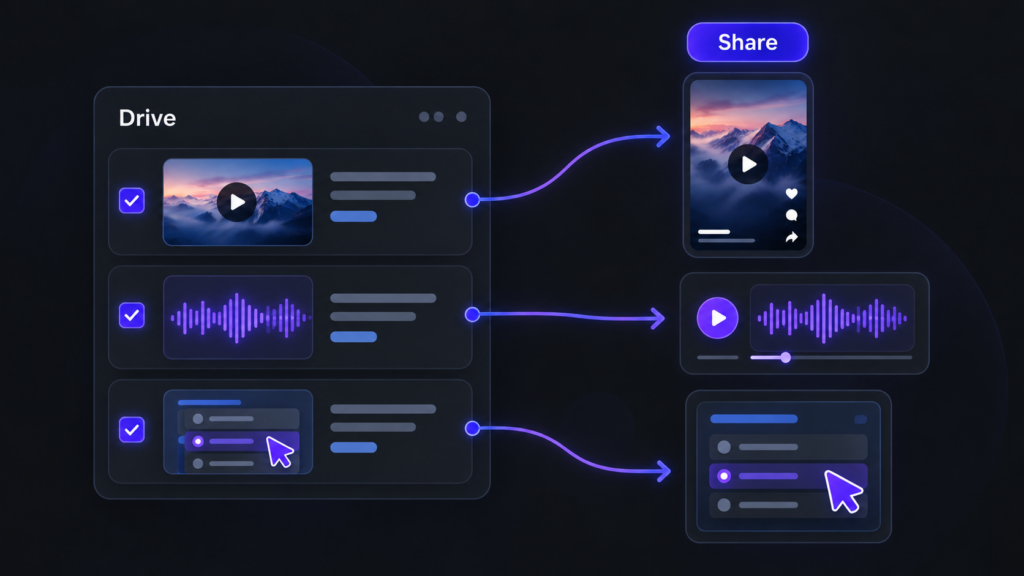
Reutiliza vídeos, audios y recursos interactivos de Drive para crear contenido en Share.

When creating a short, a podcast or an interactive activity, you can now select the video, audio or resource directly from your Drive libraries. You’ll see the most recent resources first and can browse your libraries whenever you need to. The browser only shows resources that match the type of content you’re creating. And, of course, you can still record or upload files as usual.

LEARN

Challenges that show you the way

Within each challenge, you can now see which other challenges each course or learning path contributes to. This helps you identify the training that offers the most value at a glance. Click the challenge icon to open the content details and see all the challenges it belongs to.

AUTOMATE

Automatically mark courses and events as complete

Set up rules to mark courses or events as complete automatically. For example, when someone completes one course, you can automatically mark a second course as complete. This enables fast-track processes and automatic recognition of equivalent training.

This first version supports courses and events only. The completion date will be the date the process runs, rather than the date of the action that triggered the rule, and no learning time will be recorded. Events will be marked as complete without recording attendance.

Improvements

LEARN

Your professional development, one step closer

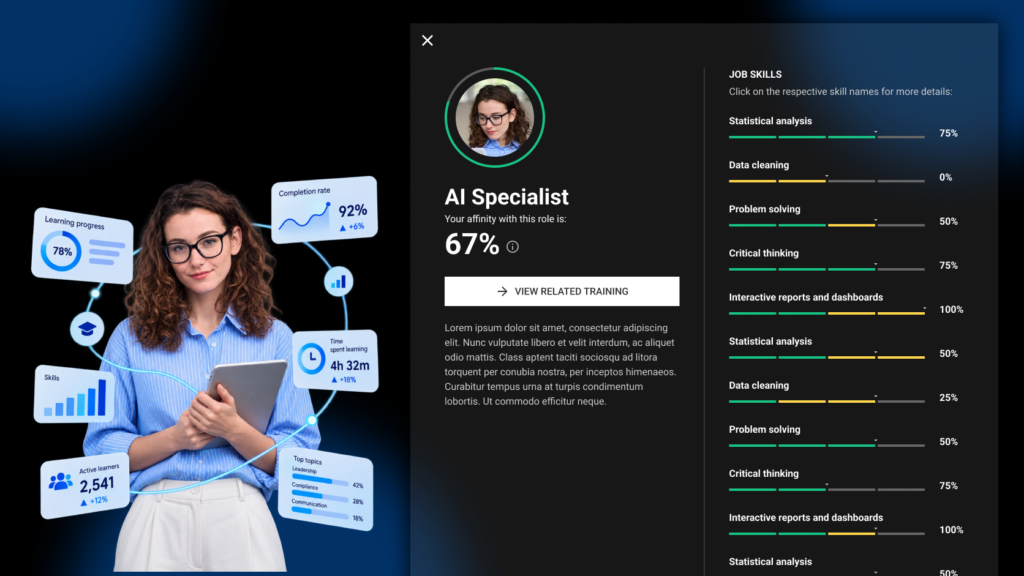
Your profile now takes you straight to your job position, with no extra clicks. If you have more than one position, you can switch between them using tabs. We’ve also refined the profile design, and your certificates now appear in a list that’s easier to browse.

SHARE

Publish, step by step

We’ve redesigned the publishing forms with a guided wizard: first, choose your material, then add the cover image, title and description. A clearer, faster process with a fresh look for shorts, podcasts, links, articles, interactive activities and playlists.

SHARE

See articles just as your learners will

The new article editor shows you the final result as you write, with all the formatting tools close at hand. What you see is what gets published.

SHARE

Link details, filled in automatically

Paste a URL and Share automatically retrieves the title and image. Want something different? You can change them in moments.

SHARE

Cover images, your way

Choose the video frame that best represents your content or upload your own image, using an improved image picker.

LEARN

Filter and sort your challenges

Filter the content within a challenge by enrolment type (mandatory or recommended) and session status (open or closed), and sort it alphabetically.

Netex Cloud. October 2026 First release

Netex Cloud. October 2026 First release

New features

LEARN

Discover the skills you develop in each learning activity

You can now see the skills associated with events, learning programmes and learning pathways. Before you start, you know which skills you will strengthen, helping you plan your development.

Improvements

EXPERTOS IA

Much faster AI Experts

We have rebuilt the AI Experts’ engine so they respond much faster. Enjoy smoother conversations and near-instant answers.

EXPERTOS IA

Conversation titles that make sense

Your AI Expert waits until it understands what you are discussing before giving your conversation a title that describes it. Finding your previous queries is now much easier.

NETEX CLOUD

Continuing to strengthen security

We continue to strengthen platform protection with further security improvements, supported by an independent external audit.

Fixes

NETEX CLOUD

Greater stability

We have resolved various issues to make your day-to-day experience smoother.

Netex Cloud. Agosto 2026 Second release

Netex Cloud. Agosto 2026 Second release

New features

LMS

Interactive content in your playlists

You can now enrich your playlists with interactive content —3D scenarios, dynamic infographics and mini-games— alongside your usual articles and videos. A more agile and engaging way to learn, without leaving your learning journey.

IMPROVEMENTS

LMS

Complete activities from administration

Administrators can now mark an activity as completed for a specific user in a training, without relying on the user to complete it themselves. Less friction to resolve edge cases.

Enhanced security, always

We continue to strengthen the security and stability of the platform to make Netex Cloud increasingly robust.

Netex Cloud. July 2026 Second release.

Netex Cloud. July 2026 Second release.

New features

LMS

Trainers visible in trainings

Now, when a learner views the detail page of a training —for a course, event, learning pathway or learning program— they can see who the assigned trainer or teacher is.

Improvements

LMS

Warning before leaving to external links

Learning pathways and trainings allow adding links to external websites, and that remains unrestricted for administrators. But now, when a user is about to click one of those links, they’ll see a warning indicating they’re about to leave the platform —with the option to continue or cancel—. One more step in reinforcing the platform’s security.

Netex Cloud. July 2026 First release.

Netex Cloud. July 2026 First release.

New features

LMS

Resources, now in your learning pathway

Within the detail view of a learning pathway in a Learning Program, you’ll find a new Resources tab. All the pathway’s supporting material, gathered in one place and just one click away. With this, we complete the new Learning Program design.

Improvements

LMS

Badge and diploma expiry up to 5 years

We’ve extended the validity limit of your badges and diplomas from 3 to 5 years, so you can adjust the validity of your certifications to what your organisation really needs. And, as always, you can also issue them with no expiry date.

Netex Cloud. June 2026 Second release

Netex Cloud. June 2026 Second release

New features

LMS

Extended Fields in Trainings

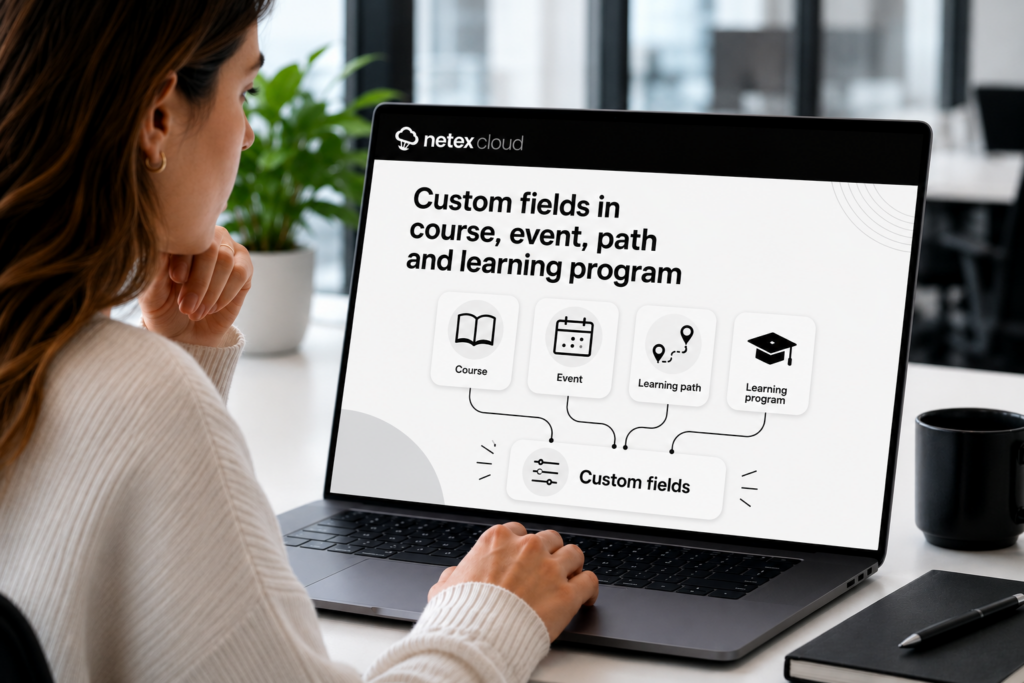
Do you use custom fields in courses and learning pathways? Now you can also add them to your trainings — for courses, events, learning pathways, and learning programs. Configure value lists, required fields, optional fields, and filters, just like you were already doing with the rest of your content.

Controlled Unsubscription with Seat Booking

Users who have registered optionally in a training with seat booking can now release their seat if the training hasn’t started yet. More flexibility to manage capacity without administrator intervention.

Netex Cloud. May 2026 First Release

Netex Cloud. May 2026 First Release

EXPERTS

Video and audio files now supported from Drive

Until now, Experts could index Drive content in PDF, SCORM or xAPI format. From this release, that capability extends to multimedia content: videos and audio files.

This makes it much easier to leverage materials such as recorded training sessions, video pills, podcasts, internal explainers or supplementary content. More supported formats means more knowledge within reach for your users.

NETEX CLOUD

Four new languages now available

Netex Cloud adds new languages to keep expanding its international reach: Serbian, Croatian, Bosnian and Montenegrin. This update marks another step in our expansion across Eastern Europe, delivering a closer, more localised experience for users in these markets.

Netex Cloud. April 2026 First Release

Netex Cloud. April 2026 First Release

Easier and More Useful Ratings

We’ve refreshed the course review experience so learners can share their feedback in a simpler, faster, and more guided way.

Now, in addition to rating with stars, users can select predefined reasons and add comments. This makes it easier to participate and helps gather clearer, more actionable feedback.

Reminders for Pending Course Reviews

We’ve also introduced notifications to remind users which courses they still need to review.

With direct access to the review page, completing this step is now quicker and more convenient.

More Customization for Every Client

This new feature is fully configurable and allows you to customize the texts shown during the rating process.

It also supports multiple languages, making it adaptable to each client’s needs.

Netex Cloud. April 2026 First Release

Netex Cloud. April 2026 First Release

Easier and More Useful Ratings

We’ve refreshed the course review experience so learners can share their feedback in a simpler, faster, and more guided way.

Now, in addition to rating with stars, users can select predefined reasons and add comments. This makes it easier to participate and helps gather clearer, more actionable feedback.

Reminders for Pending Course Reviews

We’ve also introduced notifications to remind users which courses they still need to review.

With direct access to the review page, completing this step is now quicker and more convenient.

More Customization for Every Client

This new feature is fully configurable and allows you to customize the texts shown during the rating process.

It also supports multiple languages, making it adaptable to each client’s needs.

Esta es la página de Novedades de Netex Cloud. Para conocer el producto en profundidad, visita:

Ir a Netex Cloud