
Tag: Analytics

Netex Cloud. October 2025 First release.

LMS

New Skills section for employees
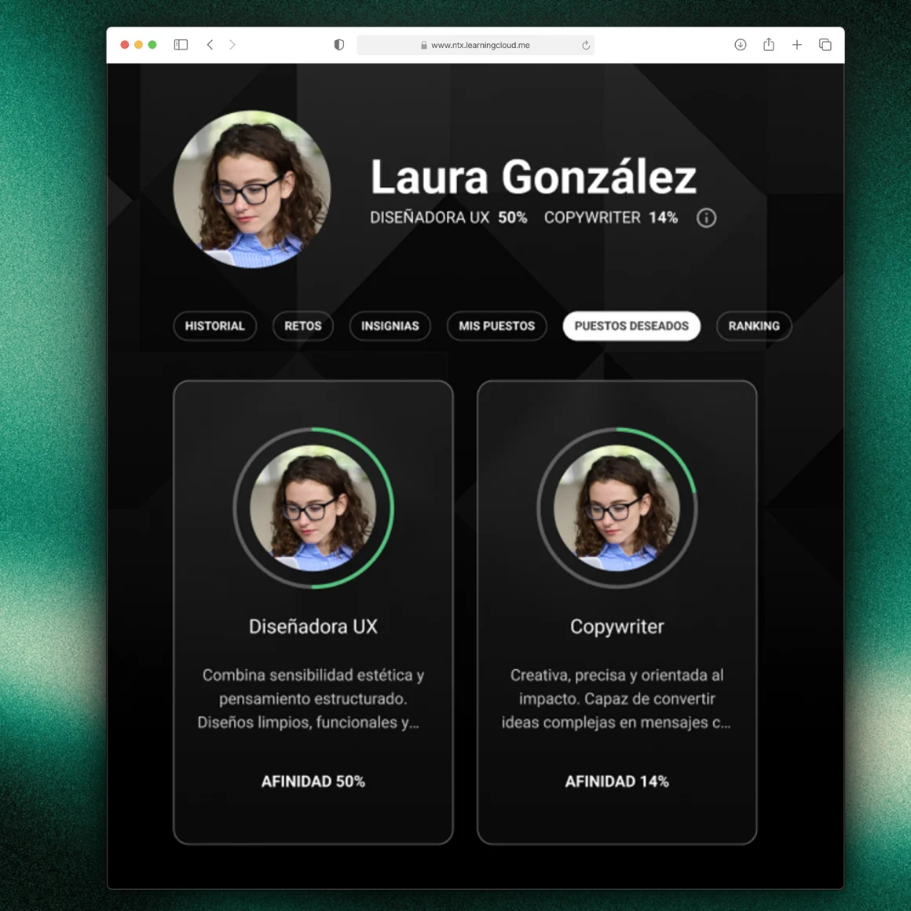
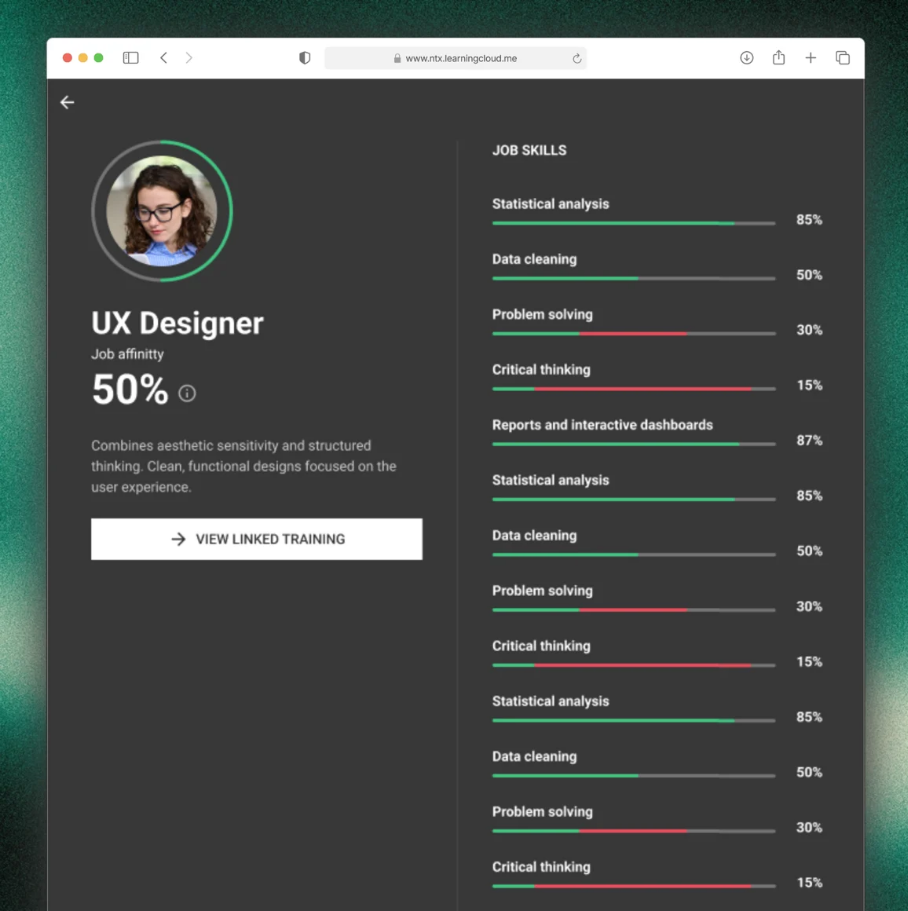
A dedicated view to understand where each person is and what they need:

  • Your current role & fit: understand how you match the role requirements.
  • Your target role: select your professional goal to guide your learning.
  • Skills map & required levels (current and future) and your evaluation against those requirements.

Why it matters

  • Make decisions with data, not intuition.
  • Gain visibility of gaps and development priorities by team.
  • Learners get full clarity on where they are, where they want to go, and which training will take them there.

Recommendations based on Skills
  • We’ve added new carousels that suggest training according to your skills profile:
  • For your current role: courses, pathways and events tagged to your current level.
  • For your preferred role: aligned with the skills and levels of the role you’re aiming for.
  • For the skills you need to improve: recommendations focused on the areas identified in your latest performance evaluation.

Direct benefit

  • For administrators: makes team upskilling and reskilling easier.
  • For learners: supports each lea

Challenges: learn by competing
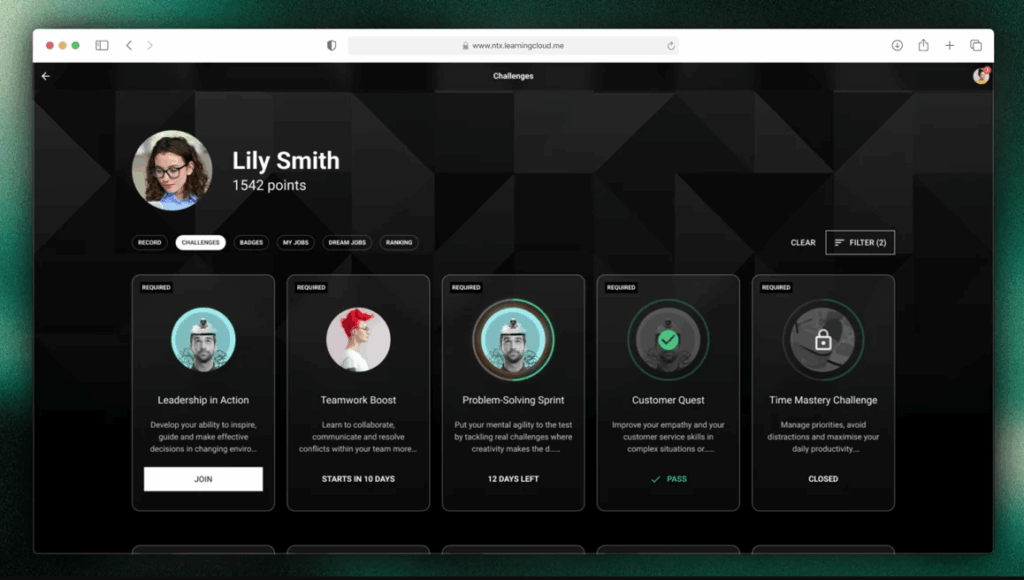
Administrators can now create and assign Challenges to energise learning. You only need to configure a Challenge by setting:

  • Duration in weeks: start–end dates, description, challenge name, participants, and courses/activities.
  • Flexible activity complexity.
  • Accredit hours (based on the estimated time of completed content).
  • Accredit points (by summing completed content).
  • Badges: award one or more badges upon achieving or surpassing the target.
  • New “My challenges” section for learners: view, details, progress and status.

Exactly what you need

  • Simple progress and impact tracking by initiative for administrators.
  • For learners: clear objectives, visible progress and recognition.

Netex Cloud. January 2025 First release.

Release date: January 16th 2025.

LMS.

Improve your events and give your users new goals.

Setting the right milestones for your learners is essential to optimize the learning experience and ensure they achieve their objectives.

Thanks to event completeness, you can now: 

  • Set different achievement criteria for each event, adapted to your educational plan. 
  • Set up pathways to mark events as required and ensure that users complete key steps in their training. 
  • Track the overall progress of your team without hassle 

With this feature you’ll also get a detailed assessments to adjust your training strategies, reinforce critical topics and provide better support for those who need it. 

More information.

News on filters and Reports upgrades

Release date: Wednesday, January 4th.

New pathway report tool

Discover the new pathway report tool that displays the progress data for all the trainings on pathways at the same time, generate a list with the trainings you want and quickly view the information on its evolution: start and end dates, current status, progress of students…

More information.

New filters on report of users progress

From now on, on user reports we offer options to filter the list results in the Open filters tool by course and range of dates.

More information.

New required courses field in the Pathway progress

In the Summary Pathway Progress tab, within the training, the Courses completed field splits into two categories to distinguish how many of them are required to overcome the formation.

Más información.

News on course filters

Release date: 20th December 

New reports and filters.

We introduce course report, a new reporting tool that allows customers to see the progress data for all the trainings of a course at the same time, generate a list with the trainings you want and quickly view the information on its evolution:

  • start and end dates,
  • current status,
  • progress of students.

More info.

Filter by Extended fields in Users report.

From now on customers will also find more options when filtering the results of the list in the Open filters tool. New search fields related to user information (course, status, progress…) will be avaliable, starting with user Extended fields.

More info

LMS. August 2023 First release

Release date: Wednesday, 2nd August

Manager dashboard

In this version, it is now possible to assign a manager to each of the staff’s training progress. This manager will have a new dashboard that will allow them to follow the progress of their staff’s training at any time.

In addition, this dashboard will allow the manager to see not only the training progress of their direct collaborators, but also that of all the teams that depend on them.

More info