Category: Netex Cloud

Netex Cloud. July 2026 Second release.

New features

LMS

Trainers visible in trainings

Now, when a learner views the detail page of a training —for a course, event, learning pathway or learning program— they can see who the assigned trainer or teacher is.

Improvements

LMS

Warning before leaving to external links

Learning pathways and trainings allow adding links to external websites, and that remains unrestricted for administrators. But now, when a user is about to click one of those links, they’ll see a warning indicating they’re about to leave the platform —with the option to continue or cancel—. One more step in reinforcing the platform’s security.

Netex Cloud. July 2026 First release.

New features

LMS

Resources, now in your learning pathway

Within the detail view of a learning pathway in a Learning Program, you’ll find a new Resources tab. All the pathway’s supporting material, gathered in one place and just one click away. With this, we complete the new Learning Program design.

Improvements

LMS

Badge and diploma expiry up to 5 years

We’ve extended the validity limit of your badges and diplomas from 3 to 5 years, so you can adjust the validity of your certifications to what your organisation really needs. And, as always, you can also issue them with no expiry date.

Netex Cloud. June 2026 Second release

New features

LMS

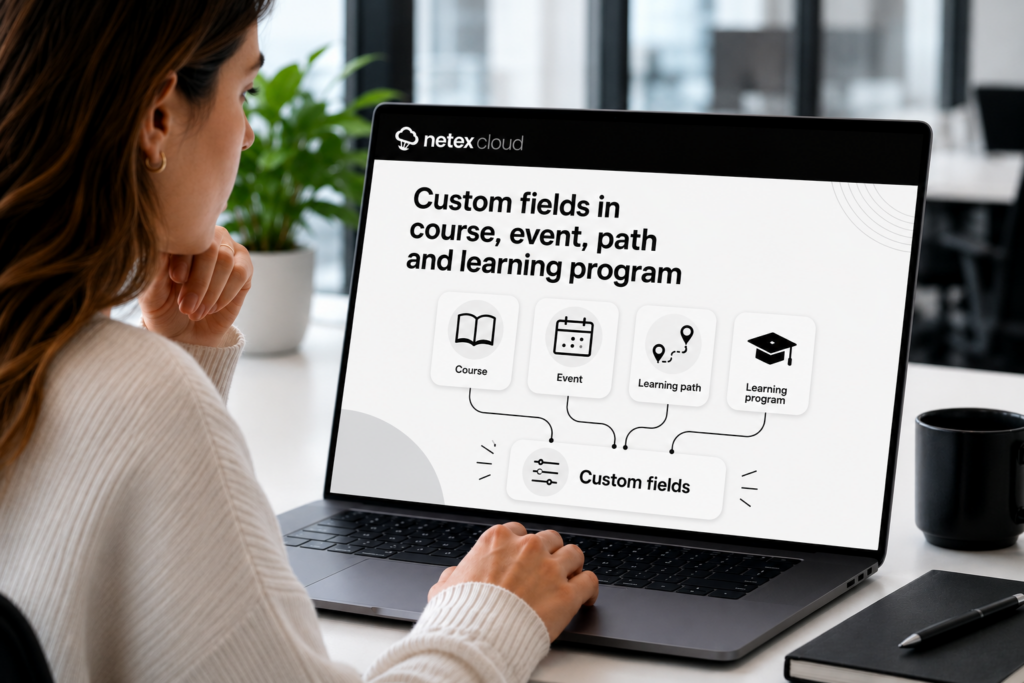
Extended Fields in Trainings

Do you use custom fields in courses and learning pathways? Now you can also add them to your trainings — for courses, events, learning pathways, and learning programs. Configure value lists, required fields, optional fields, and filters, just like you were already doing with the rest of your content.

Controlled Unsubscription with Seat Booking

Users who have registered optionally in a training with seat booking can now release their seat if the training hasn’t started yet. More flexibility to manage capacity without administrator intervention.

Netex Cloud. June 2026 First release

NEW FEATURES

LMS

Seat reservation in courses, pathways and learning programs

Do you have trainings with limited capacity? Now you can set a maximum number of available seats in any offering—not just events—and manage how they are assigned. Learners can request their seat and the system handles the rest: automatically if you configure it that way, or with administrator validation if you prefer to have full control. Fewer waiting lists managed manually, more order from day one.

Mejoras

LMS

Release your seat if you can’t attend

Learners enrolled optionally in any offering—not just those with seat reservations—can now unenroll if the training hasn’t started yet. This prevents seat blocking by users who won’t complete the course and increases the fluidity of training management.

AUTHOR

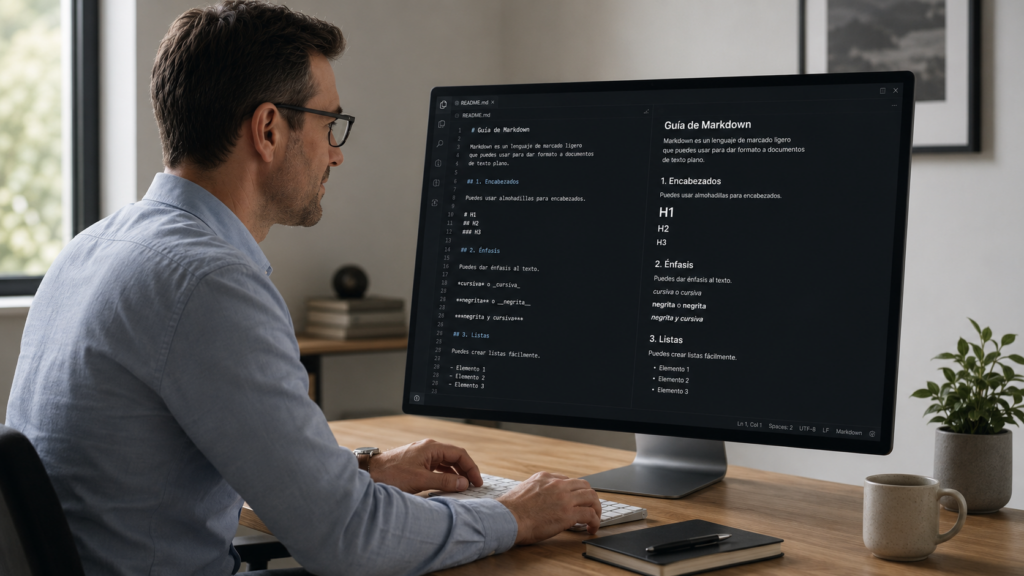
Paste Markdown text directly into the editor

Markdown. Imagen generada con IA.

Working with generative AI and need to paste content into Netex Author? The editor now recognizes Markdown format automatically when you paste. Bold, lists, headings… everything converts instantly to formatted text. The workflow between your favorite AI tool and Author has never been more agile.

AUTHOR

Copy sections between content while keeping images

You can now copy an entire section from one piece of content and paste it into another, including the images it contains. The system detects potential conflicts and asks you how to resolve them. Perfect for reusing content blocks without having to re-upload resources manually.

Netex Cloud. May 2026 Second release

NETEX CLOUD

Mobile App Access Control

Now administrators can decide which users have access to the Netex Cloud mobile application. If you want only specific people to learn from their phones, you have complete control. Migration is automatic: all current users will maintain their access without interruption.

Tag Management in Automate

Organize your automation processes and rules with tags. Search, filter, and group everything you have configured in a centralized way — just like you already do in the LMS. Perfect for teams managing large volumes of automations.

Certificate Expiration Trigger in Automate

Close the recertification loop: now you can trigger automatic actions when a certificate expires. Re-enroll learners, send them a reminder, or whatever you need — without manual intervention.

Automate Integrated in LMS and Challenges

Want to know which processes are managing enrollments for a course offering or challenge? Now you’ll see it directly from the LMS without having to go to Automate. At a glance, you’ll know which automations are involved and can access them instantly.

NETEX AUTHOR

Background Videos in Content Headers

Bring your courses to life with background videos in headers. They play in an endless loop automatically, without sound or controls, adding a professional visual touch without distractions.

Readable Quiz Timer Format

Quiz countdown time is now displayed in minutes and seconds instead of just seconds. Much easier for learners to interpret when they have, for example, 5 minutes left to finish.

Hide Mobile App Download Banner

Administrators can now configure whether to show or hide the app download link on the platform. More control over your users’ visual experience.

NETEX LMS

Activity Code in Event Sessions

You can now include the offering code directly in event schedules.

Netex Cloud. May 2026 First Release

EXPERTS

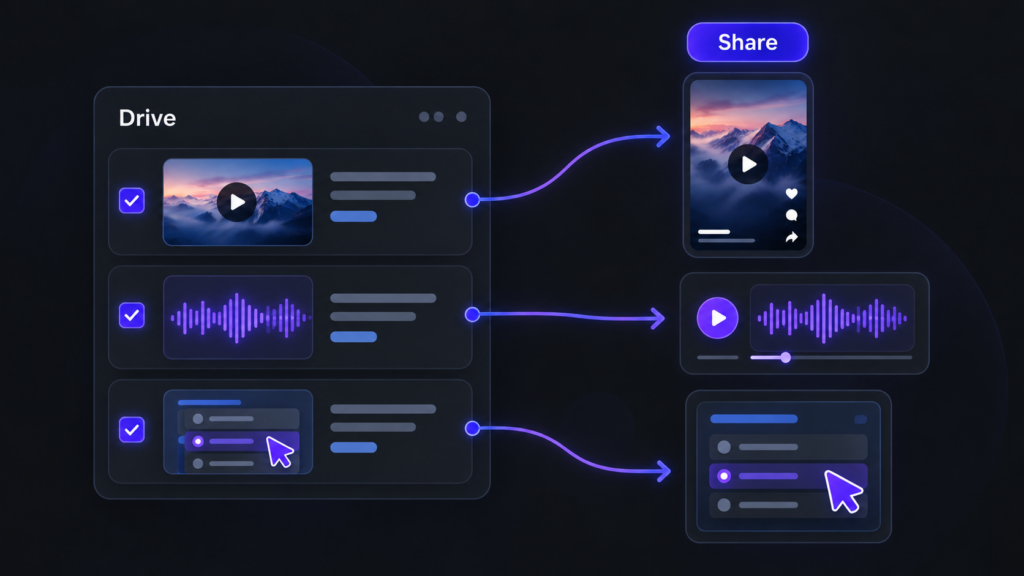
Video and audio files now supported from Drive

Until now, Experts could index Drive content in PDF, SCORM or xAPI format. From this release, that capability extends to multimedia content: videos and audio files.

This makes it much easier to leverage materials such as recorded training sessions, video pills, podcasts, internal explainers or supplementary content. More supported formats means more knowledge within reach for your users.

NETEX CLOUD

Four new languages now available

Netex Cloud adds new languages to keep expanding its international reach: Serbian, Croatian, Bosnian and Montenegrin. This update marks another step in our expansion across Eastern Europe, delivering a closer, more localised experience for users in these markets.

Netex Cloud. April 2026 First Release

Easier and More Useful Ratings

We’ve refreshed the course review experience so learners can share their feedback in a simpler, faster, and more guided way.

Now, in addition to rating with stars, users can select predefined reasons and add comments. This makes it easier to participate and helps gather clearer, more actionable feedback.

Reminders for Pending Course Reviews

We’ve also introduced notifications to remind users which courses they still need to review.

With direct access to the review page, completing this step is now quicker and more convenient.

More Customization for Every Client

This new feature is fully configurable and allows you to customize the texts shown during the rating process.

It also supports multiple languages, making it adaptable to each client’s needs.

Netex Cloud. April 2026 First Release

Easier and More Useful Ratings

We’ve refreshed the course review experience so learners can share their feedback in a simpler, faster, and more guided way.

Now, in addition to rating with stars, users can select predefined reasons and add comments. This makes it easier to participate and helps gather clearer, more actionable feedback.

Reminders for Pending Course Reviews

We’ve also introduced notifications to remind users which courses they still need to review.

With direct access to the review page, completing this step is now quicker and more convenient.

More Customization for Every Client

This new feature is fully configurable and allows you to customize the texts shown during the rating process.

It also supports multiple languages, making it adaptable to each client’s needs.

Netex Cloud. March 2026 Second Release

Code blocks in the Authoring tool

You can now insert source code blocks directly into content created with Author.

✔︎ Clearer, more professional content that’s much easier to read.

More supported file types in Drive

We’ve expanded the range of supported formats in Drive, so you can work with more resource types from a single place.

New supported formats:

  • Office documents: spreadsheets, presentations and text documents
  • Audio files: such as MP3, WAV and other common browser-compatible formats

For audio files, an integrated player is now available, allowing users to listen directly within the platform. 🎧

✔︎ Greater flexibility to adapt learning assets to different business and tracking needs.

Experts can now use content from Drive

The Experts functionality takes another step forward: it is now possible to add knowledge from Drive directly into an Expert.

Experts can currently use the following as knowledge sources:

  • PDF
  • SCORM
  • xAPI

This enables more enriched responses, combining content not only from the LMS but also from Drive—always respecting each user’s access permissions.

✔︎ More powerful Experts, better connected to your resources and more effective in answering real-world questions.

New tag-based search filter in the LMS

A new search criterion has been added to the LMS: tag-based search.

Users can now find content more precisely using associated tags, in the same way they already do with other search fields.

✔︎ Faster and more intuitive access to the right learning content.

Note: this functionality is available in environments already using the latest version of carousels/search.

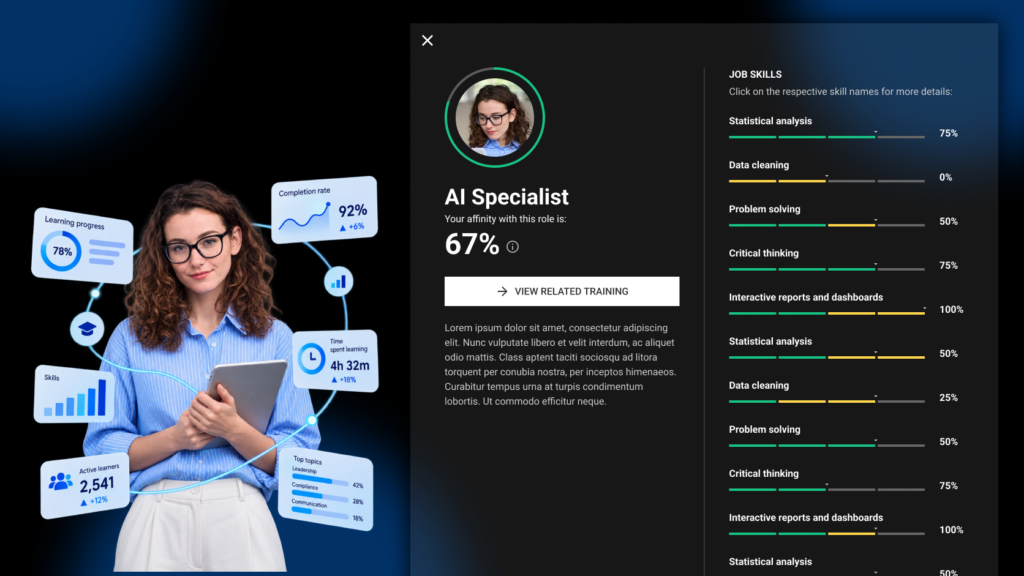
Redesigned job role view

The job roles screen has been redesigned to provide a more visual and intuitive experience. Key improvements include:

  • Updated colour scheme for easier reading
  • Visual indicators of current and target levels for each competency
  • More detailed insights when selecting a competency
  • Direct access to related content to continue improving each skill

✔︎ Result: clearer progress visibility and more effective navigation.

Netex Cloud. March 2026 First Release

More flexibility in challenge configuration

Challenges now allow you to configure which completions are taken into account to calculate progress:

  • Completions made between the challenge start and end dates
  • Completions made up to the challenge end date

✔︎ This gives you more control to adapt challenges to different business and tracking needs.

Credential recertification

At Netex Cloud, we are taking another step forward to promote continuous learning. You can now configure credentials with an expiration date and activate automatic recertification processes, ensuring that your teams’ skills are always up to date.

What does this new functionality include?

  • Configurable credential validity.
    Define how long a credential will remain active (for example, 6 months) and ensure knowledge stays current.
  • Automatic notifications before expiration.
    Learners receive advance reminders to renew their credential without interruption.
  • Automatic recertification through an exam or course.
    Set up automatic enrollment rules so that users with expired credentials can move directly into the renewal process.
  • New credentials dashboard.
    See which credentials are active or expired and make strategic, data-driven decisions.

What does it mean for your organization?

  • More control and visibility
  • Less manual management
  • Teams that are always up to date
  • Greater value and credibility for your certifications

With this new functionality, credentials in Netex Cloud are no longer static and become a living tool to support continuous professional development.

✔︎ This gives you more control to adapt challenges to different business and tracking needs.

Desired job roles

Learners can now add and remove desired job roles from their profile, as long as this option is enabled for their tenant.

A feature designed to provide more personalization and greater value in tracking professional development.

Expanded information in pathway seat reservations

Pathway sales sessions now display more information about seat availability and status, giving users a clearer view at a glance.

Points hidden when gamification is not active

When gamification is disabled, points are no longer displayed, avoiding confusion and maintaining a more consistent experience.