Tag: Learner Portal

LMS. Updating the Learning Cloud icons

Release date: March 6th

This is only a graphical update that does not affect any functionality and does not affect any graphical customisation of the platform.

LMS significant learner portal changes

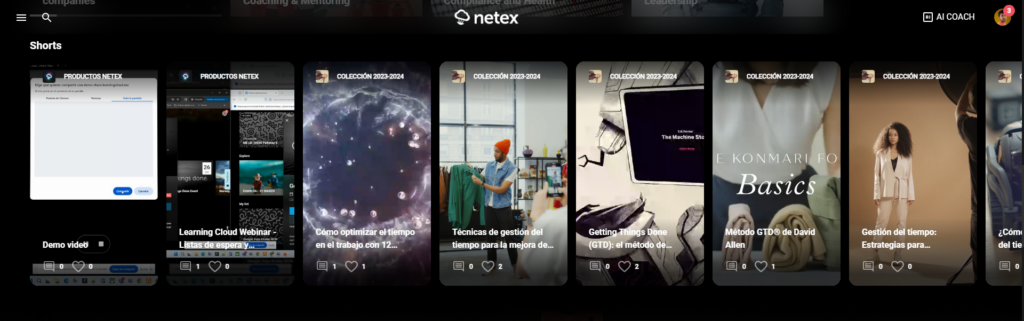
In order to make training easy to find and understand, Learning Cloud will adopt new names for carousels. These changes will show up in the side menu and the portal carousels by 31st January.

This update will enable users to find content quicker than before, becoming a seamless experience to identify mandatory and optional training.

Carousel NameCarousel Goal
FeaturedTraining that has been highlighted by the administrator to all users who are enrolled in them
Keep LearningTraining where the user is enrolled, their progress is higher than zero, and they are not completed by the user
RequiredTraining that has been made compulsory by the administrator and has not been completed yet by the user
My ListTraining where the user has clicked on the “Add to my list” button
ExploreMandatory, optional or recommended training, public and non-public courses
SoonTraining that will start in a near future
New nomenclature

News on entity names and info cards

Release date: Thursday, November 23th.

Nomenclatures. Edition of entity names.

The platform administrator will be able to customise the names of the entities Courses and Itineraries in all available languages. For example, the literal itineraries could be replaced by plans in the platform.

The literal Itineraries recommended remains unchanged. In future releases, these carousels will be renamed Recommended, where different entities will coexist. 

More information.

Info cards.

Employees can see information about a course now, including reviews or rating, even if they are not enrolled in the course.

LMS. May 2023 First release

Public Trainings

In some projects we find trainings that are addressed to all the learners, with the new “public training” feature, all the learners in the tenant will be able to see the training and the learner decides whether to enrol or not (instead of selecting them, selecting a group or uploading a CSV). This will allow any current or future user to see the training and register.

At the moment we have 2 ways to create trainings:

Directed: learners are enrolled individually or by group and they will see the training “My learning” carousel
Free: learners are recommended individually or by group. they will see the training in the “Recommended” carousel and the learner decides whether to enrol or not.
We have also added the possibility to select the nature of a training for a user or a group of users: Mandatory, optional or recommended.

Learning Cloud 5.28 & Learning Cloud 6

On Wednesday, 7 March, LearningCloud team rolls out Release 5.28 and Release 6 (new learner portal)

NEW FEATURES 

  • New carousel “Keep learning”: All those customers who have the new learner portal, will enjoy, from this release, a new carousel called “Keep learning”. In this carousel, the sprints that the user has started and has not finished will appear, with the aim of being able to quickly return to the point where they were in their training process.

Learning Cloud 5.27

On Wednesday, 22 February, the LearningCloud team rolls out Release 5.27 

NEW FEATURES ​​​​​​​

  • New languages: from this release, the platform will have new languages such as Bulgarian, Slovenian and Hungarian.
  • Increase in the number of carousels: given the great reception of the carousel configurator among our customers, we have decided to increase to twelve the number of carousels that each customer can create to organise their training.