Tag: Reports

Netex Cloud. August 2025 First release.

LMS

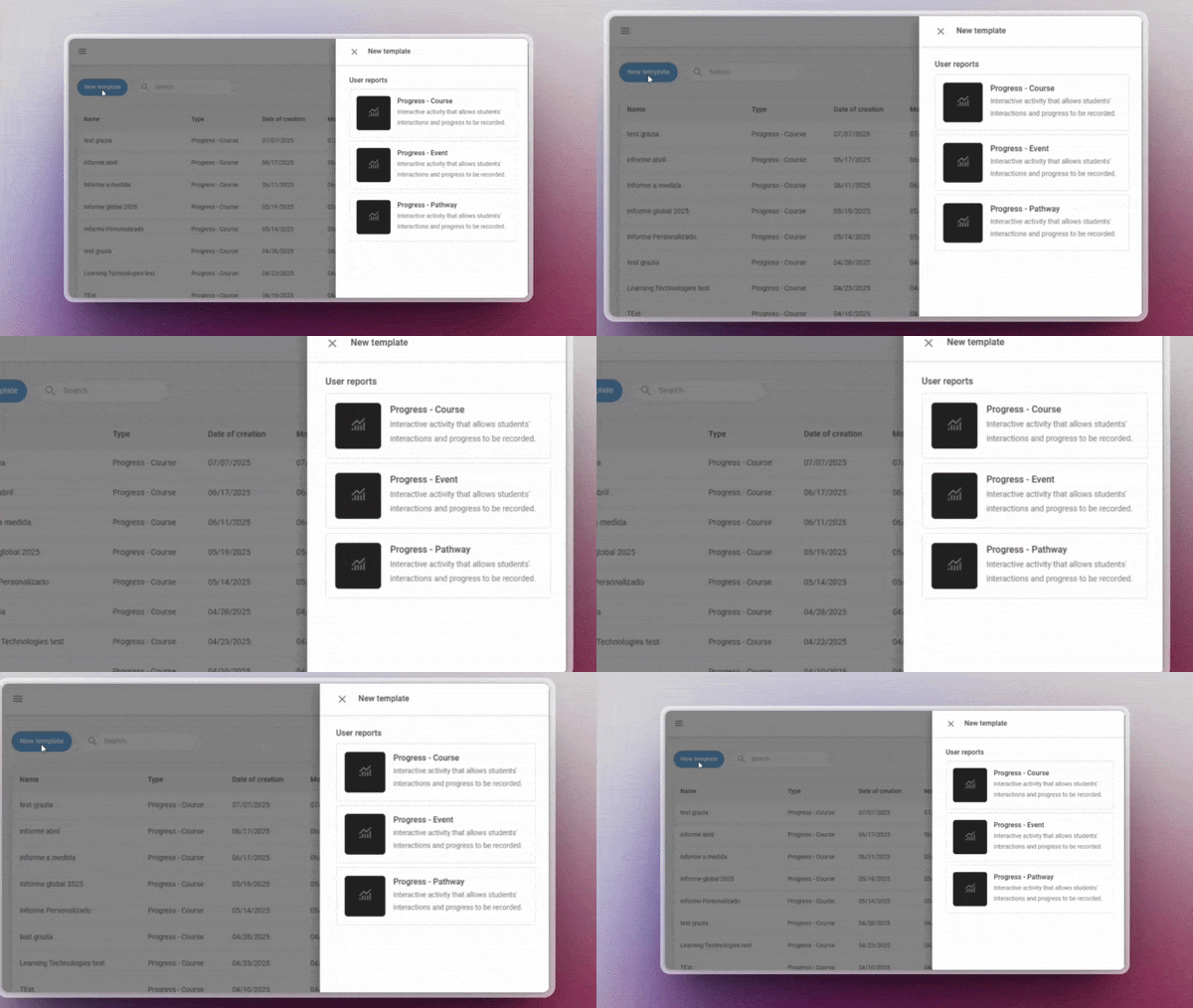
New templates in the report designer

Designing reports has never been easier! You can now use pre-defined templates for events and itineraries, or create your own custom templates. This will allow you to adapt reports to the specific needs of your projects and teams.

Assignment of skills and competencies across the platform

Greater coherence in your training! You can now assign skills and competencies to any learning entity, including events, itineraries and learning programmes. This way, you can better track the development of your users’ capabilities.

Offline tracking

Learning continues even without the Internet! From the App you will be able to download xAPI activities and complete them offline. When you reconnect, your progress will sync automatically with the LMS.

AUTHOR

Direct browsing of Netex Drive libraries

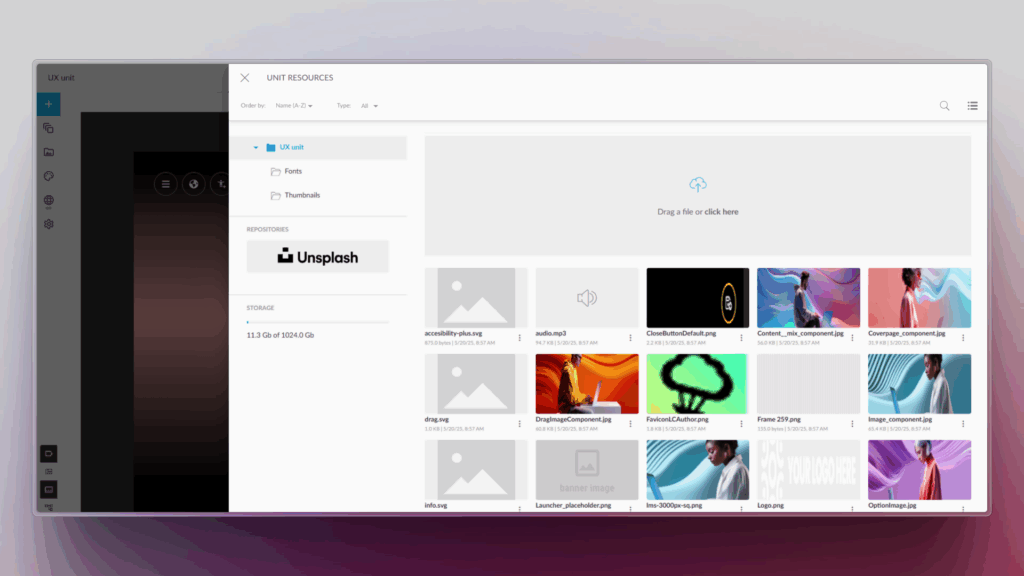
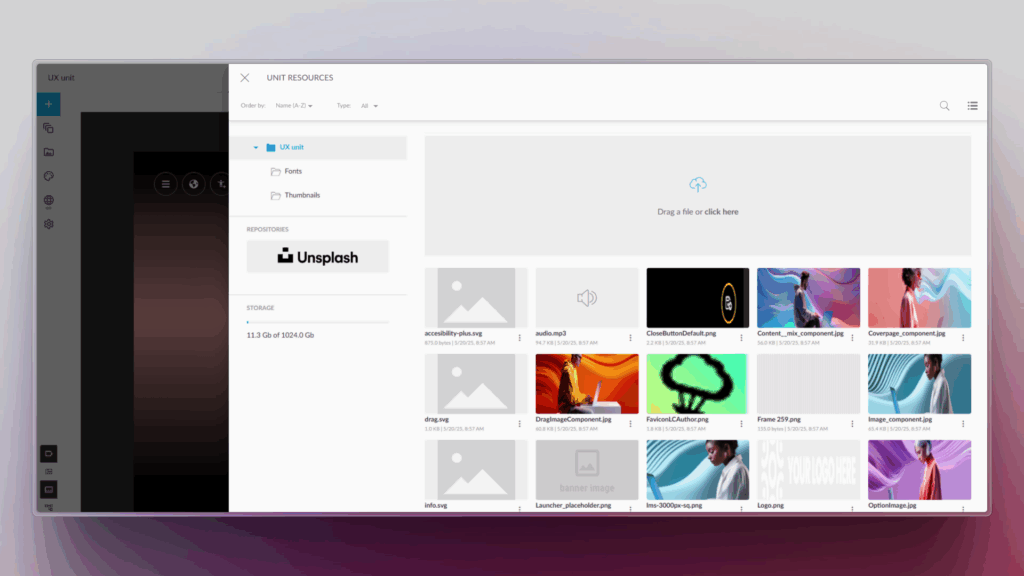
You can now access Netex Drive libraries directly from a unit’s resources panel. Easily import images, videos, PDFs or other Drive resources, just as you do with Unsplash or Getty Images.

Smart links to glossaries

Make your content more interactive and clear! You can now associate words or phrases within a text to glossary terms. When the learner clicks them, they will see the related information straight away.

Design improvements for the Designer profile

New visual states have been added to buttons and navigation menus, clearly distinguishing between the “hover” and “visited” states.

An improvement that makes the interface more intuitive and pleasant to use.
Netex Cloud. July 2025 First Release.

LMS

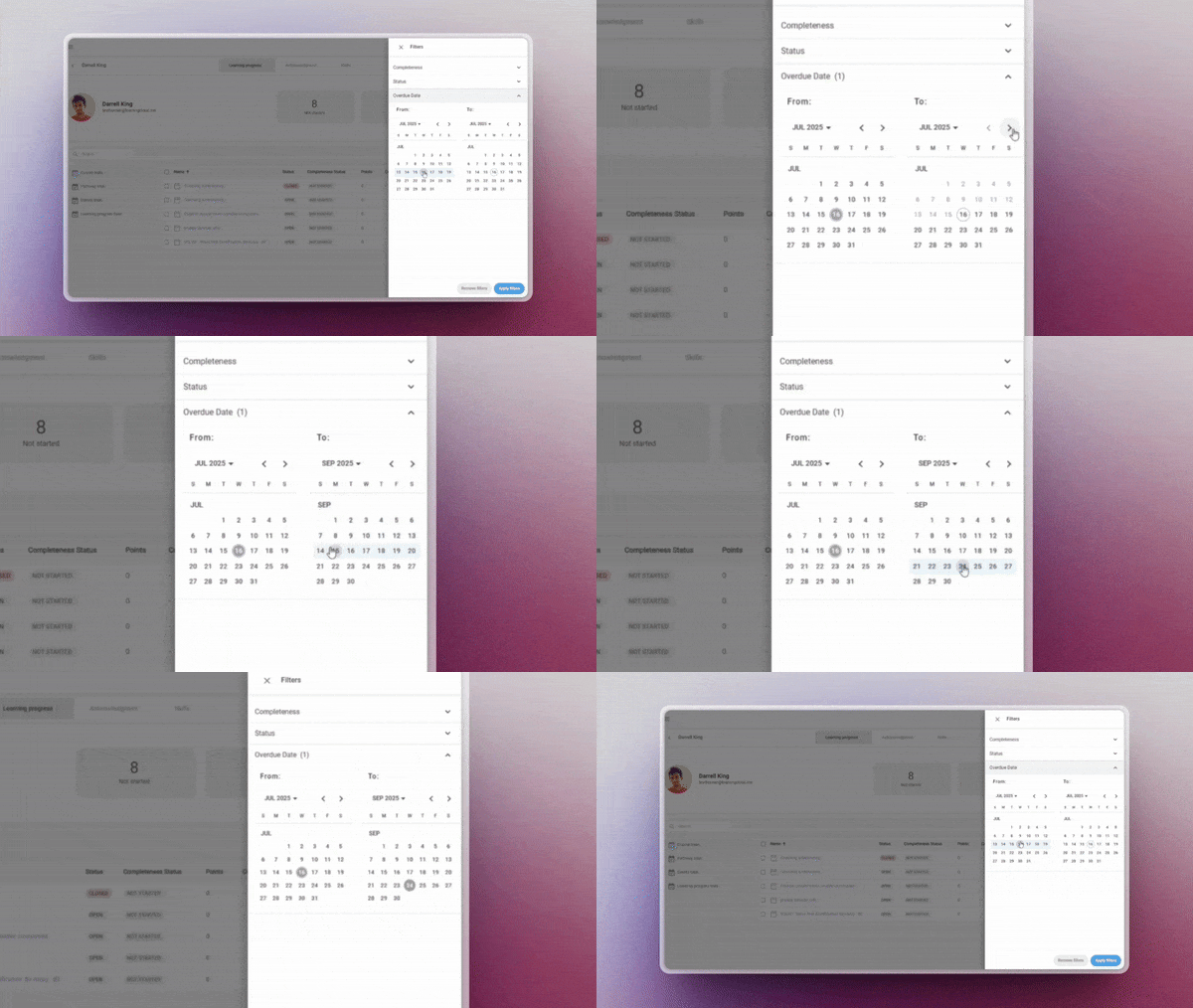
Overdue date

Assign a custom due date to one or several learners directly from the manager, regardless of the general deadline set in the course session. This feature allows you to:

  • Adapt deadlines to individual pace or specific situations
  • Display time remaining directly to the learner
  • And allow access to the content even after the deadline has passed

✔︎ Flexibility in time management without compromising the learning experience.

More information.

Customed reports

Now includes templates for events and pathways. Create, save and reuse your own customised reporting configurations for these key entities — no need to start from scratch each time.

✔︎ Ideal for recurring reports that require precision and agility.

More information.

Offline tracking

Manage task-type activities from a new centralised panel that provides a clear overview of all pending evaluations.

  • Access each task directly to assess it with a single click
  • Quickly identify which activities need your review
  • Filter by status (pending, in progress, reviewed, etc.)

✔︎ Available for Trainers, Administrators, and Group Administrators.

More information.

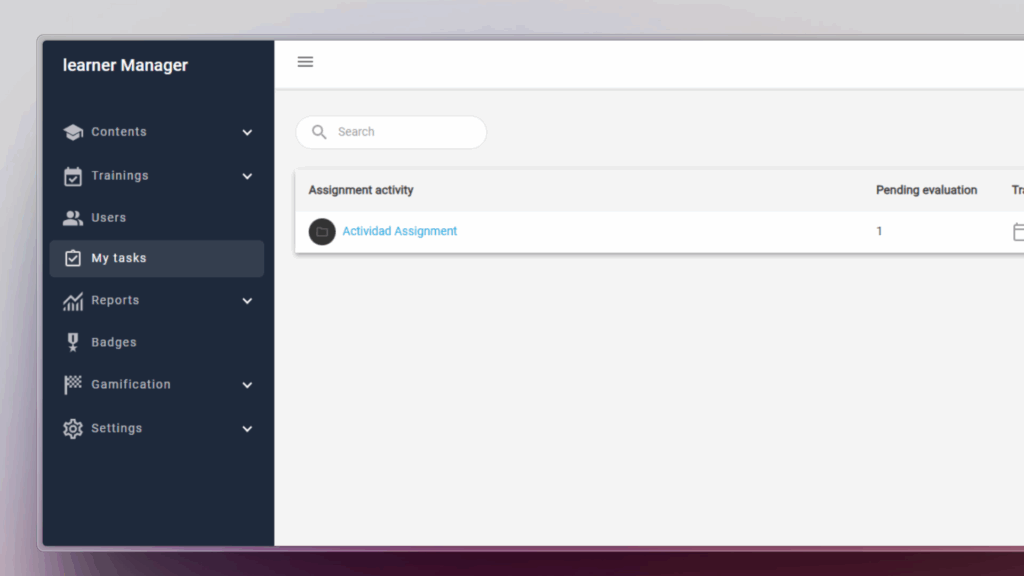
My tasks

Manage task-type activities from a new centralised panel that provides a clear overview of all pending evaluations.

  • Quickly identify which activities need your review
  • Filter by status (pending, in progress, reviewed, etc.)
  • Access each task directly to assess it with a single click

✔︎ Available for Trainers, Administrators, and Group Administrators.

More information.

AUTHORING TOOL

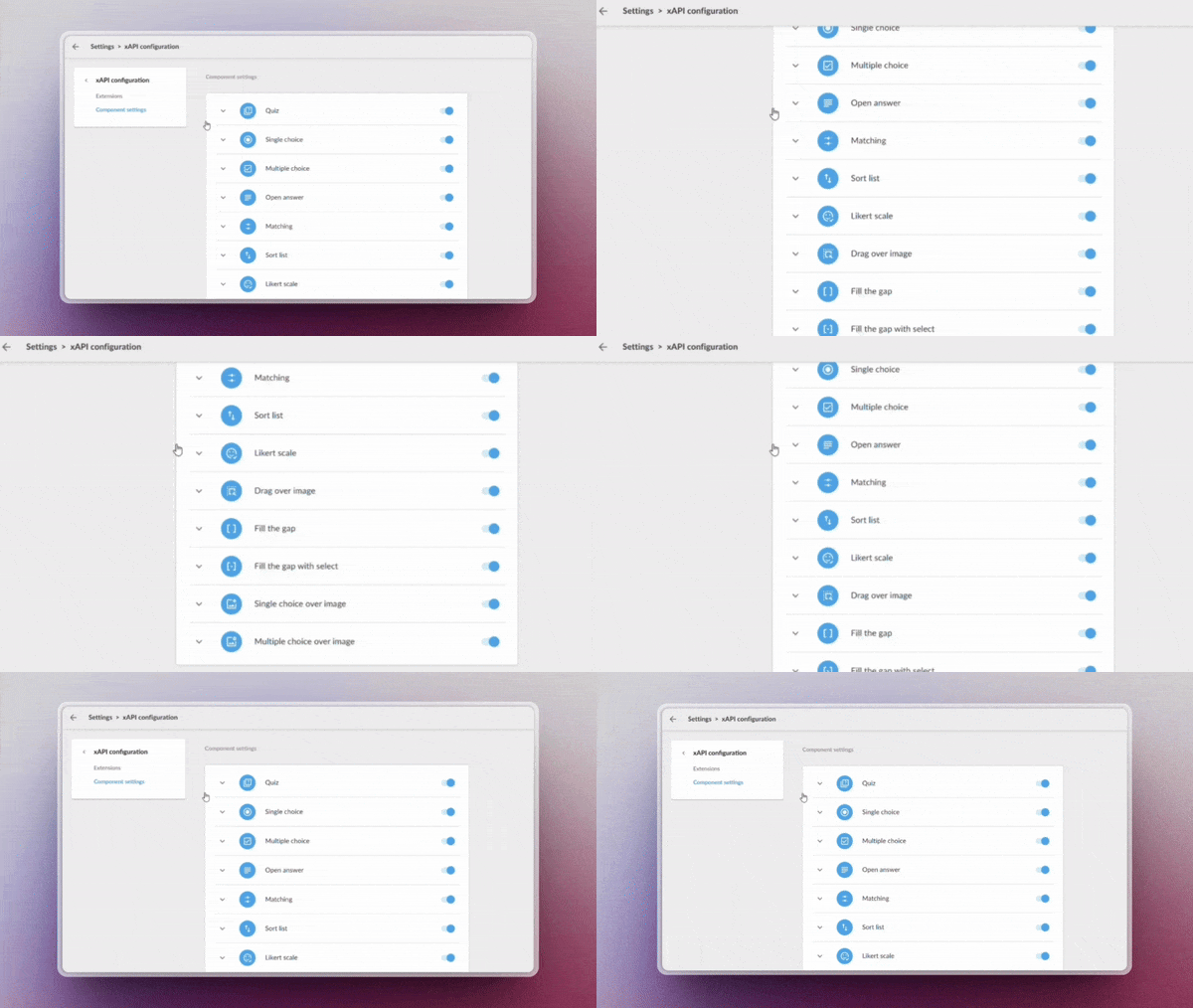
Custom xAPI tracking

Enable advanced learning monitoring through custom xAPI tracking, ideal for generating detailed reports and advanced analysis (requires Professional licence).

Administrators now have more granular control over system metadata, allowing them to:

  • Record specific learning events
  • Rastrear comportamientos clave de los usuarios

✔︎ Leverage every data point to build more accurate and actionable reports with a fully adaptable tracking system.

Upload your videos to Drive

Manage your videos directly from the system libraries, optimising their organisation and preparing for future automatic analysis features.

✔︎ Centralise your videos in one place, keeping them organised and ready.

LEARNING SOCIAL NETWORK

Automated content curation

Activa la generación inteligente de playlists mediante IA, sin necesidad de mantenimiento manual. Configura criterios Enable AI-powered playlist generation with no manual maintenance required. Set criteria such as:

  • Keywords
  • Content language
  • Relevance or popularity level

The system will automatically update playlists with the most suitable resources based on your parameters.

✔︎ Save time and always offer up-to-date content aligned with your users’ needs.

Netex Cloud. February 2025 First release.

LMS.

Automate Your Reports with New Templates

Tired of setting up the same reports over and over? With our new custumereport templates, configure them once and generate reports automatically whenever you need them.

  • Create and save custom reports with the exact data you need.
  • Granular segmentation by user and course.
  • Advanced filters to extract key insights effortlessly.
  • CSV export, fully compatible with Power BI and similar tools.

More information.

Progress Reset.

Do your users need to restart a course? With our new feature, they can easily reset any SCORM or xAPI activity:

  • Reset user progress in seconds.
  • Ensure accurate reporting with no unnecessary records.
  • Enhance the learning experience by preventing technical roadblocks.

More information.

AUTHORING TOOL.

AI-Generated Questions from Video Subtitles.

Automatically generate questions based on subtitles and unlock the full educational potential of your videos.

Convert SCORM to xAPI.

Seamlessly transform third-party SCORM content into xAPI for enhanced tracking and analytics, ensuring full integration with Netex Cloud LMS.

LC6. February 2024 Second release.

Release date: 22 January

LMS

Changes to the administrator portal

On February 1st at 4:00 AM CEST, we will welcome the new administration and student portals, replacing the old ones. This update will be completely transparent to all our users, as they will still be able to access the new portals through the application icons, just as they have done until now.

Share

Assigning playlists to users

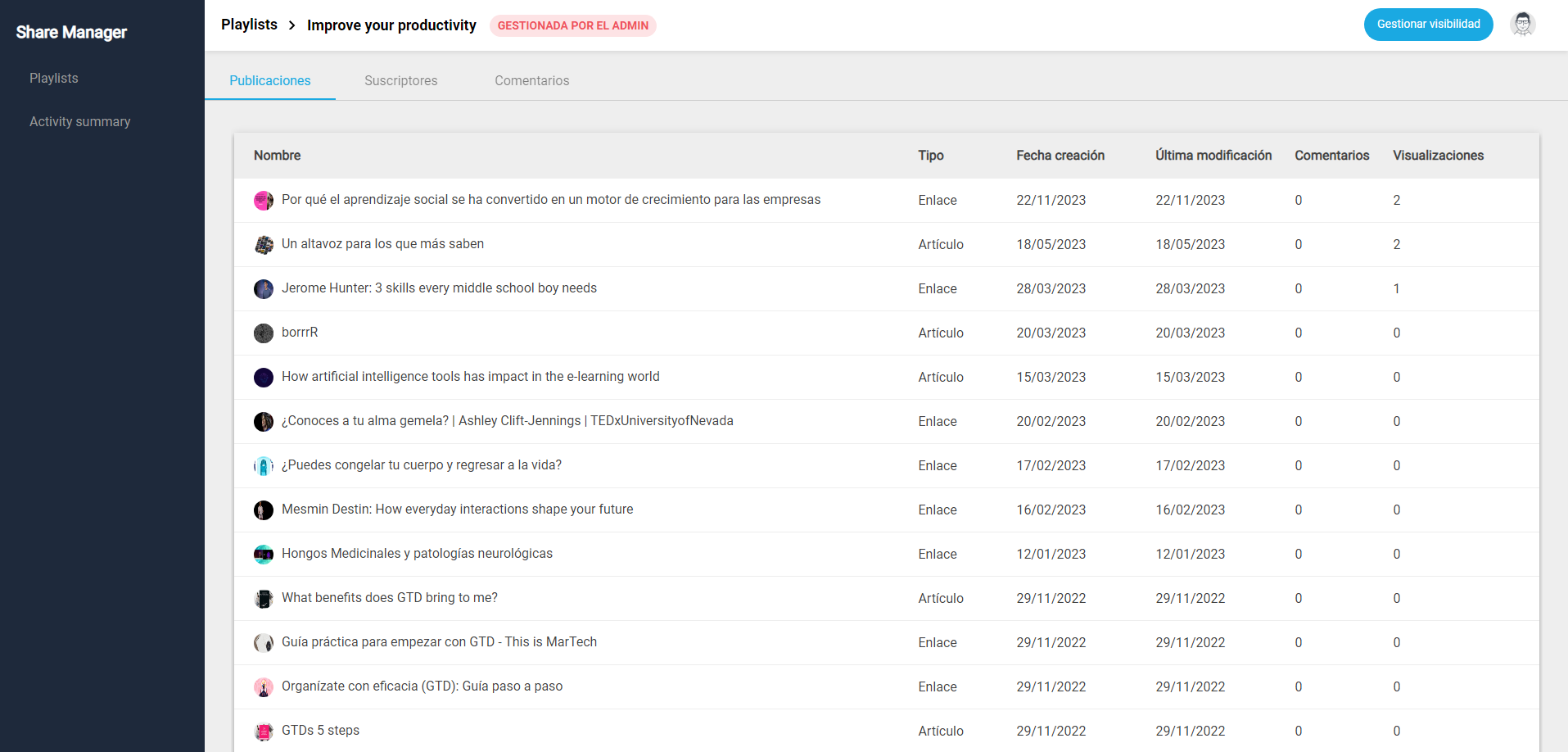
From now on, the administrator can assign playlists to users based on different criteria. Only those assigned to playlists will have the ability to view and subscribe to them.

New dashboard for administrators

We have launched a new dashboard that allows you to easily view the activity summary. This dashboard is available within the admin portal and allows you to view the number of posts produced within the tenant.

Playlist metrics:

  • Average number of posts per playlist
  • Average number of comments per post
  • Number of posts that are links and articles, including percentage view option.
  • Evolution of posts per month.
  • Monthly visits graph
  • Playlists with more activity by tags
  • Order of playlists by popularity
  • Most commented posts

Metrics of authors:

  • Most popular authors
  • Most active authors

More information.

Author

Embedded component

An evolution of the old IFrame component, which changes its name and expands its possibilities. In addition to embedding content from an external URL, it also allows you to embed external animations and other types of content created with Canva, Adobe Illustrator or Genially.

More information.

News on reports and teacher-student chat

Release date: 18th January 2024

New feature allows to download reports

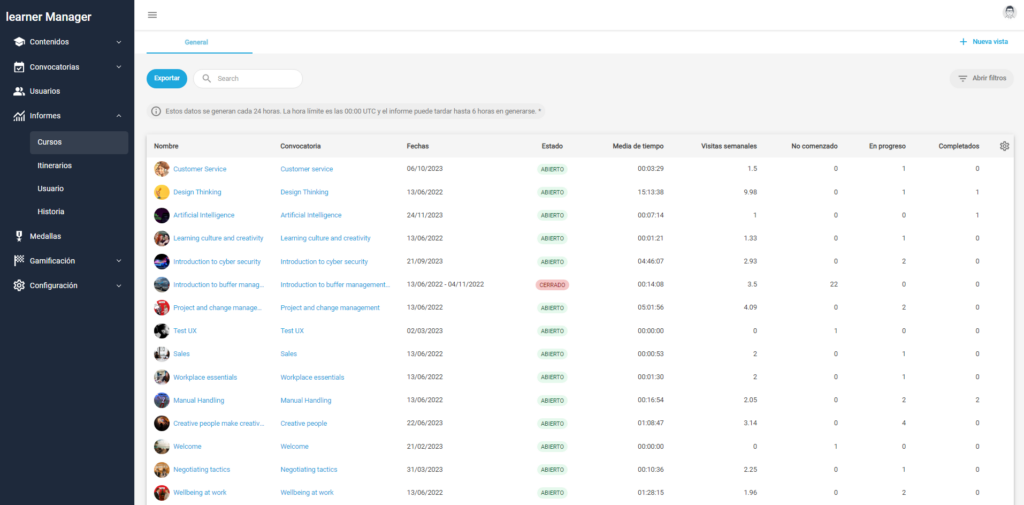
The recent launch of the Admin Portal 6.15 brings a key improvement to get the most out of the Reports: the ability to export and donwload lists on a CSV file. Users can review this on any computer or upload it to a data cloud.

This feature is currently only available for Courses and Users reports. It will be available for Pathways by January 31st.

More information.

Teacher-student direct chat

The new version of Admin Portal 6.15 adds a chat tool that allows direct communication between teacher and student, supervised by the administrator. This tool is available for courses, and is integrated in the platform interface. The Admin Portal displays it as a new tab within the training, and in the Learner Portal as a new button within the content.

More information.

Extended Fields for events

Learning Cloud 6 brought recently the feature to create an specific field for Courses or Itineraries. We are proud to announce that now the specific field for Events too.

More information.

News on filters and Reports upgrades

Release date: Wednesday, January 4th.

New pathway report tool

Discover the new pathway report tool that displays the progress data for all the trainings on pathways at the same time, generate a list with the trainings you want and quickly view the information on its evolution: start and end dates, current status, progress of students…

More information.

New filters on report of users progress

From now on, on user reports we offer options to filter the list results in the Open filters tool by course and range of dates.

More information.

New required courses field in the Pathway progress

In the Summary Pathway Progress tab, within the training, the Courses completed field splits into two categories to distinguish how many of them are required to overcome the formation.

Más información.

News on course filters

Release date: 20th December 

New reports and filters.

We introduce course report, a new reporting tool that allows customers to see the progress data for all the trainings of a course at the same time, generate a list with the trainings you want and quickly view the information on its evolution:

  • start and end dates,
  • current status,
  • progress of students.

More info.

Filter by Extended fields in Users report.

From now on customers will also find more options when filtering the results of the list in the Open filters tool. New search fields related to user information (course, status, progress…) will be avaliable, starting with user Extended fields.

More info

LMS. June 2023 Second release.

Release date: wednesday 14th june.

Teacher role

The Teacher is a type of user to whom an Administrator or Group Administrator assigns a series of Trainings, so he can check the enrolled students, their academic progress and generate reports. They can be either Courses or Pathways. The Teacher fulfills the role of the trainer who gives a class or training and follows up on his students. To do so, he has access to certain sections of the Admin Portal, the Trainings and Reports sections.

The role of Teacher is only available from LC6 and later versions. It is therefore not accessible to users of LC Legacy, version 5 or earlier.

More information

Learning Cloud New Generation (Mobile App)

On Tuesday, June 20, we will launch Learning Cloud New Generation 6.1.0

  • We have added new carousels “What’s New” and “Mandatory”, in line with Open Trainings. The “Enrolled” and “Recommended” carousels will no longer be displayed.
  • Changes in the calculation of notifications, in line with user profile notifications.

learningCloud 5.18.1 – Information about validations

On 28 September we will deploy learningCloud 5.18.1, whose most important new features are:

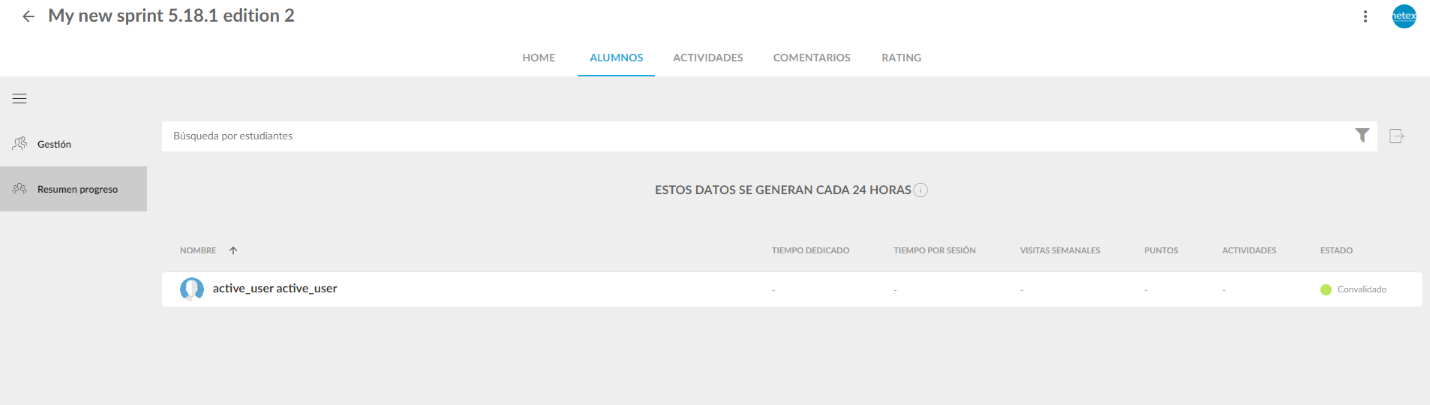
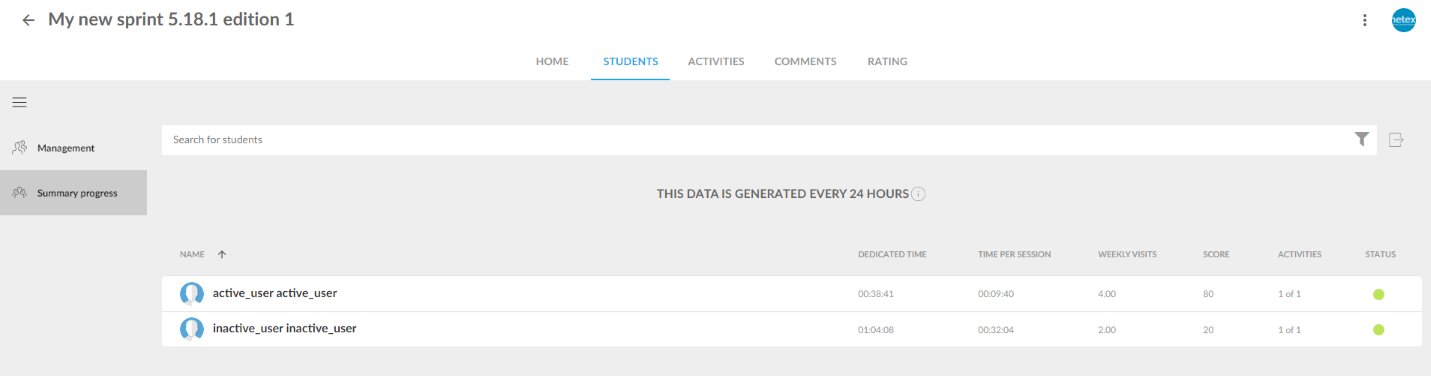
Information about validations in the progress summary report and in the user progress detail.

These reports will now show validated status for those users who have completed other trainings of the same sprint and have therefore been validated in this training.

Inactive users.

From this version onwards, the progress of all active users and inactive users who completed the training (or were validated) will be shown in the progress summary report.