
Tag: Content Management

Netex Cloud. June 2026 First release

NEW FEATURES

LMS

Seat reservation in courses, pathways and learning programs

Do you have trainings with limited capacity? Now you can set a maximum number of available seats in any offering—not just events—and manage how they are assigned. Learners can request their seat and the system handles the rest: automatically if you configure it that way, or with administrator validation if you prefer to have full control. Fewer waiting lists managed manually, more order from day one.

Mejoras

LMS

Release your seat if you can’t attend

Learners enrolled optionally in any offering—not just those with seat reservations—can now unenroll if the training hasn’t started yet. This prevents seat blocking by users who won’t complete the course and increases the fluidity of training management.

AUTHOR

Paste Markdown text directly into the editor
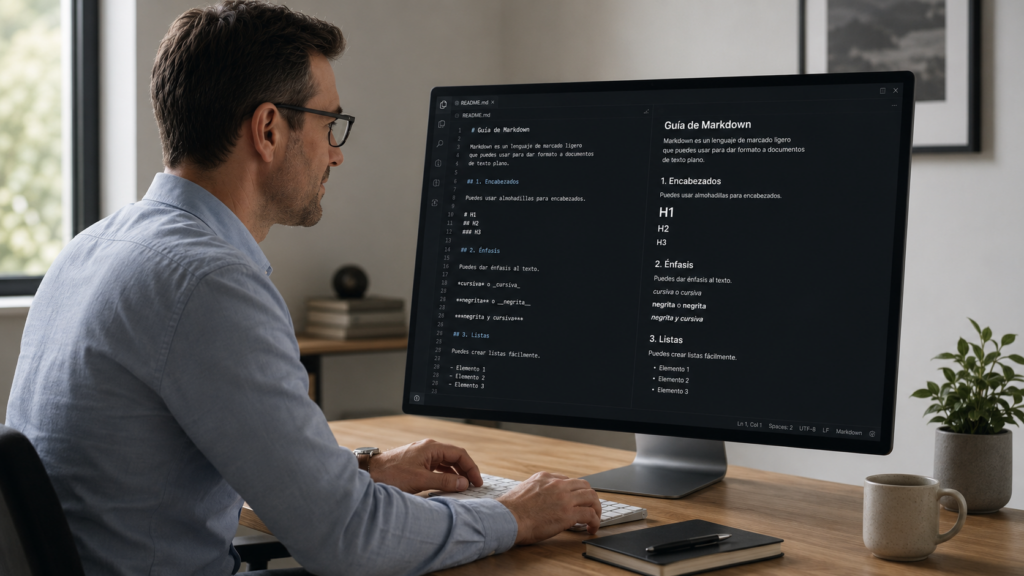
Markdown. Imagen generada con IA.

Working with generative AI and need to paste content into Netex Author? The editor now recognizes Markdown format automatically when you paste. Bold, lists, headings… everything converts instantly to formatted text. The workflow between your favorite AI tool and Author has never been more agile.

AUTHOR

Copy sections between content while keeping images

You can now copy an entire section from one piece of content and paste it into another, including the images it contains. The system detects potential conflicts and asks you how to resolve them. Perfect for reusing content blocks without having to re-upload resources manually.
LC6. February 2024 Second release.

Release date: 22 January

LMS

Changes to the administrator portal

On February 1st at 4:00 AM CEST, we will welcome the new administration and student portals, replacing the old ones. This update will be completely transparent to all our users, as they will still be able to access the new portals through the application icons, just as they have done until now.

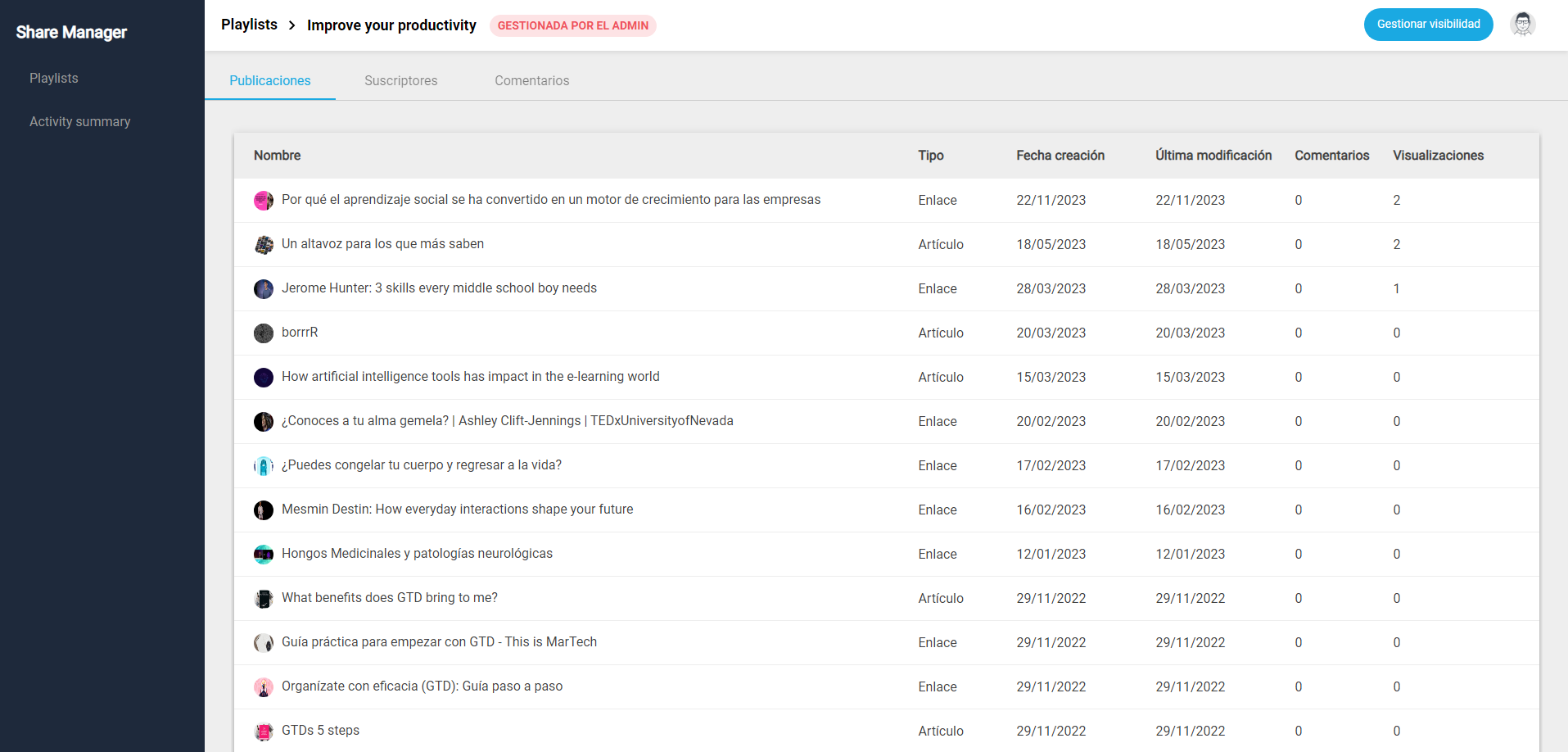
Share

Assigning playlists to users

From now on, the administrator can assign playlists to users based on different criteria. Only those assigned to playlists will have the ability to view and subscribe to them.

New dashboard for administrators

We have launched a new dashboard that allows you to easily view the activity summary. This dashboard is available within the admin portal and allows you to view the number of posts produced within the tenant.

Playlist metrics:

  • Average number of posts per playlist
  • Average number of comments per post
  • Number of posts that are links and articles, including percentage view option.
  • Evolution of posts per month.
  • Monthly visits graph
  • Playlists with more activity by tags
  • Order of playlists by popularity
  • Most commented posts

Metrics of authors:

  • Most popular authors
  • Most active authors

More information.

Author

Embedded component

An evolution of the old IFrame component, which changes its name and expands its possibilities. In addition to embedding content from an external URL, it also allows you to embed external animations and other types of content created with Canva, Adobe Illustrator or Genially.

More information.