Category: Drive

Netex Cloud. May 2026 First Release

EXPERTS

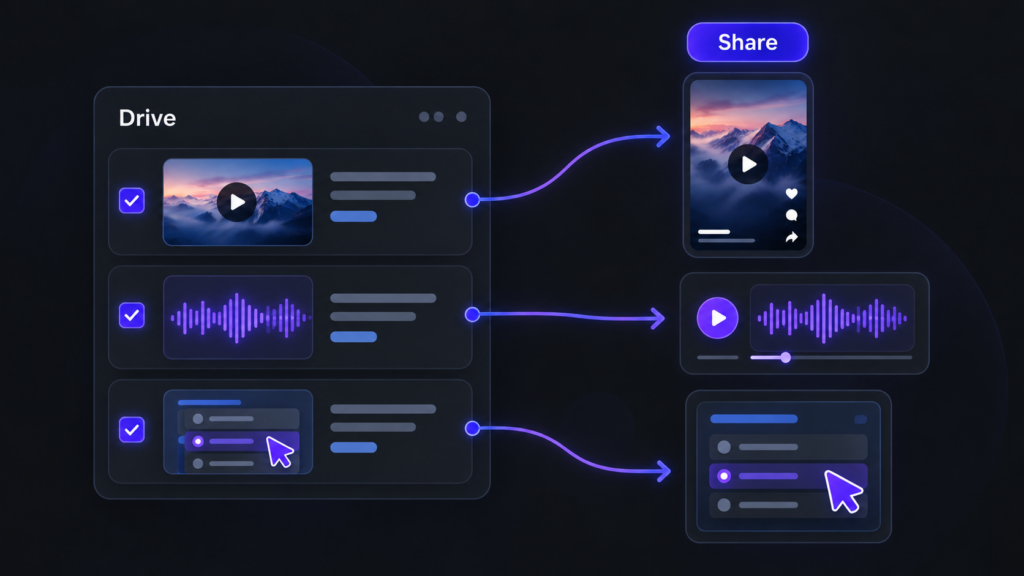
Video and audio files now supported from Drive

Until now, Experts could index Drive content in PDF, SCORM or xAPI format. From this release, that capability extends to multimedia content: videos and audio files.

This makes it much easier to leverage materials such as recorded training sessions, video pills, podcasts, internal explainers or supplementary content. More supported formats means more knowledge within reach for your users.

NETEX CLOUD

Four new languages now available

Netex Cloud adds new languages to keep expanding its international reach: Serbian, Croatian, Bosnian and Montenegrin. This update marks another step in our expansion across Eastern Europe, delivering a closer, more localised experience for users in these markets.

Netex Cloud. March 2026 Second Release

Code blocks in the Authoring tool

You can now insert source code blocks directly into content created with Author.

✔︎ Clearer, more professional content that’s much easier to read.

More supported file types in Drive

We’ve expanded the range of supported formats in Drive, so you can work with more resource types from a single place.

New supported formats:

  • Office documents: spreadsheets, presentations and text documents
  • Audio files: such as MP3, WAV and other common browser-compatible formats

For audio files, an integrated player is now available, allowing users to listen directly within the platform. 🎧

✔︎ Greater flexibility to adapt learning assets to different business and tracking needs.

Experts can now use content from Drive

The Experts functionality takes another step forward: it is now possible to add knowledge from Drive directly into an Expert.

Experts can currently use the following as knowledge sources:

  • PDF
  • SCORM
  • xAPI

This enables more enriched responses, combining content not only from the LMS but also from Drive—always respecting each user’s access permissions.

✔︎ More powerful Experts, better connected to your resources and more effective in answering real-world questions.

New tag-based search filter in the LMS

A new search criterion has been added to the LMS: tag-based search.

Users can now find content more precisely using associated tags, in the same way they already do with other search fields.

✔︎ Faster and more intuitive access to the right learning content.

Note: this functionality is available in environments already using the latest version of carousels/search.

Redesigned job role view

The job roles screen has been redesigned to provide a more visual and intuitive experience. Key improvements include:

  • Updated colour scheme for easier reading
  • Visual indicators of current and target levels for each competency
  • More detailed insights when selecting a competency
  • Direct access to related content to continue improving each skill

✔︎ Result: clearer progress visibility and more effective navigation.

Netex Cloud. August 2025 First release.

LMS

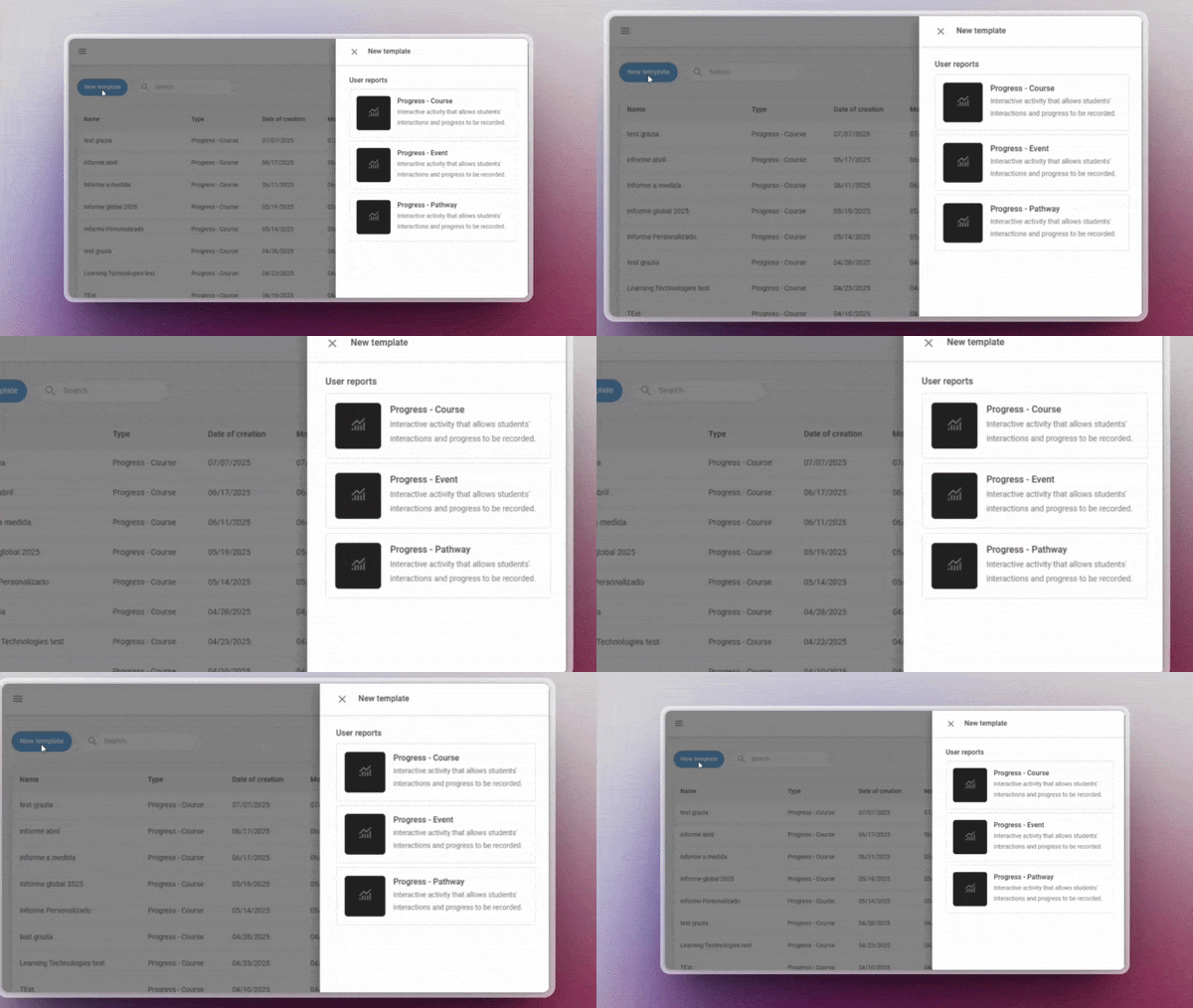
New templates in the report designer

Designing reports has never been easier! You can now use pre-defined templates for events and itineraries, or create your own custom templates. This will allow you to adapt reports to the specific needs of your projects and teams.

Assignment of skills and competencies across the platform

Greater coherence in your training! You can now assign skills and competencies to any learning entity, including events, itineraries and learning programmes. This way, you can better track the development of your users’ capabilities.

Offline tracking

Learning continues even without the Internet! From the App you will be able to download xAPI activities and complete them offline. When you reconnect, your progress will sync automatically with the LMS.

AUTHOR

Direct browsing of Netex Drive libraries

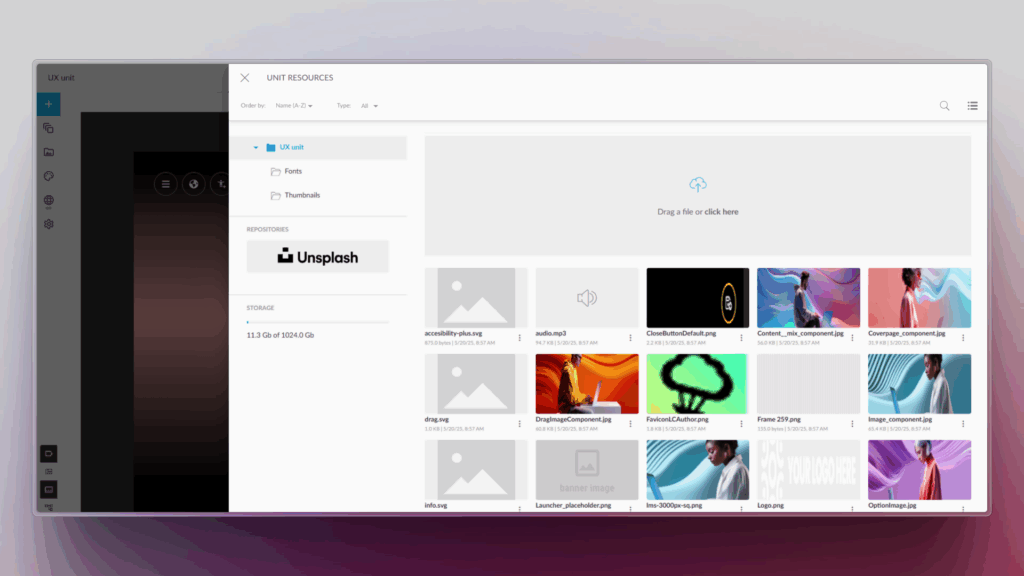
You can now access Netex Drive libraries directly from a unit’s resources panel. Easily import images, videos, PDFs or other Drive resources, just as you do with Unsplash or Getty Images.

Smart links to glossaries

Make your content more interactive and clear! You can now associate words or phrases within a text to glossary terms. When the learner clicks them, they will see the related information straight away.

Design improvements for the Designer profile

New visual states have been added to buttons and navigation menus, clearly distinguishing between the “hover” and “visited” states.

An improvement that makes the interface more intuitive and pleasant to use.

Netex Cloud. July 2025 First Release.

LMS

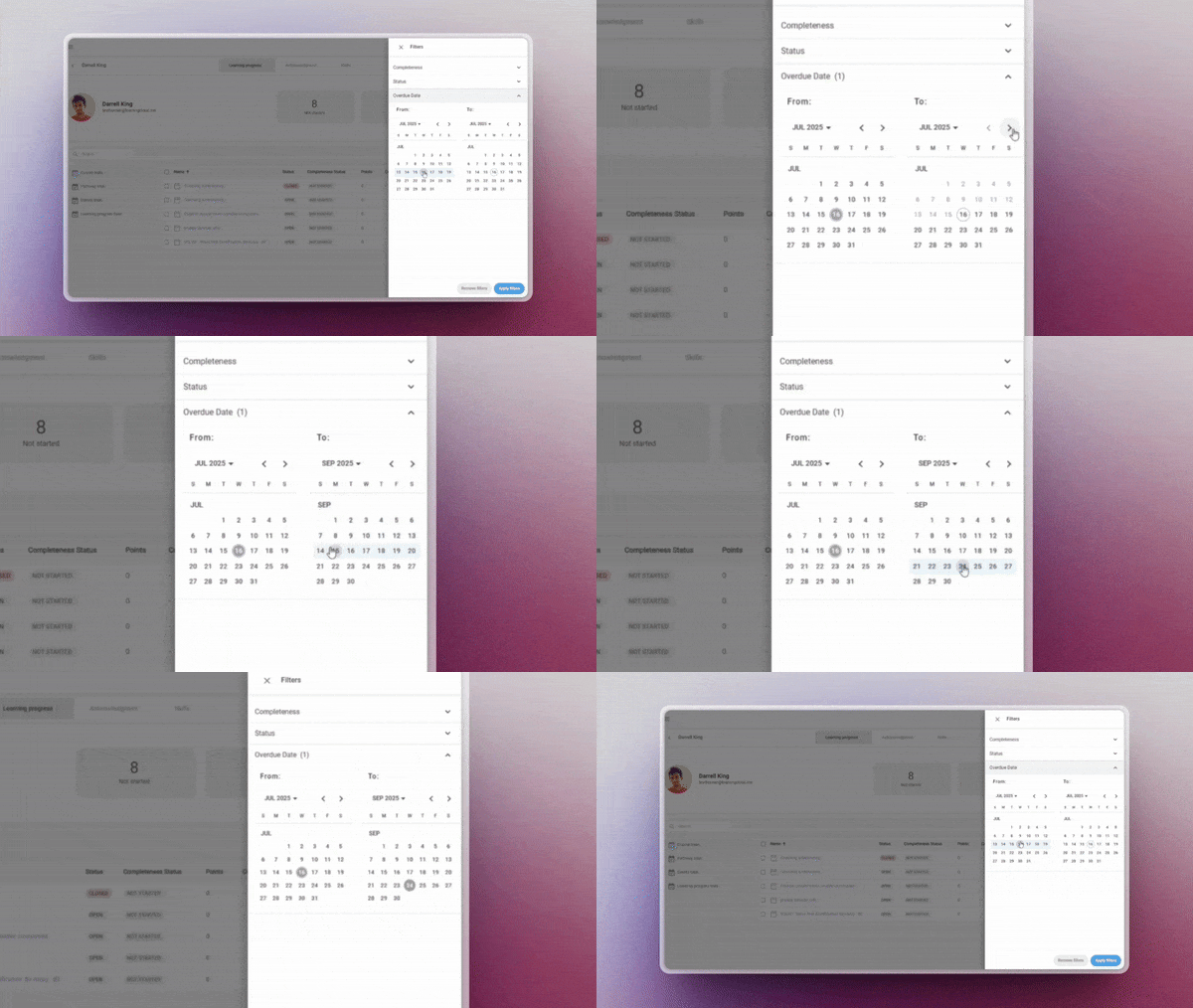
Overdue date

Assign a custom due date to one or several learners directly from the manager, regardless of the general deadline set in the course session. This feature allows you to:

  • Adapt deadlines to individual pace or specific situations
  • Display time remaining directly to the learner
  • And allow access to the content even after the deadline has passed

✔︎ Flexibility in time management without compromising the learning experience.

More information.

Customed reports

Now includes templates for events and pathways. Create, save and reuse your own customised reporting configurations for these key entities — no need to start from scratch each time.

✔︎ Ideal for recurring reports that require precision and agility.

More information.

Offline tracking

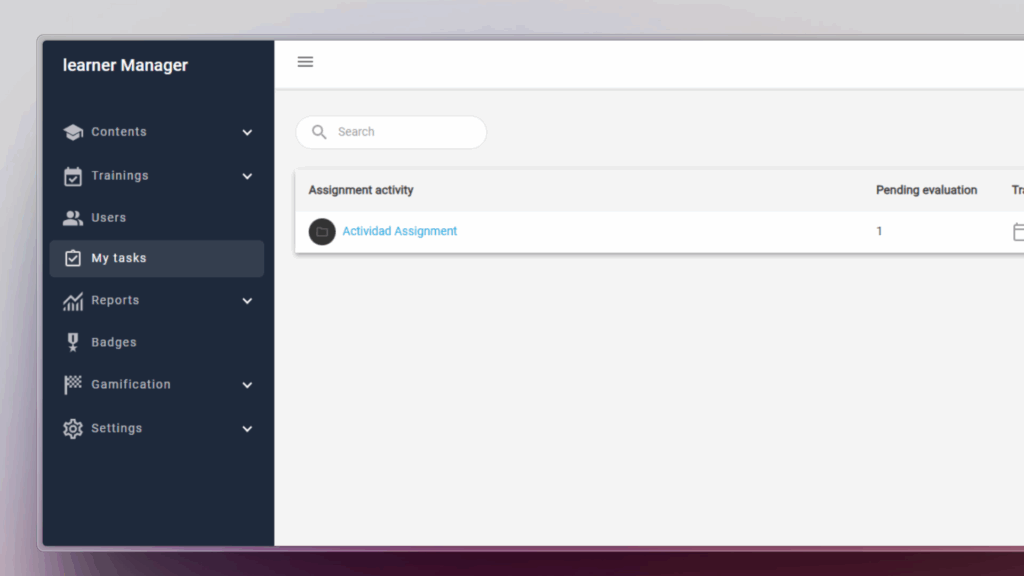
Manage task-type activities from a new centralised panel that provides a clear overview of all pending evaluations.

  • Access each task directly to assess it with a single click
  • Quickly identify which activities need your review
  • Filter by status (pending, in progress, reviewed, etc.)

✔︎ Available for Trainers, Administrators, and Group Administrators.

More information.

My tasks

Manage task-type activities from a new centralised panel that provides a clear overview of all pending evaluations.

  • Quickly identify which activities need your review
  • Filter by status (pending, in progress, reviewed, etc.)
  • Access each task directly to assess it with a single click

✔︎ Available for Trainers, Administrators, and Group Administrators.

More information.

AUTHORING TOOL

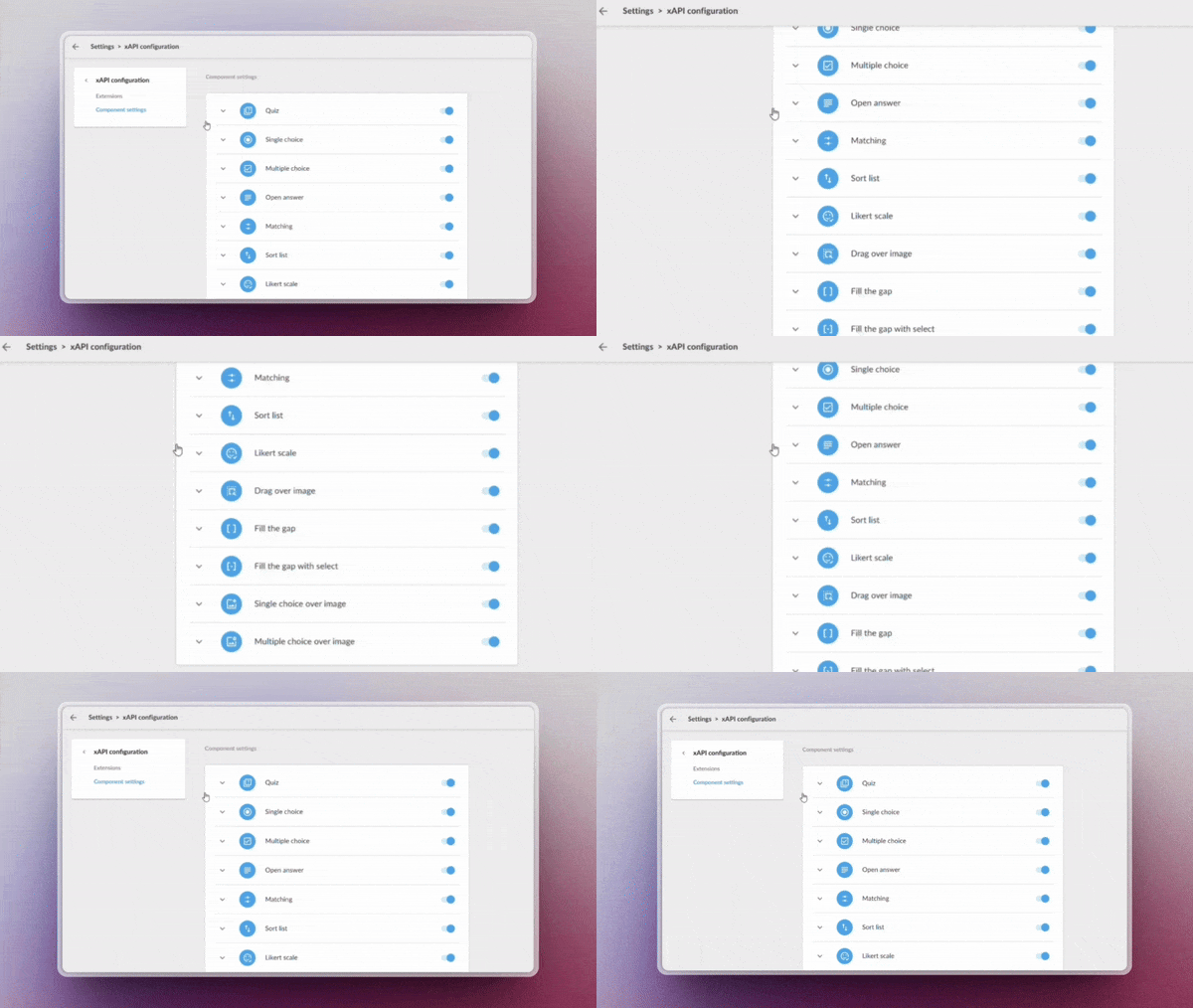
Custom xAPI tracking

Enable advanced learning monitoring through custom xAPI tracking, ideal for generating detailed reports and advanced analysis (requires Professional licence).

Administrators now have more granular control over system metadata, allowing them to:

  • Record specific learning events
  • Rastrear comportamientos clave de los usuarios

✔︎ Leverage every data point to build more accurate and actionable reports with a fully adaptable tracking system.

Upload your videos to Drive

Manage your videos directly from the system libraries, optimising their organisation and preparing for future automatic analysis features.

✔︎ Centralise your videos in one place, keeping them organised and ready.

LEARNING SOCIAL NETWORK

Automated content curation

Activa la generación inteligente de playlists mediante IA, sin necesidad de mantenimiento manual. Configura criterios Enable AI-powered playlist generation with no manual maintenance required. Set criteria such as:

  • Keywords
  • Content language
  • Relevance or popularity level

The system will automatically update playlists with the most suitable resources based on your parameters.

✔︎ Save time and always offer up-to-date content aligned with your users’ needs.