Category: Netex Author

Netex Cloud. March 2026 Second Release

Code blocks in the Authoring tool

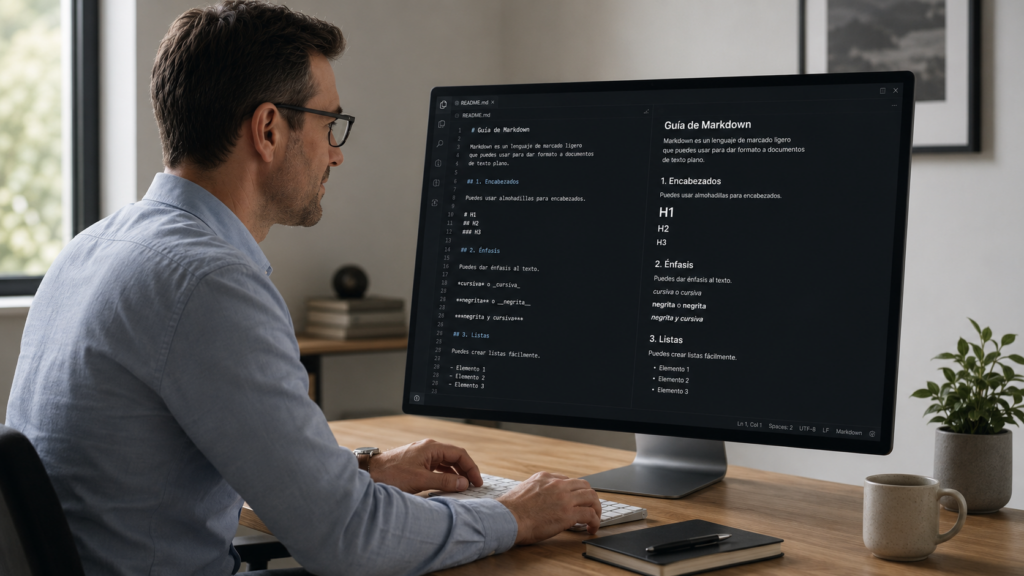
You can now insert source code blocks directly into content created with Author.

✔︎ Clearer, more professional content that’s much easier to read.

More supported file types in Drive

We’ve expanded the range of supported formats in Drive, so you can work with more resource types from a single place.

New supported formats:

  • Office documents: spreadsheets, presentations and text documents
  • Audio files: such as MP3, WAV and other common browser-compatible formats

For audio files, an integrated player is now available, allowing users to listen directly within the platform. 🎧

✔︎ Greater flexibility to adapt learning assets to different business and tracking needs.

Experts can now use content from Drive

The Experts functionality takes another step forward: it is now possible to add knowledge from Drive directly into an Expert.

Experts can currently use the following as knowledge sources:

  • PDF
  • SCORM
  • xAPI

This enables more enriched responses, combining content not only from the LMS but also from Drive—always respecting each user’s access permissions.

✔︎ More powerful Experts, better connected to your resources and more effective in answering real-world questions.

New tag-based search filter in the LMS

A new search criterion has been added to the LMS: tag-based search.

Users can now find content more precisely using associated tags, in the same way they already do with other search fields.

✔︎ Faster and more intuitive access to the right learning content.

Note: this functionality is available in environments already using the latest version of carousels/search.

Redesigned job role view

The job roles screen has been redesigned to provide a more visual and intuitive experience. Key improvements include:

  • Updated colour scheme for easier reading
  • Visual indicators of current and target levels for each competency
  • More detailed insights when selecting a competency
  • Direct access to related content to continue improving each skill

✔︎ Result: clearer progress visibility and more effective navigation.

Netex Cloud. February 2026 First Release

AUTHORING TOOL

AI Image Generation: Your Visual Ideas, Instantly

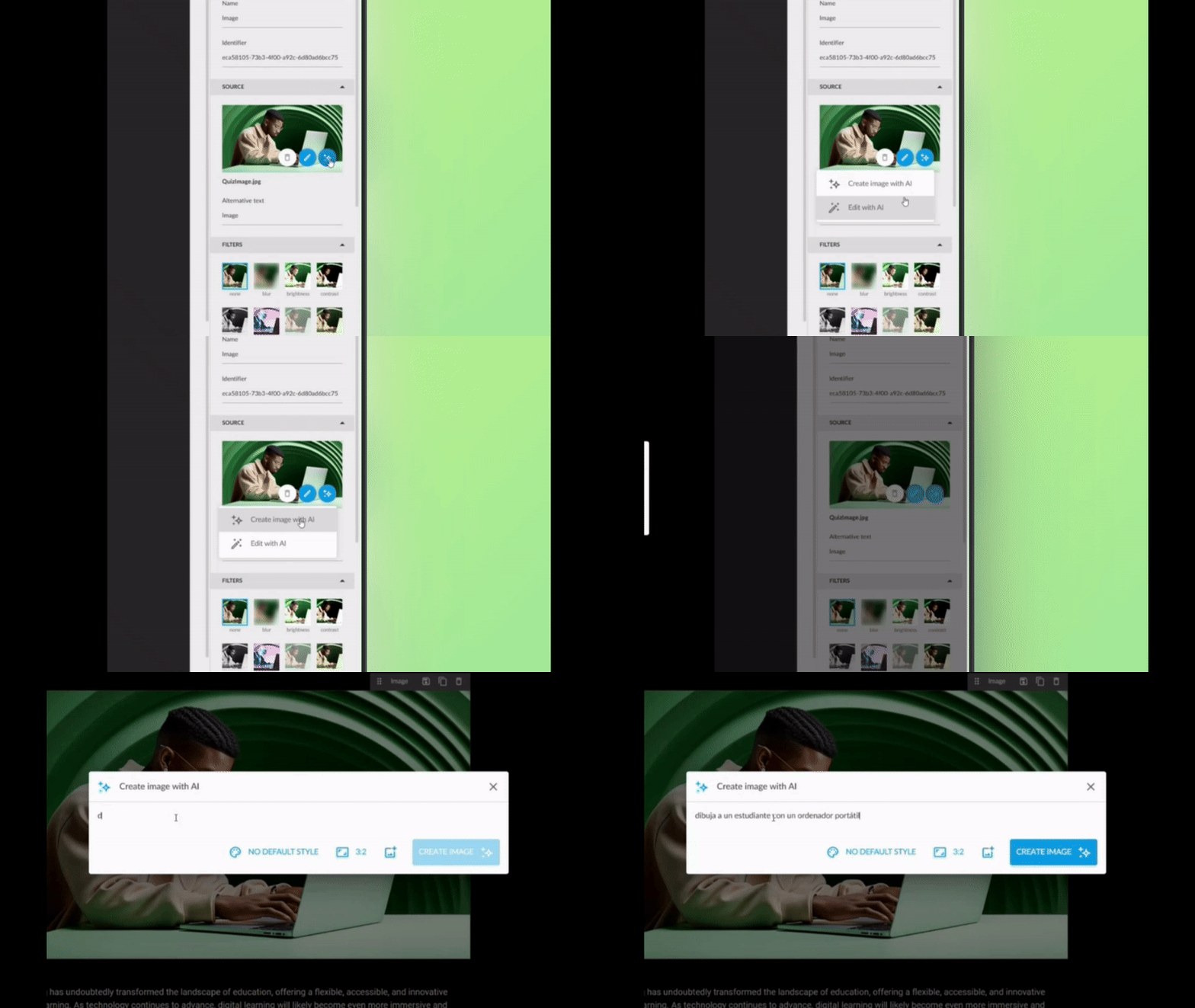
Create personalised images with text directly from the authoring tool. Now you can transform any concept into a unique image for your backgrounds or sections, without leaving the editor.

Three ways to create your images:

  1. From scratch: Describe what you need and the AI generates it.
  2. From a base image: Use a reference image to guide the creation.
  3. Improve what you already have: Upload an image and ask the AI to optimise or modify it.

What’s in it for users?

  • Say goodbye to generic image banks: create unique visuals aligned with your message.
  • Save time on searching and external editing.
  • Greater visual coherence across your content.

✓ More attractive and personalised content, with no additional effort.

Automatic Video Transcription: Accessibility at the Click of a Button

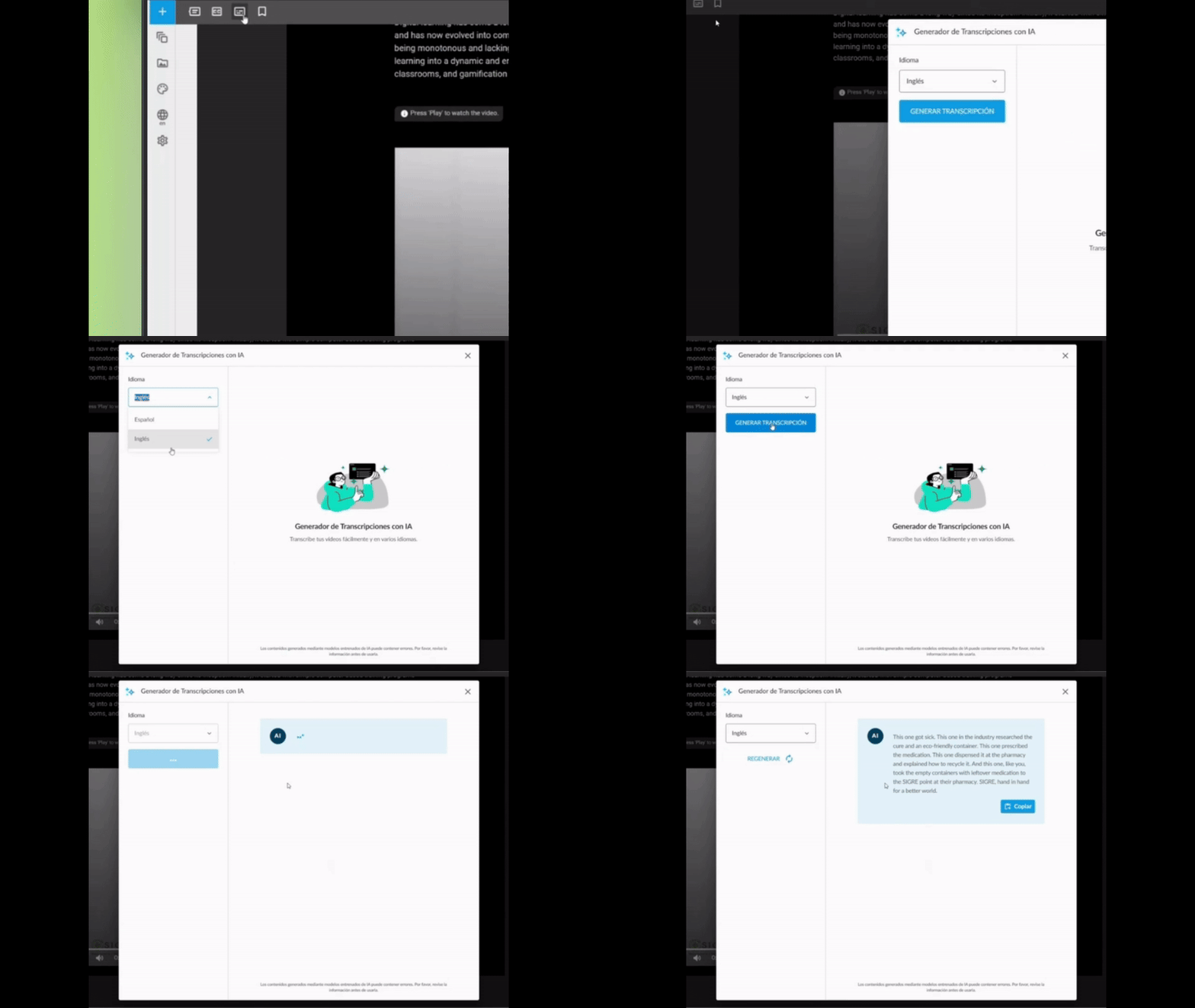
Automatically generate text for your MP4 videos directly from the authoring tool. It makes reading easier for all your users and effortlessly meets WCAG accessibility standards (Level AA).

How does it work?

  1. Upload your MP4 video to the content.
  2. Activate automatic transcription with a single click.
  3. The system generates the complete text, ready to display or download.

Why it matters

  • Universal accessibility: Ensures all users, including those with hearing impairments, can access the content.
  • Regulatory compliance: Achieves WCAG Level AA without manual effort.
  • Improved experience: Users can read whilst watching the video, reinforcing comprehension.

✓ More inclusive videos, with no technical effort or additional time.

Enhanced Question Generator: From Your PDFs to Intelligent Assessments

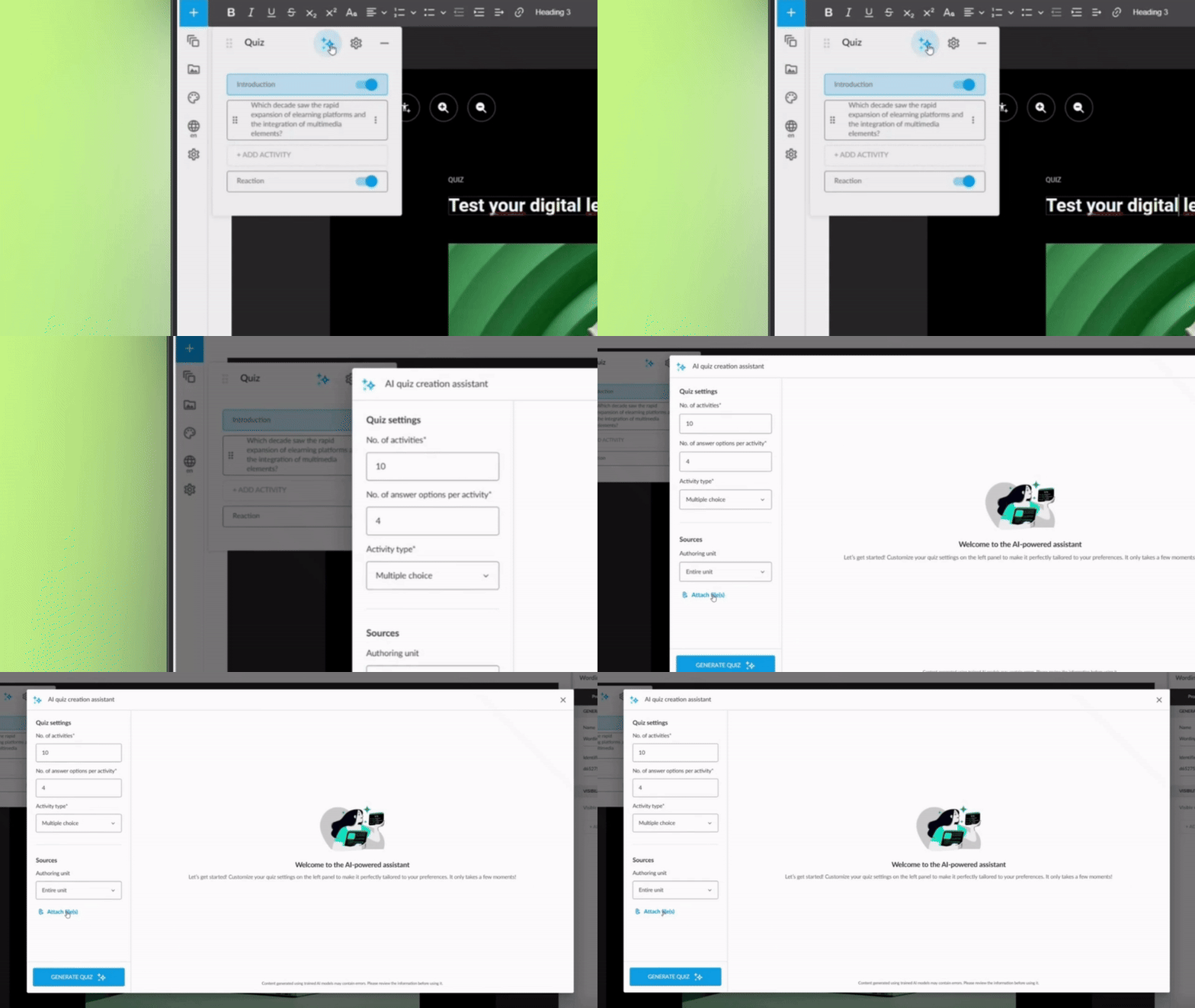
The AI question generator is now even more powerful. In addition to creating assessments based on your course content, it can analyse one or more PDF files from your Drive to generate questions automatically.

What can you do now?

  • Select PDFs from your Drive as the source for questions.
  • Combine course content with information from external documents.
  • Generate complete assessments without writing a single question.

Direct benefit

  • More agility: Repurpose technical documentation, manuals, or existing materials.
  • Greater variety: Create assessments based on multiple sources of knowledge.
  • Less manual work: The AI does the heavy lifting whilst you review and adjust.

✓ Richer and more varied assessments, generated in minutes rather than hours.

Smarter Question Banks: Each Student, a Different Exam

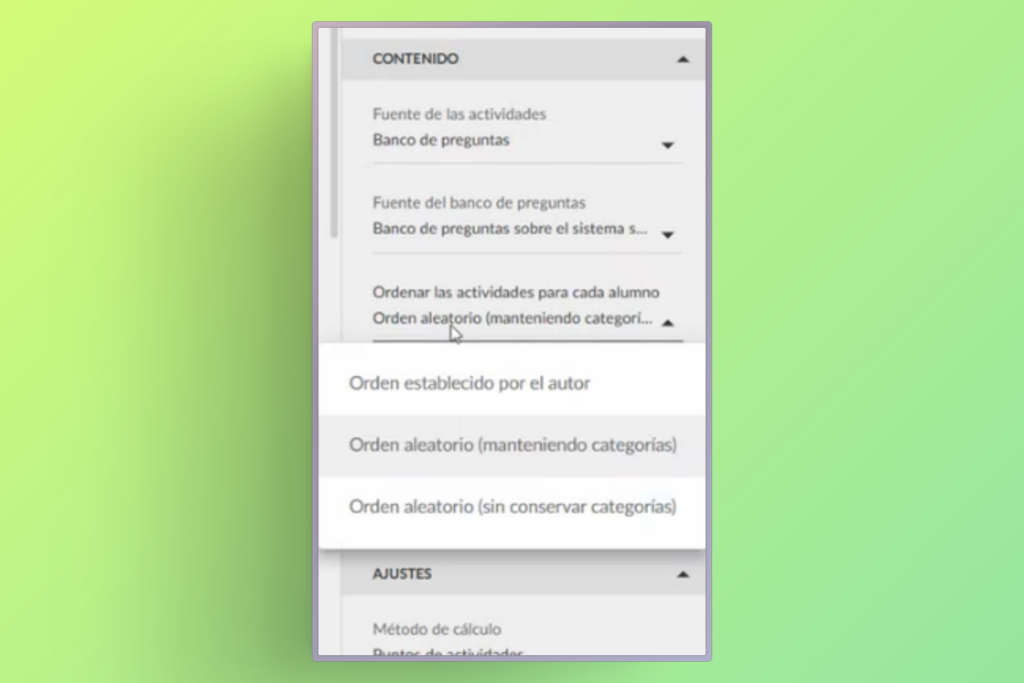
You can now configure your assessments so that the order of answer options from questions drawn from question banks changes automatically for each student.

What’s the benefit?

This improvement adds an additional layer of randomisation: not only are different questions drawn from the bank for each student, but the answer options for each question also appear in a different order.

What’s in it for users?

  • Fairer assessments: Reduces the possibility of copying between students.
  • Greater security: Each student faces a unique assessment, even if they share the same questions.
  • No complex configuration: Activated with a simple adjustment in the assessment settings.

✓ More robust and personalised assessments, without adding work for the author.

More Flexible Video Progress: Resume Where You Left Off

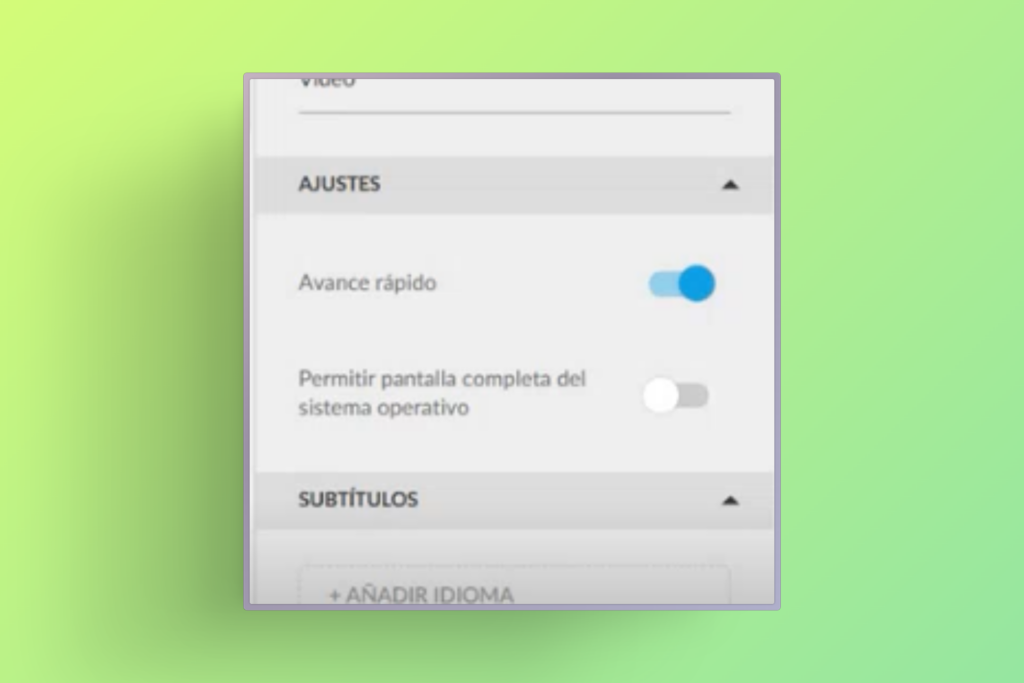
We’ve improved the behaviour of “fast forward blocking” in videos. Now, even with this option activated, you can manually skip forward to any point where you previously stopped, without having to watch it again from the beginning.

How does it work?

  • The system remembers your progress in each video.
  • You can navigate freely up to the point you previously reached.
  • The block only applies to content not yet viewed.

Why it matters

  • Better user experience: Eliminates the frustration of having to review content already seen.
  • Flexibility without losing control: Maintains the pedagogical intention of the block, but with common sense.
  • Time saving: Students can revisit specific sections without repeating the entire video.

✓ A perfect balance between formative control and respect for the student’s time.

Netex Cloud. November 2025 First Release.

SHARE

Publish when you choose

Now, in our knowledge-sharing tool, you can save a post as a draft, ensuring that it is not visible to the people subscribed to the playlist until you decide to publish it.

AI Author with human review

If you use the AI Author feature, you can configure it so that automatically generated posts are not published directly, but are instead saved as drafts. This way, a human author can review them, improve them, and decide the exact moment of publication.

AUTHOR

Improvements in the content review process

The content review process in Netex Cloud’s authoring tool is now more agile, clearer, and more collaborative. We have redesigned this workflow to make the work of both authors and reviewers easier, avoiding bottlenecks and accelerating every stage of the process.

Comments and tasks directly on the content

Reviewers can add comments and create change tasks directly on the content itself, making communication and adjustment management much more direct and organised.

Temporary unit locking

To avoid simultaneous edits, authors can temporarily lock a unit while they are working on it. Fewer interferences, more peace of mind.

Faster navigation during review

During this process, sequential navigation can be unlocked to quickly access the last pages. This helps speed up reviews and move forward faster than ever.

Netex Cloud. August 2025 First release.

LMS

New templates in the report designer

Designing reports has never been easier! You can now use pre-defined templates for events and itineraries, or create your own custom templates. This will allow you to adapt reports to the specific needs of your projects and teams.

Assignment of skills and competencies across the platform

Greater coherence in your training! You can now assign skills and competencies to any learning entity, including events, itineraries and learning programmes. This way, you can better track the development of your users’ capabilities.

Offline tracking

Learning continues even without the Internet! From the App you will be able to download xAPI activities and complete them offline. When you reconnect, your progress will sync automatically with the LMS.

AUTHOR

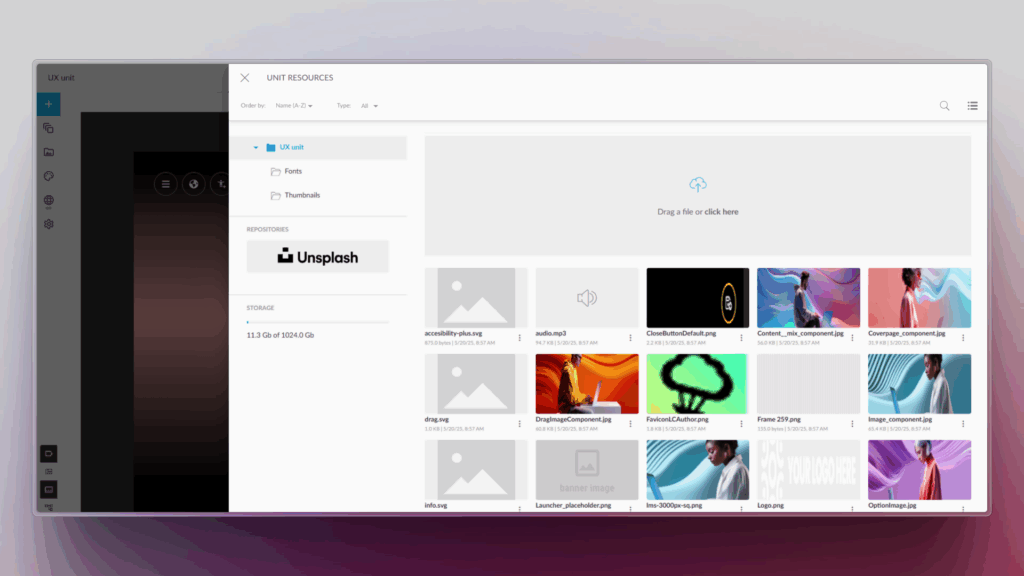
Direct browsing of Netex Drive libraries

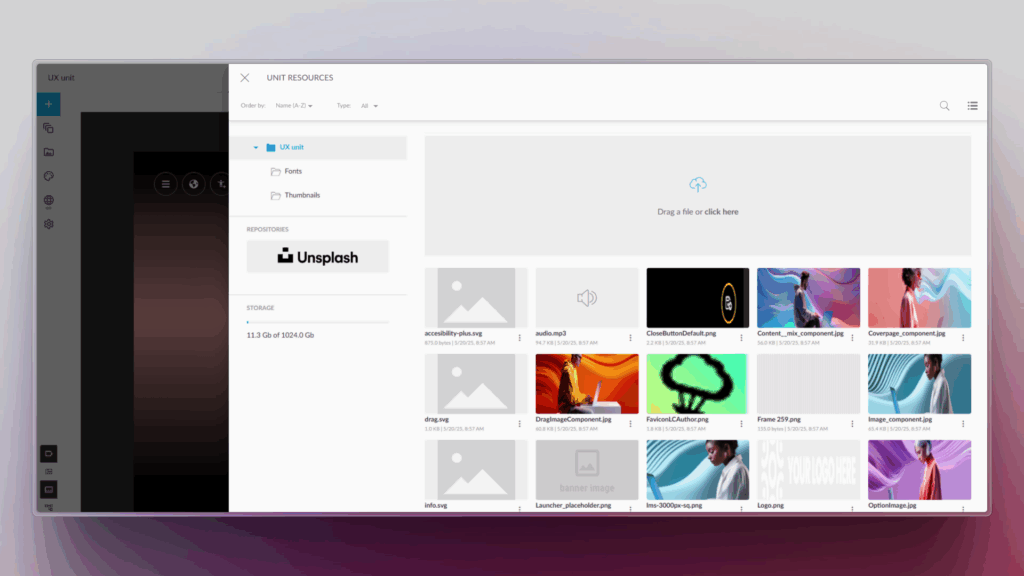
You can now access Netex Drive libraries directly from a unit’s resources panel. Easily import images, videos, PDFs or other Drive resources, just as you do with Unsplash or Getty Images.

Smart links to glossaries

Make your content more interactive and clear! You can now associate words or phrases within a text to glossary terms. When the learner clicks them, they will see the related information straight away.

Design improvements for the Designer profile

New visual states have been added to buttons and navigation menus, clearly distinguishing between the “hover” and “visited” states.

An improvement that makes the interface more intuitive and pleasant to use.

Netex Cloud. July 2025 First Release.

LMS

Overdue date

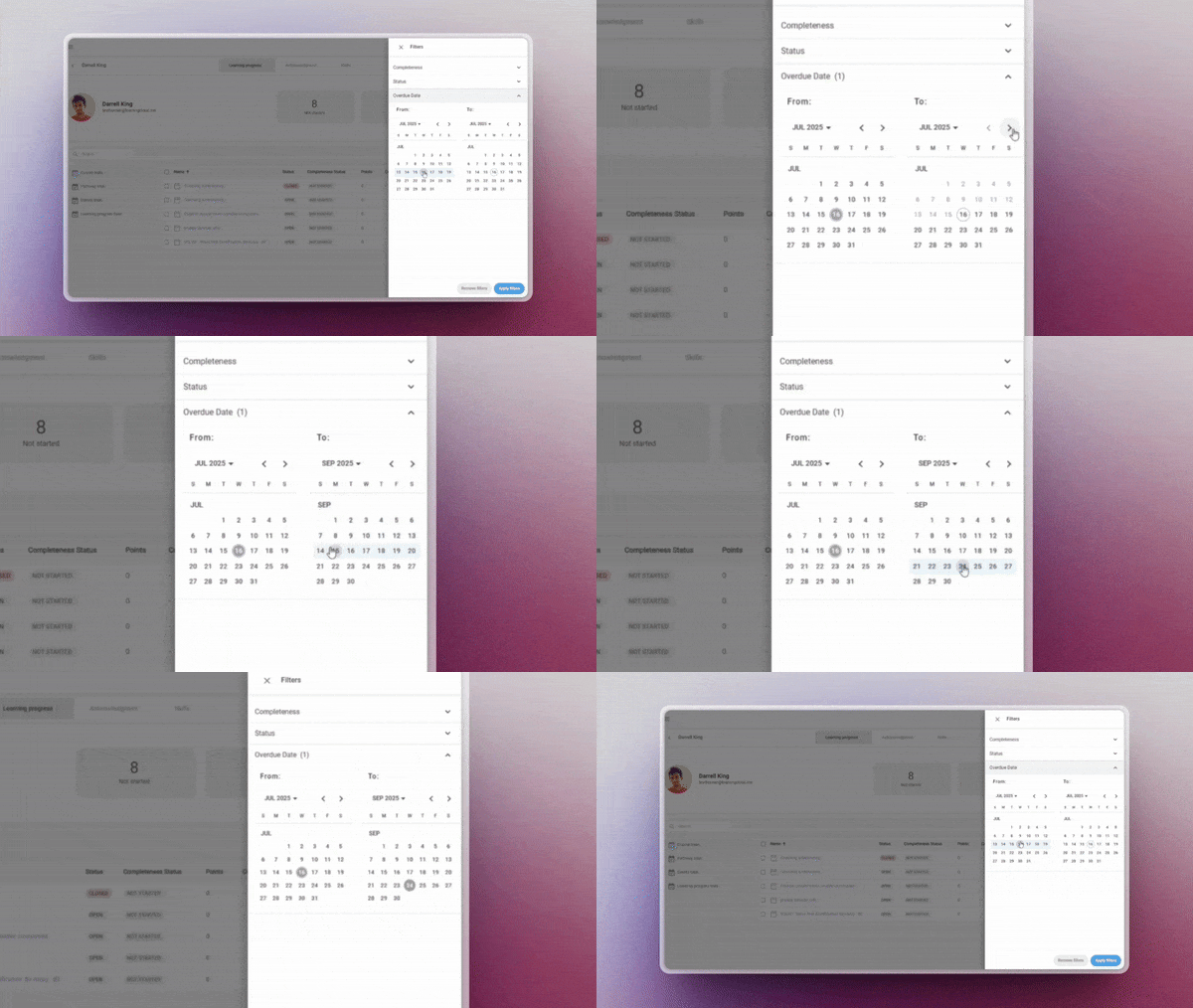
Assign a custom due date to one or several learners directly from the manager, regardless of the general deadline set in the course session. This feature allows you to:

  • Adapt deadlines to individual pace or specific situations
  • Display time remaining directly to the learner
  • And allow access to the content even after the deadline has passed

✔︎ Flexibility in time management without compromising the learning experience.

More information.

Customed reports

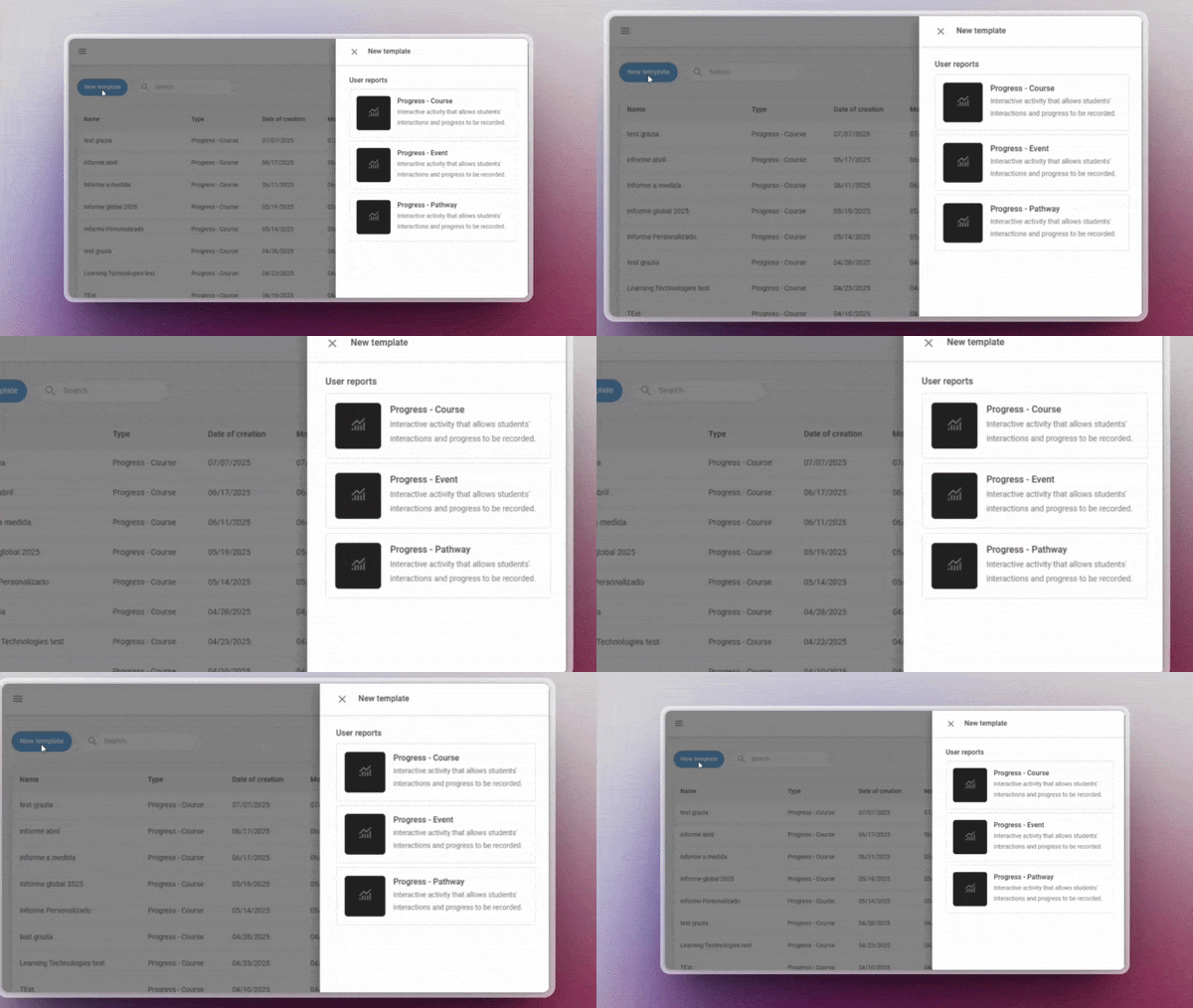
Now includes templates for events and pathways. Create, save and reuse your own customised reporting configurations for these key entities — no need to start from scratch each time.

✔︎ Ideal for recurring reports that require precision and agility.

More information.

Offline tracking

Manage task-type activities from a new centralised panel that provides a clear overview of all pending evaluations.

  • Access each task directly to assess it with a single click
  • Quickly identify which activities need your review
  • Filter by status (pending, in progress, reviewed, etc.)

✔︎ Available for Trainers, Administrators, and Group Administrators.

More information.

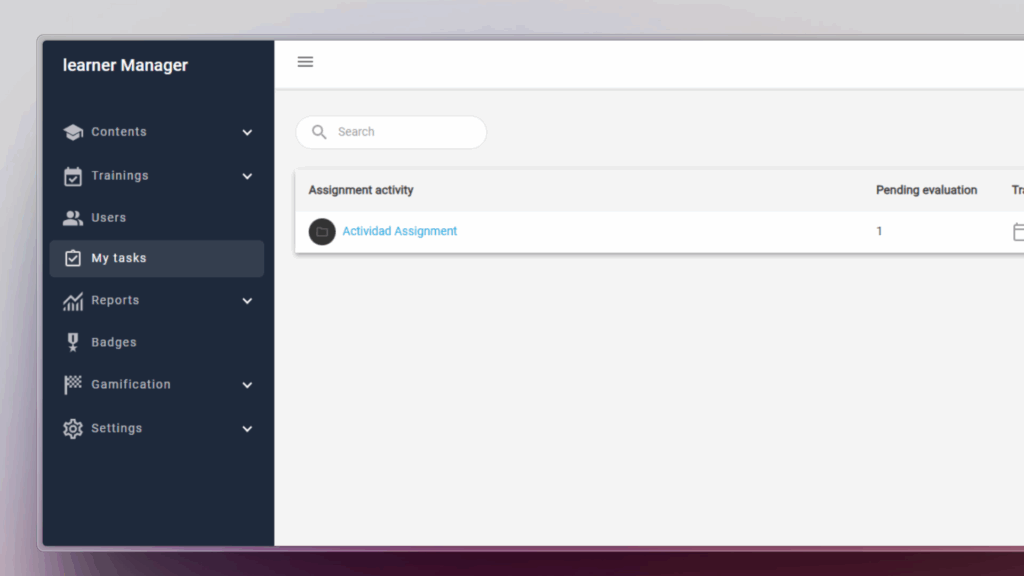
My tasks

Manage task-type activities from a new centralised panel that provides a clear overview of all pending evaluations.

  • Quickly identify which activities need your review
  • Filter by status (pending, in progress, reviewed, etc.)
  • Access each task directly to assess it with a single click

✔︎ Available for Trainers, Administrators, and Group Administrators.

More information.

AUTHORING TOOL

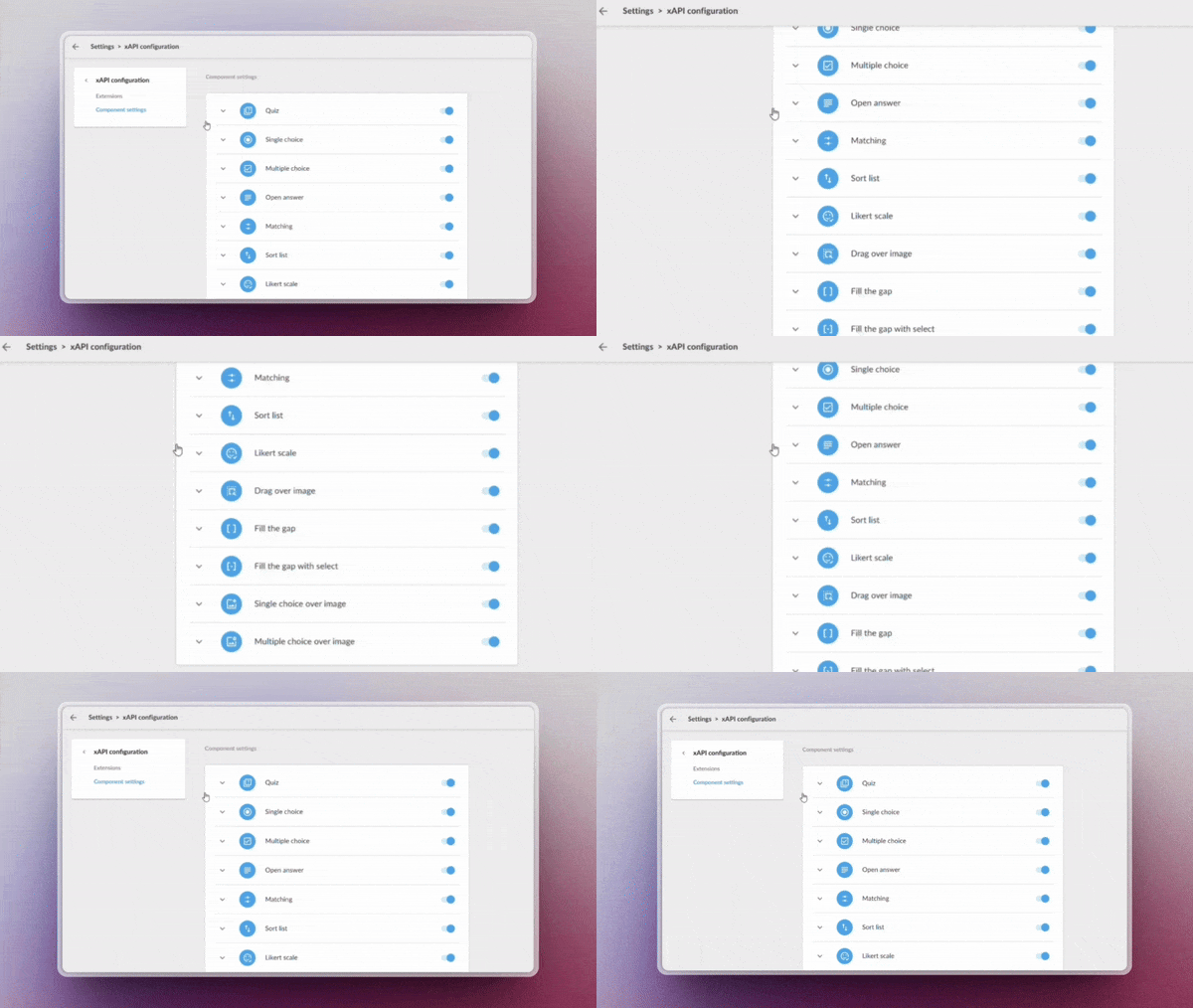
Custom xAPI tracking

Enable advanced learning monitoring through custom xAPI tracking, ideal for generating detailed reports and advanced analysis (requires Professional licence).

Administrators now have more granular control over system metadata, allowing them to:

  • Record specific learning events
  • Rastrear comportamientos clave de los usuarios

✔︎ Leverage every data point to build more accurate and actionable reports with a fully adaptable tracking system.

Upload your videos to Drive

Manage your videos directly from the system libraries, optimising their organisation and preparing for future automatic analysis features.

✔︎ Centralise your videos in one place, keeping them organised and ready.

LEARNING SOCIAL NETWORK

Automated content curation

Activa la generación inteligente de playlists mediante IA, sin necesidad de mantenimiento manual. Configura criterios Enable AI-powered playlist generation with no manual maintenance required. Set criteria such as:

  • Keywords
  • Content language
  • Relevance or popularity level

The system will automatically update playlists with the most suitable resources based on your parameters.

✔︎ Save time and always offer up-to-date content aligned with your users’ needs.

Netex Cloud. April 2025 Second release.

LMS.

Practical Assignments with Real Evidence

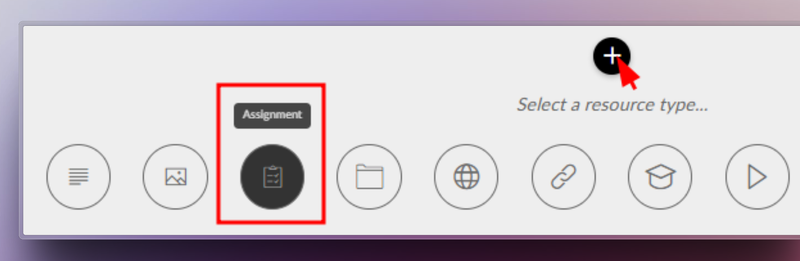
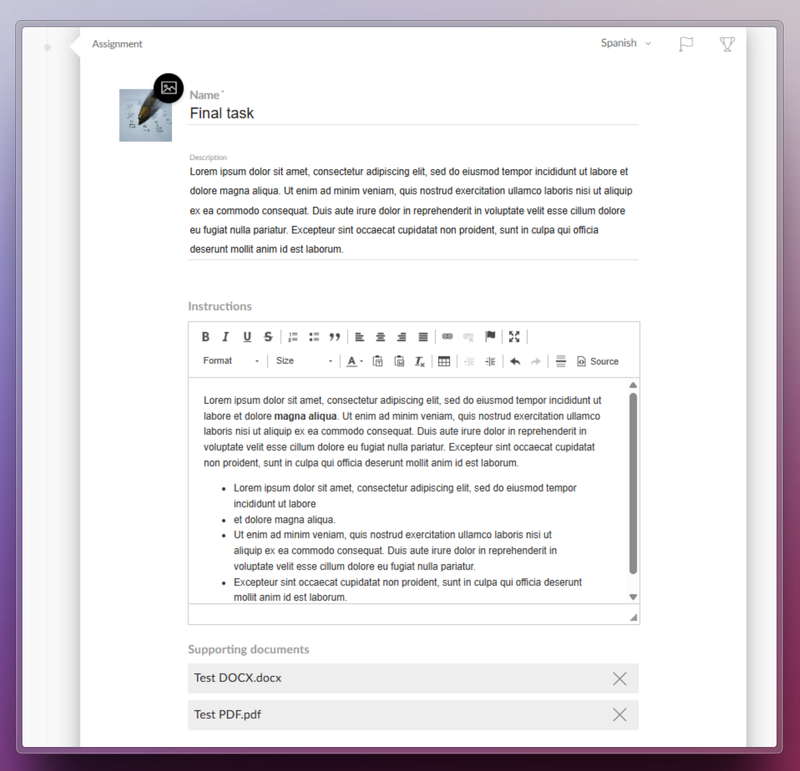
Netex Cloud LMS now includes assessment through practical assignments. Learners can submit files as evidence of learning, allowing instructors to collect and review submissions to evaluate their progress and understanding.

How does it work?

  1. The trainer sets the assignment. They define the title, description, required resources, and whether the learner needs to upload a file as evidence.
  2. The learner submits their work. They view the activity within the course and upload the required files in formats such as PDF, JPG, MP4, DOC, PPT, XLS, ZIP, etc.
  3. Assessment and feedback. The trainer reviews the submitted files, provides comments, and assigns a grade.
  4. Automatic integrations. Gamification rewards are triggered, and the overall course grade is updated for graded activities.

Benefits

  • Authentic assessment: Go beyond tests by evaluating learning through real-world evidence.
  • Complete flexibility: Supports multiple file formats and sizes.
  • Increased engagement: Boosts participation with automatic rewards and instant grading.
  • Seamless experience: Same workflow on web and mobile, with no learning curve.

Turn every submission into a learning opportunity.

Learn more.

Event Certificates: recognise your learners’ achievements

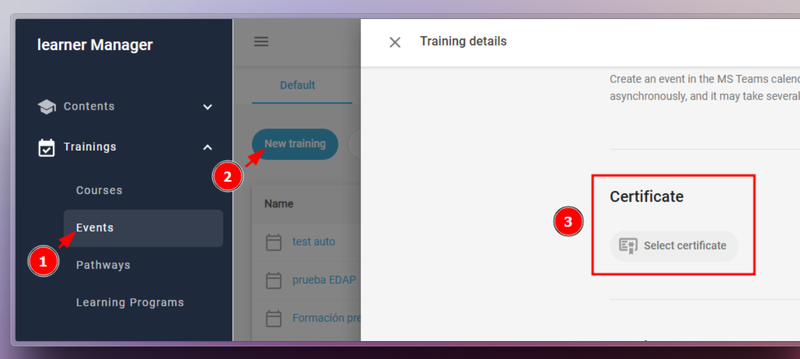
From version 6.54 onwards, Netex Cloud LMS Events can now issue certificates—just like Courses, Pathways, and Learning Programmes.

To enable this, go to Calls > Events, edit the call, and select the certificate you wish to assign.

Manage your certificates efficiently

  • Automatically issue certificates upon event completion
  • Generate or delete certificates in bulk
  • Download copies whenever needed
  • Check the issue or download date for each learner

Learn more.

AUTHORING TOOL

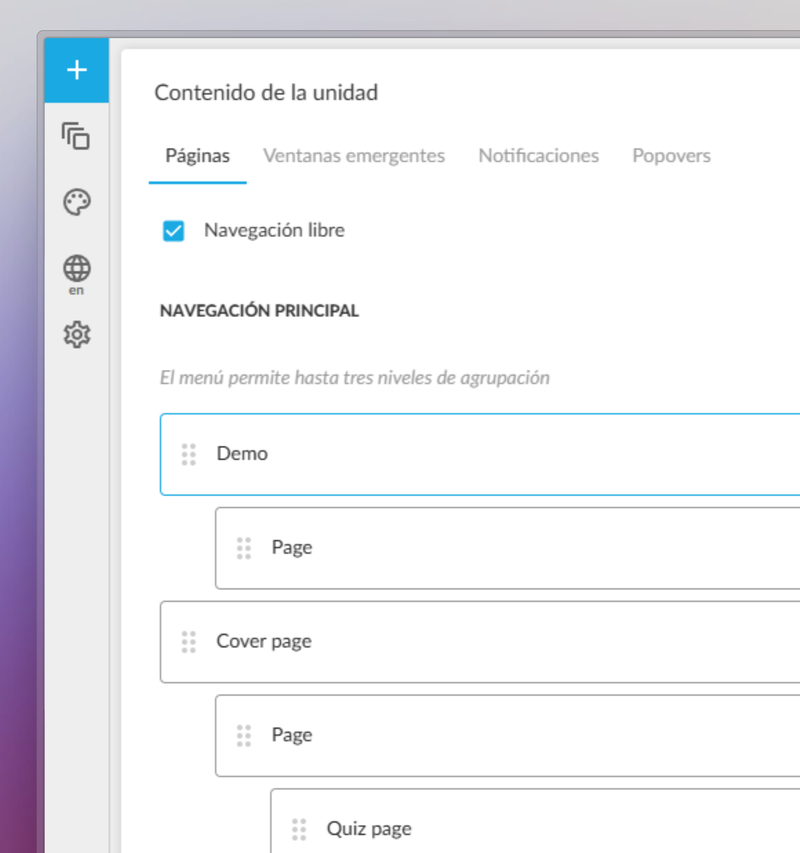
New level-based navigation menu

We’ve enhanced the authoring experience in the Netex Cloud authoring tool with the introduction of a new level-based navigation menu.

Authors can now structure their content in a clearer, more hierarchical and visual way, improving navigation for both creators and learners.

  • Page hierarchy: Organise content by importance and create visually distinct sections or chapters.
  • Full control from the panel: Show or hide pages from the navigation menu with a single click.
  • Section markers: Visually highlight the start of new chapters or thematic blocks, helping learners stay oriented.

Learn more.

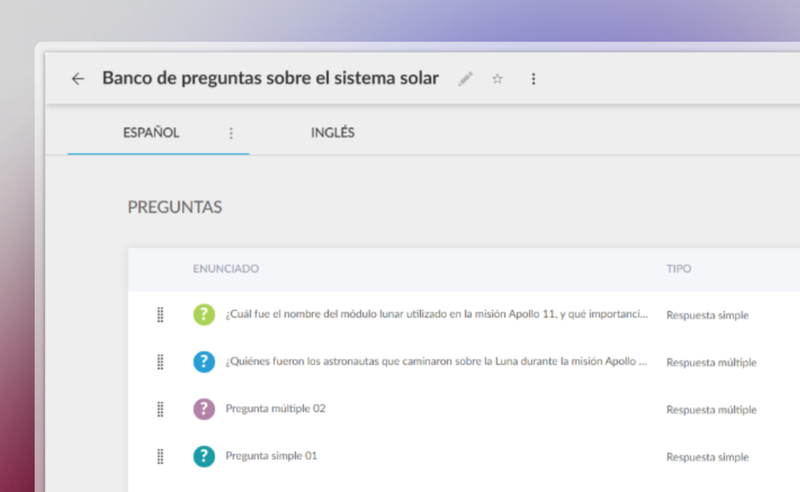
Use Question Banks for Assessments

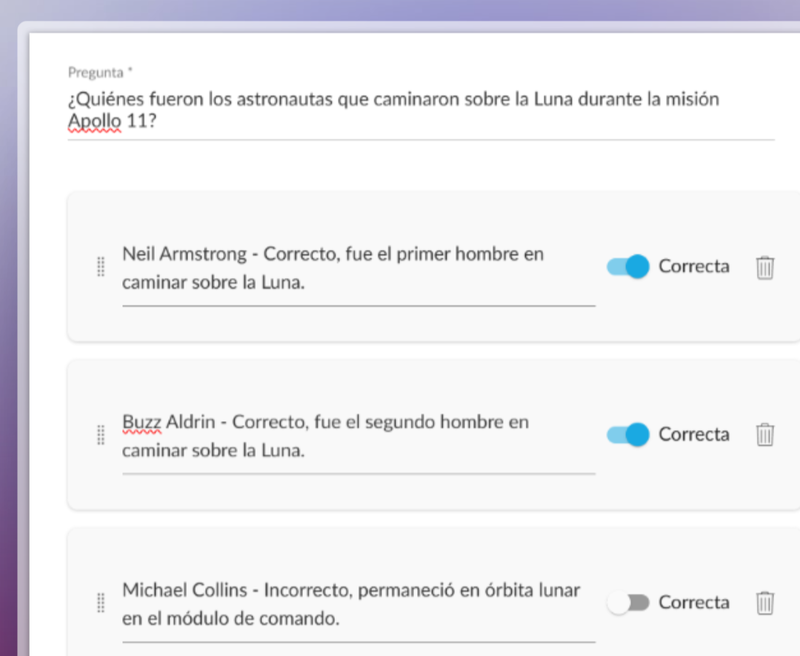
You can now create a centralised question bank in the Netex Cloud authoring tool, with single or multiple-choice questions that can be easily reused across all your content.

Managed from a single repository, updating questions or delegating their maintenance becomes much more efficient—no need to edit each unit individually.

Create dynamic quizzes by defining how many questions to draw randomly from the bank (e.g. 10 out of a total of 50), or how many per category (such as 5 from Maths and 5 from Algebra).

This allows you to offer personalised assessments to each learner—without increasing the author’s workload.

Videos now allow you to set a fixed aspect ratio (16:9, 4:3, 9:16, etc.) to ensure consistent, professional playback tailored to each design.

With these improvements, you gain efficiency, control, and quality in your assessments and multimedia resources.

Netex Cloud. February 2025 First release.

LMS.

Automate Your Reports with New Templates

Tired of setting up the same reports over and over? With our new custumereport templates, configure them once and generate reports automatically whenever you need them.

  • Create and save custom reports with the exact data you need.
  • Granular segmentation by user and course.
  • Advanced filters to extract key insights effortlessly.
  • CSV export, fully compatible with Power BI and similar tools.

More information.

Progress Reset.

Do your users need to restart a course? With our new feature, they can easily reset any SCORM or xAPI activity:

  • Reset user progress in seconds.
  • Ensure accurate reporting with no unnecessary records.
  • Enhance the learning experience by preventing technical roadblocks.

More information.

AUTHORING TOOL.

AI-Generated Questions from Video Subtitles.

Automatically generate questions based on subtitles and unlock the full educational potential of your videos.

Convert SCORM to xAPI.

Seamlessly transform third-party SCORM content into xAPI for enhanced tracking and analytics, ensuring full integration with Netex Cloud LMS.

LC6. October 2024 First release.

Release date: October 24th, 2024.

LMS.

Downloading Certificates as an Administrator.

Administrators can now directly download user certificates from the Admin Portal. Simply select the desired users and trainings. This feature is available for both general and group administrator.

More information.

Assigning Events to Custom Carousels.

Introducing the feature to assign event trainings to carousels on the learner’s home page. This allows users to view their events organized by date proximity, making it easier for them to plan. Although it does not replace a full calendar, it ensures that upcoming events are displayed in a clear and orderly manner.

More information.

AUTHOR.

Support for right-to-left reading languages.

This update allows content to be automatically adjusted to display properly in languages with right-to-left reading direction, such as Arabic, Hebrew, Persian, Urdu, among others. Texts are aligned and the order of columns and selectors is reversed to adapt the whole experience.

In addition, Professional licensed authors can customize the direction of the content according to their needs.

Subtitle literal change.

The text to disable subtitles has been changed from “disabled” to “off”, providing a clearer and more direct term.

Improved quiz display

Activity statements are now displayed more clearly in a floating window, improving the user experience when navigating quizzes.

LC6. October 2023 First release

Release date: Wednesday, October 18th.

LMS

Extended fields for pathways

From this version onwards, administrators will be able to create extended fields for training pathways. The purpose of these fields is to help classify and find content more efficiently.

More information

Author

New themes available: Lisbon, Porto, Osaka

The 1 series of themes is growing. In addition to the Sidney theme, we now have the Lisbon, Porto and Osaka themes, a series of themes designed to quickly create attractive, interactive content that will look great on any device where it is launched (both mobile devices and desktop and laptop computers), simply by choosing and dragging the different content blocks available: texts, images (with areas and markers) interactive videos, accordions, tabs, galleries, and a variety of questions: single answer, multiple answer, free text, relate items, sort list, drag over image, likert.

Valid for any subject. It is possible to create content in any of the themes of series 1, and change it for another of the same series a posteriori.

Component tree

Now authors with a Professional licence can see the tree with the structure of the components in a new panel, to know their hierarchy, and to be able to move them more comfortably.

Improved buttons

The buttons can be configured so that the content does not allow the learner to move on to the next page, or be considered completed, until the learner interacts (clicks) on the buttons that the author considers. Also with the advanced buttons.