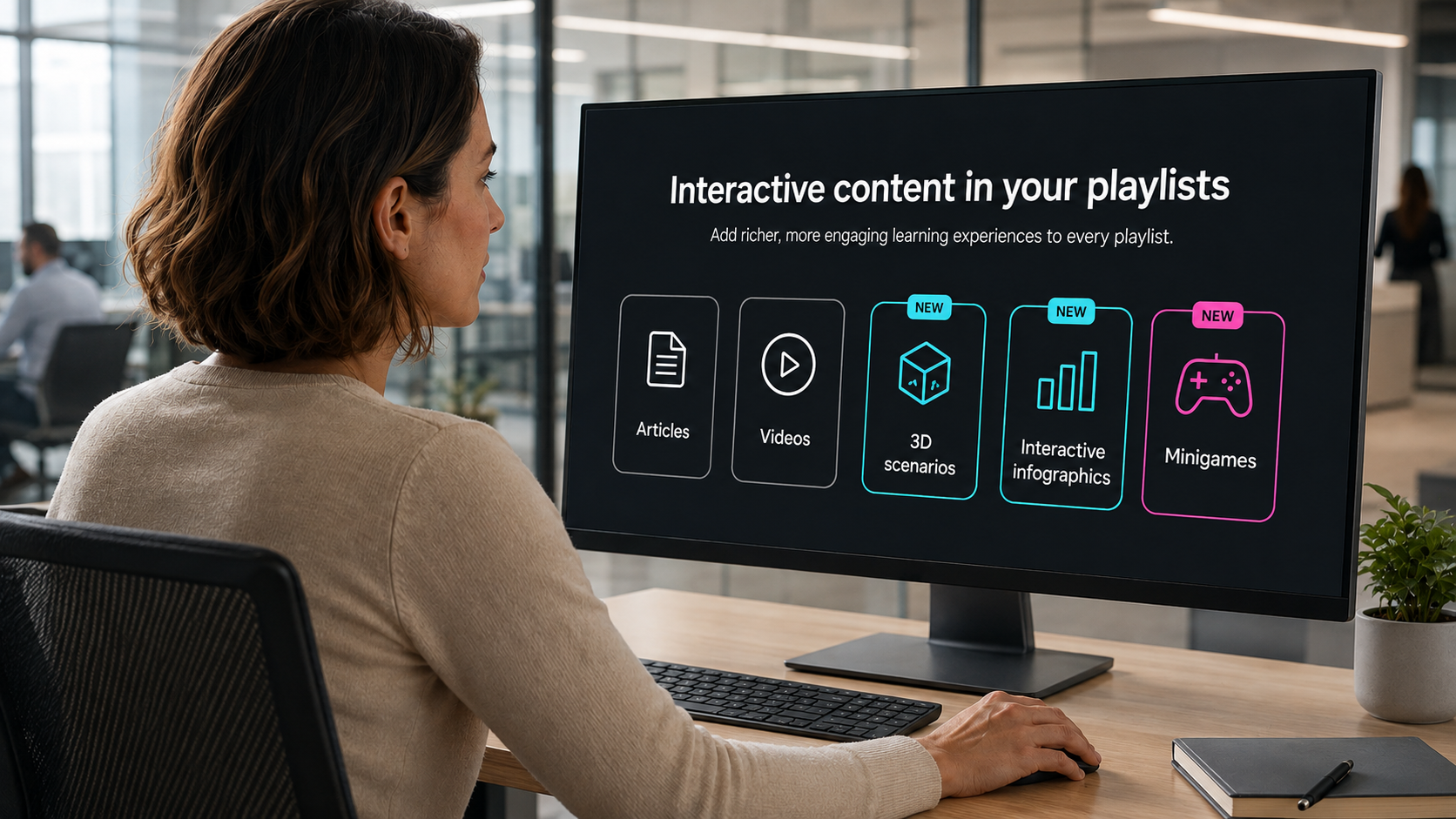
You can now enrich your playlists with interactive content —3D scenarios, dynamic infographics and mini-games— alongside your usual articles and videos. A more agile and engaging way to learn, without leaving your learning journey.
IMPROVEMENTS
LMS
Complete activities from administration
Administrators can now mark an activity as completed for a specific user in a training, without relying on the user to complete it themselves. Less friction to resolve edge cases.
Enhanced security, always
We continue to strengthen the security and stability of the platform to make Netex Cloud increasingly robust.
The article editor now includes new formatting options so you can customize your publications. You can now adjust colors, indentation, and font size in every article.
These new tools give you the same visual finish you already have available in the LMS, creating a consistent style across your entire ecosystem. Your publications will look professional and distinctive without leaving the platform.
IA EXPERTS
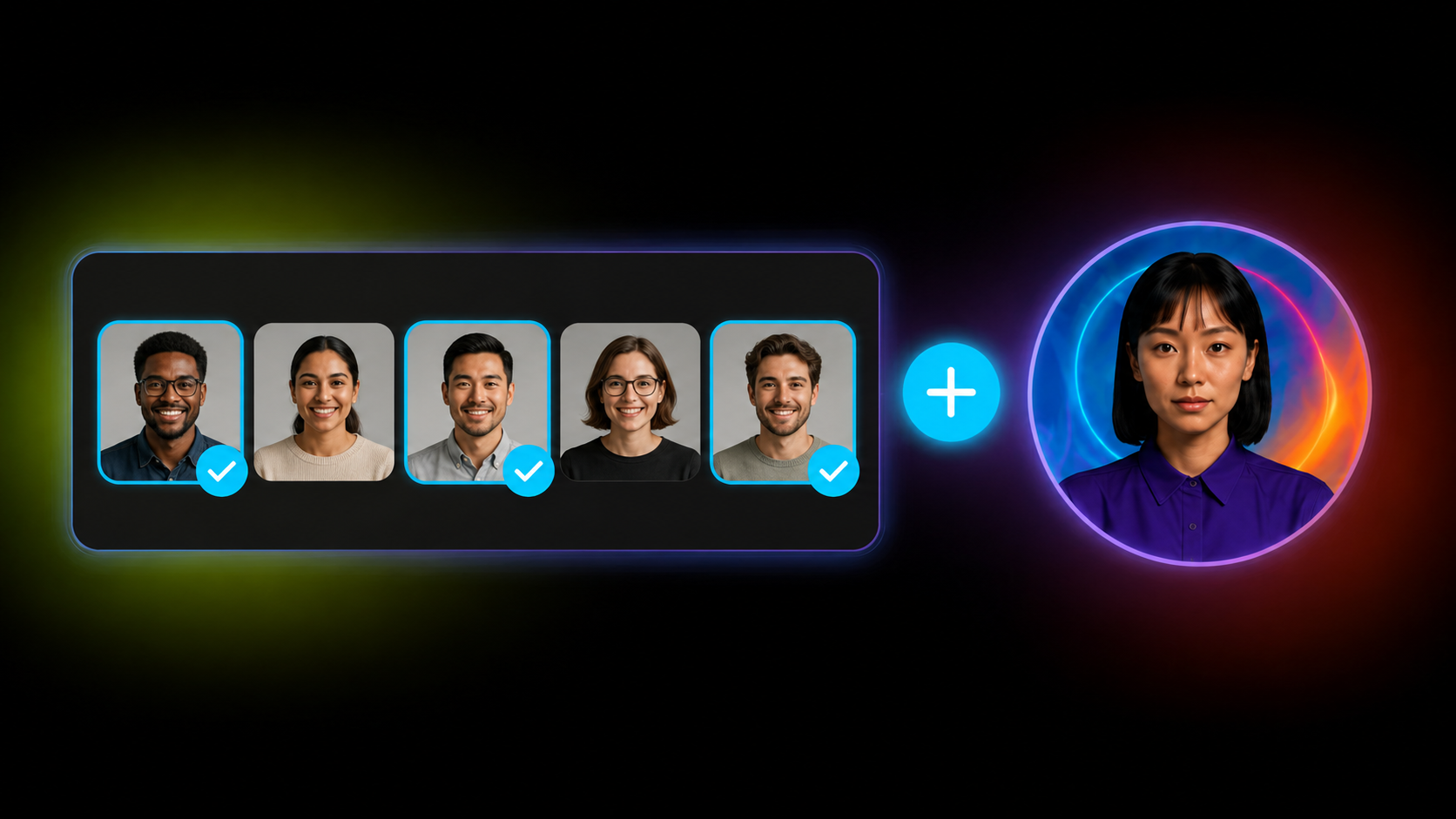
Assign AI experts directly to specific users
Until now, AI experts could only be assigned through enrollment campaigns. Now you can assign them directly to the users you want, without depending on enrollment processes.
Simply search for users, add them, and they’ll have access to the expert from their learner portal. If you prefer to automate, create rules in Automate: any segmentation criteria you already use—by department, by enrollment in a campaign, etc.—can trigger automatic expert assignment.
Improvements
SHARE
Links always stay up to date in Share
Publish a link and then discover it’s broken or changed? Now you can edit it directly from the publication without having to create a new one.
SHARE
Find your drafts faster
When planning the availability of your Share publications, a new filter lets you see only what’s published or only what’s still in draft.
This speeds up your workflow when you have many publications in progress, letting you focus on what you need in each moment.
Until now, Experts could index Drive content in PDF, SCORM or xAPI format. From this release, that capability extends to multimedia content: videos and audio files.
This makes it much easier to leverage materials such as recorded training sessions, video pills, podcasts, internal explainers or supplementary content. More supported formats means more knowledge within reach for your users.
NETEX CLOUD
Four new languages now available
Netex Cloud adds new languages to keep expanding its international reach: Serbian, Croatian, Bosnian and Montenegrin. This update marks another step in our expansion across Eastern Europe, delivering a closer, more localised experience for users in these markets.
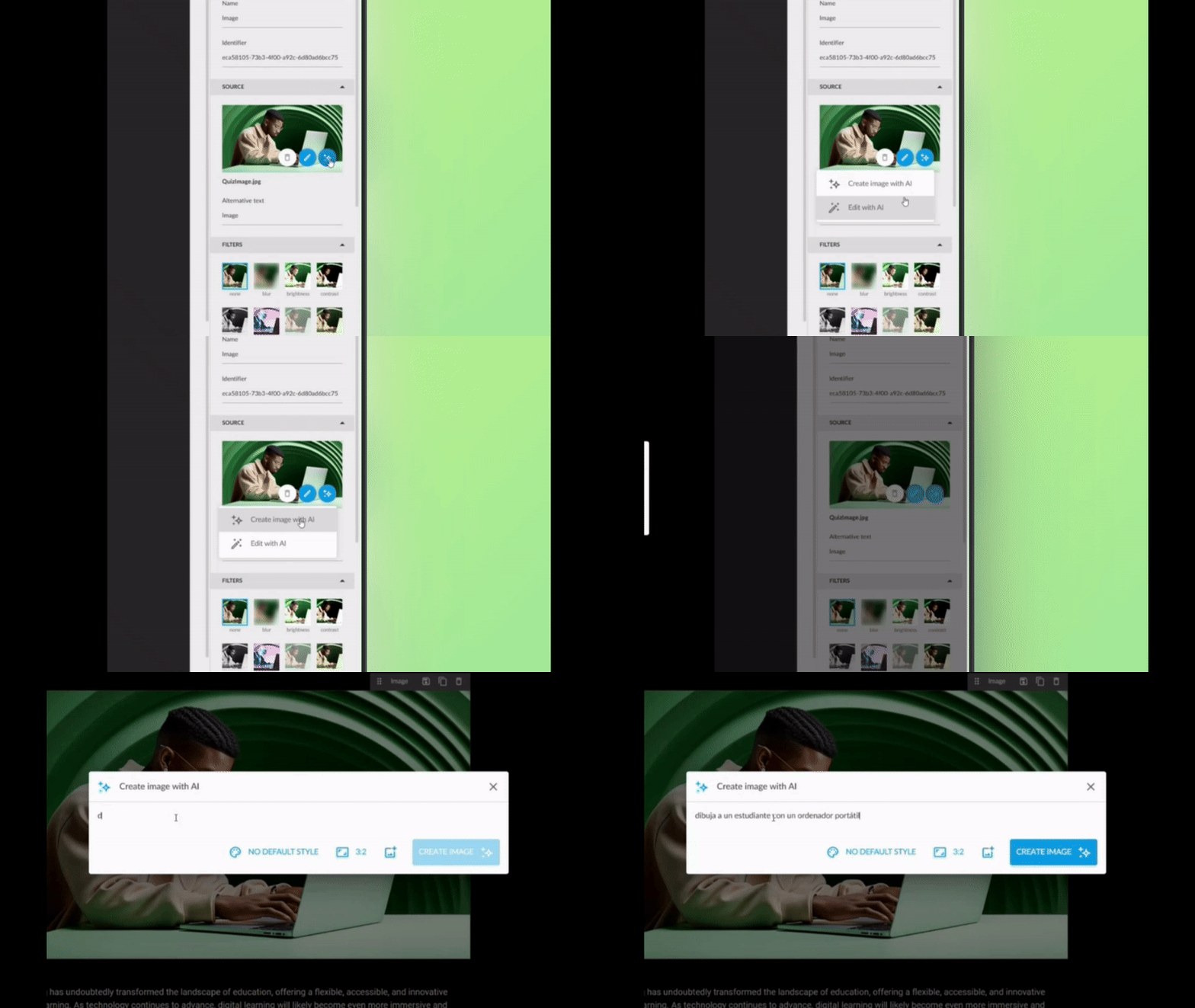
Create personalised images with text directly from the authoring tool. Now you can transform any concept into a unique image for your backgrounds or sections, without leaving the editor.
Three ways to create your images:
From scratch: Describe what you need and the AI generates it.
From a base image: Use a reference image to guide the creation.
Improve what you already have: Upload an image and ask the AI to optimise or modify it.
What’s in it for users?
Say goodbye to generic image banks: create unique visuals aligned with your message.
Save time on searching and external editing.
Greater visual coherence across your content.
✓ More attractive and personalised content, with no additional effort.
Automatic Video Transcription: Accessibility at the Click of a Button
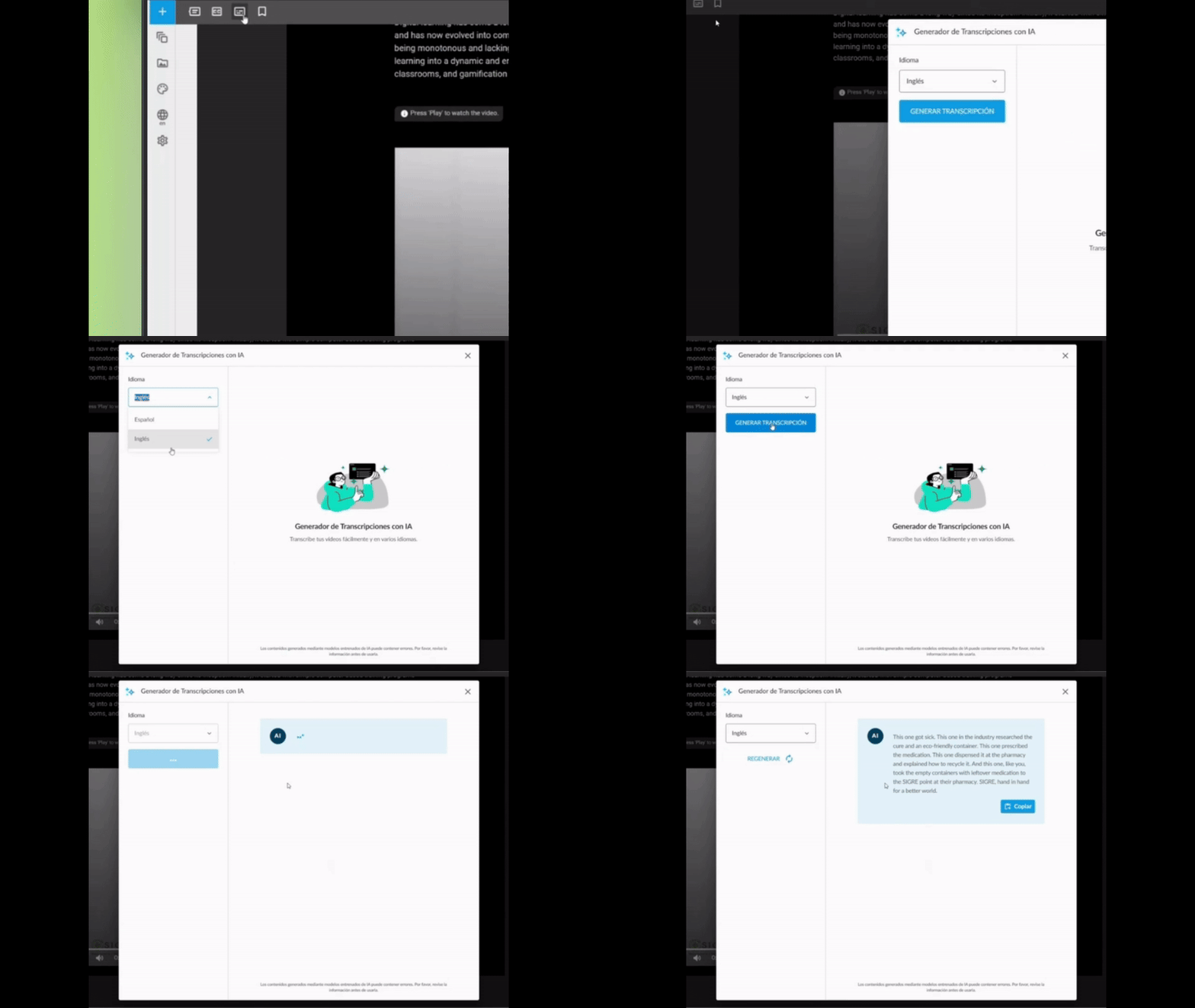
Automatically generate text for your MP4 videos directly from the authoring tool. It makes reading easier for all your users and effortlessly meets WCAG accessibility standards (Level AA).
How does it work?
Upload your MP4 video to the content.
Activate automatic transcription with a single click.
The system generates the complete text, ready to display or download.
Why it matters
Universal accessibility: Ensures all users, including those with hearing impairments, can access the content.
Regulatory compliance: Achieves WCAG Level AA without manual effort.
Improved experience: Users can read whilst watching the video, reinforcing comprehension.
✓ More inclusive videos, with no technical effort or additional time.
Enhanced Question Generator: From Your PDFs to Intelligent Assessments
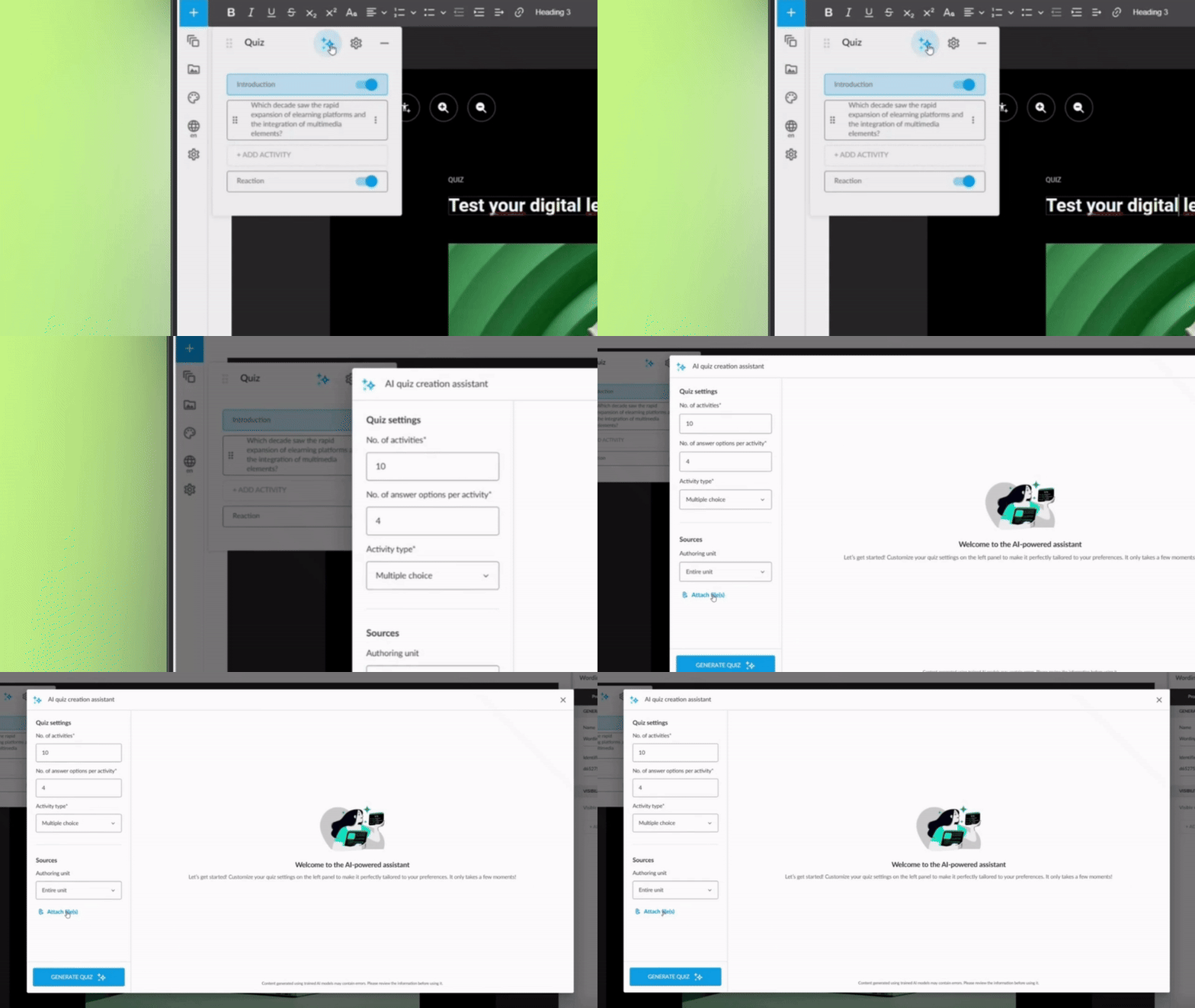
The AI question generator is now even more powerful. In addition to creating assessments based on your course content, it can analyse one or more PDF files from your Drive to generate questions automatically.
What can you do now?
Select PDFs from your Drive as the source for questions.
Combine course content with information from external documents.
Generate complete assessments without writing a single question.
Direct benefit
More agility: Repurpose technical documentation, manuals, or existing materials.
Greater variety: Create assessments based on multiple sources of knowledge.
Less manual work: The AI does the heavy lifting whilst you review and adjust.
✓ Richer and more varied assessments, generated in minutes rather than hours.
Smarter Question Banks: Each Student, a Different Exam
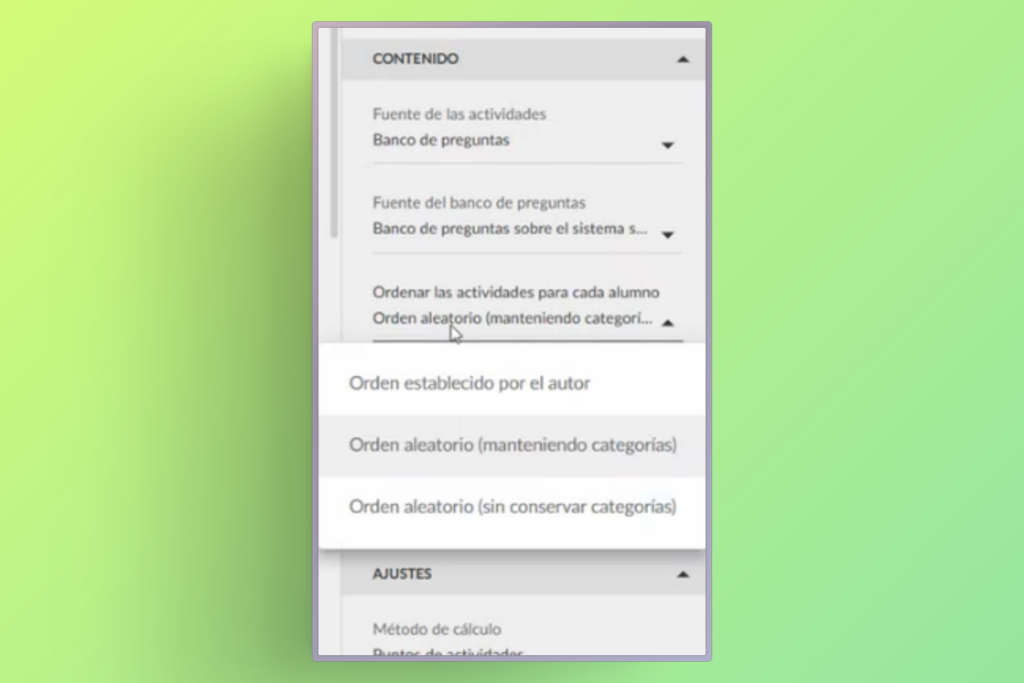
You can now configure your assessments so that the order of answer options from questions drawn from question banks changes automatically for each student.
What’s the benefit?
This improvement adds an additional layer of randomisation: not only are different questions drawn from the bank for each student, but the answer options for each question also appear in a different order.
What’s in it for users?
Fairer assessments: Reduces the possibility of copying between students.
Greater security: Each student faces a unique assessment, even if they share the same questions.
No complex configuration: Activated with a simple adjustment in the assessment settings.
✓ More robust and personalised assessments, without adding work for the author.
More Flexible Video Progress: Resume Where You Left Off
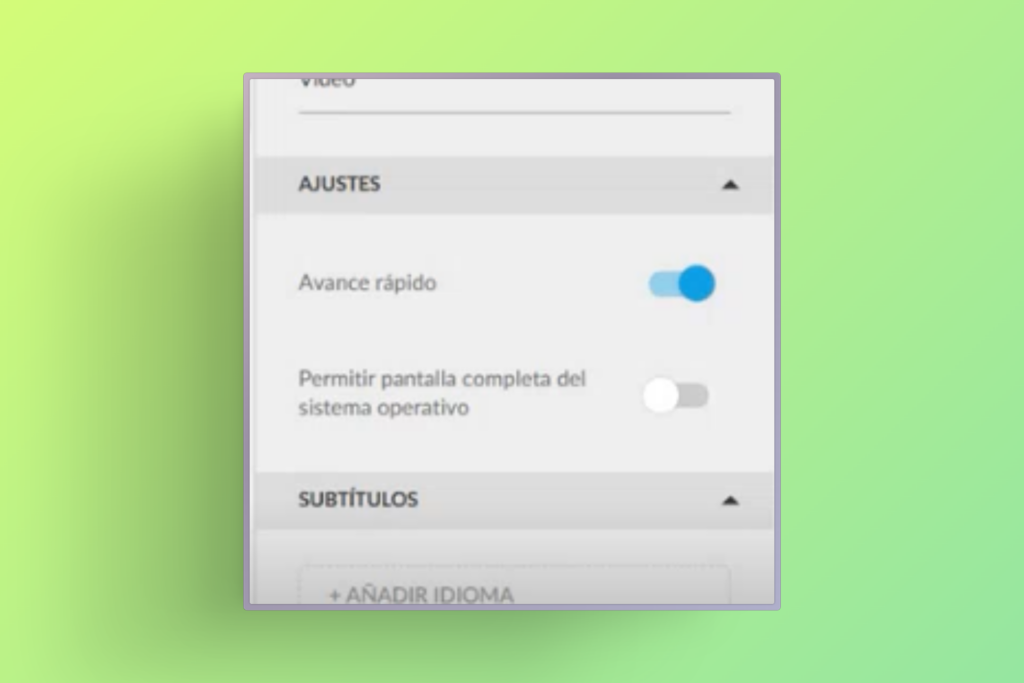
We’ve improved the behaviour of “fast forward blocking” in videos. Now, even with this option activated, you can manually skip forward to any point where you previously stopped, without having to watch it again from the beginning.
How does it work?
The system remembers your progress in each video.
You can navigate freely up to the point you previously reached.
The block only applies to content not yet viewed.
Why it matters
Better user experience: Eliminates the frustration of having to review content already seen.
Flexibility without losing control: Maintains the pedagogical intention of the block, but with common sense.
Time saving: Students can revisit specific sections without repeating the entire video.
✓ A perfect balance between formative control and respect for the student’s time.
Now, in our knowledge-sharing tool, you can save a post as a draft, ensuring that it is not visible to the people subscribed to the playlist until you decide to publish it.
AI Author with human review
If you use the AI Author feature, you can configure it so that automatically generated posts are not published directly, but are instead saved as drafts. This way, a human author can review them, improve them, and decide the exact moment of publication.
AUTHOR
Improvements in the content review process
The content review process in Netex Cloud’s authoring tool is now more agile, clearer, and more collaborative. We have redesigned this workflow to make the work of both authors and reviewers easier, avoiding bottlenecks and accelerating every stage of the process.
Comments and tasks directly on the content
Reviewers can add comments and create change tasks directly on the content itself, making communication and adjustment management much more direct and organised.
Temporary unit locking
To avoid simultaneous edits, authors can temporarily lock a unit while they are working on it. Fewer interferences, more peace of mind.
Faster navigation during review
During this process, sequential navigation can be unlocked to quickly access the last pages. This helps speed up reviews and move forward faster than ever.
Tired of setting up the same reports over and over? With our new custumereport templates, configure them once and generate reports automatically whenever you need them.
Create and save custom reports with the exact data you need.
Granular segmentation by user and course.
Advanced filters to extract key insights effortlessly.
CSV export, fully compatible with Power BI and similar tools.